Tuesday, February 9, 2010

Magellan RoadMate 760 Review

November 1, 2005 by Rich Owings  

Roadmate_760_3

UPDATE: The Magellan RoadMate series has been officially discontinued. For a more current model, check out our Magellan auto GPS comparison chart or our list of current Magellan receivers.

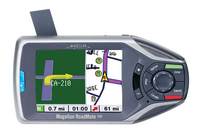
The North American version of the Magellan RoadMate 760 comes with built-in maps of the US, Canada and Puerto Rico (pre-loaded European maps may be unlocked for an additional fee). 

An update of the RoadMate 700, the 760 adds a text-to-speech feature that announces upcoming street names, and a SmartDetour feature that makes it easy to navigate around construction zones and stopped traffic.

Dozens of consumers have posted reviews of the RoadMate 760 at Amazon, where the editors had this to say:

Compare prices on the Magellan RoadMate 760


"…The 2.25-by-3.0-inch screen is exceptionally bright and crisp, and it's even got a brain. A small light sensor on the front of the unit allows the 760 to automatically adjust brightness and contrast depending on ambient light levels. It's a nice touch that helps you keep your eyes on the road instead of focused on fiddling with screen settings during your journey…"

Here's what others are saying about the RoadMate 760:

Here are some other helpful resources:


Compare prices on the RoadMate 760 at these merchants:

Product description from the official Magellan RoadMate 760 web page:

Turn it on and go™

GPS navigation is easier than ever with your Magellan RoadMate 760. Turn-by-turn voice guidance with SayWhere™ text-to-speech technology1 tells you when to take that next turn, including the name of the street and distance to the turn.  Use the simple menus with QuickSpell™ to enter an address on the touch screen, or find nearby gas stations, restaurants, ATMs and more by selecting from nearly 7 million pre-programmed points of interest (POI).

The SmartDetour™ feature will automatically route around stopped freeway traffic. Plus, if you find yourself stopped in traffic on city streets you can easily route around the traffic jam by selecting Detour on the Options menu.

Enter several stops on a single trip and the Multi-destination Route Optimization feature will calculate and guide you on the quickest route between them, or in whichever order you choose.

Let your Magellan RoadMate 760 guide you on every driving adventure with a set of advanced features that defies its ease and mobility. From the creators of Hertz NeverLost®.

The advance features of the Magellan RoadMate 760 provide easy, powerful and personalized GPS navigation:

  • Easy to use – GPS navigation is easier than ever with
    simple touch-screen menus, easy QuickSpell™ address entry and a package
    of advanced, state-of-the-art features, including SmartDetour heavy
    freeway traffic re-routing, TrueView 3D visual direction and more…
  • Turn-by-turn guidance with SayWhere™ voice prompting -
    Dynamic turn-by-turn voice guidance tells you when to make the next
    turn. Advanced SayWhere text-to-speech technology tells you the
    upcoming street name as well as distance to the turn. TrueView 3D
    visually indicates your next turn so you can confirm the direction at a
    glance. Never miss a turn with SayWhere, the first-ever mobile GPS
    text-to-speech feature.
  • Comprehensive mapping- With detailed mapping of the
    continental U.S., Hawaii, Puerto Rico and Canada, you can travel the
    country with no need to download new data. A single seamless database,
    built-in to the hard drive, contains all major city streets as well as
    federal, state and county roads and highways. Plus pre-loaded with
    European1 maps that may be unlocked for a fee.
  • Multi-destination routing – Let your Magellan RoadMate 760
    take you on a trip with several destinations. Use the Trip Planner to
    enter each of the addresses or points of interest (POI) before your
    driving adventure and select the order or let Multi-destination Route
    Optimization calculate the quickest route.
  • SmartDetour – When traffic stops on the freeway for more
    than a couple of minutes, SmartDetour will automatically calculate a
    detour and ask you if you’d like to route around the congestion. You
    can turn the feature on and off, or personalize the settings for the
    maximum distance you’d like to detour. You may also choose to Detour
    anytime by touching the enter button while you are in an active route,
    even on city streets and backroads, to route around road work, closed
    roads, flooded streets or stopped traffic.
  • Auto Re-route – Your Magellan RoadMate 760 calculates your
    route when you enter an address or select a point of interest (POI),
    and automatically calculates a new route as you drive, whenever you
    decide to take a detour or go off course.
  • Automatic night view and volume – Your Magellan RoadMate 760
    automatically changes the display brightness and contrast to night view
    at sundown, and back to day view in the morning. So you always have a
    clear view of where you’re headed. The volume automatically increases
    at speeds over 45 MPH. So voice and audio prompts are always at the
    right level for maximum clarity.
  • True mobility – Lightweight and truly portable, the Magellan
    RoadMate 760 is easily transferred from car to car, so you can take it
    with you wherever you go. Its compact size and light weight enable you
    to easily take it with you on business trips or when you change cars.
  • Exceptional GPS accuracy and reliability – Magellan RoadMate
    760 finds your location and the map continues to move with you by
    tracking up to 12 GPS satellites simultaneously. Assisted by the Wide
    Area Augmentation System (WAAS) and the European Geostationary
    Navigation Overlay System (EGNOS), the Magellan RoadMate 760 is
    accurate to within 3 meters or better so that you can rest assured that
    you know where you are and where you’re going.
  • Almost 7 million points of interest (POI) – Nearly 7 million
    preprogrammed POIs include addresses and even phone numbers, in most
    cases, for businesses, services, parks, lakes, airports and more. It’s
    easy to find the nearest restaurants, gas stations, ATMs, and more,
    wherever you travel! A simple touch-screen menu makes it easy to choose
    a location by category or sub-category. So if you want to find the
    nearest Chinese restaurant, just touch the screen.
  • POI icons – Select whichever types of points of interest you
    would like to appear on the map and see the location of gas stations,
    restaurants, ATMs and more, as you drive. Touch an icon on the screen
    and your Magellan RoadMate 760 will automatically route you there.
    You’ll also see the address and phone number (if available) so you can
    call ahead and make reservations at a restaurant, for example.
  • 4 ways to select your route
    • Shortest Time – an advanced algorithm calculates your route using shortest distance and speed limit factors.
    • Shortest Distance – determines your best route by shortest distance traveled.
    • Least Use of Freeways – calculates your route through city and side streets enabling you to stay off the highways when possible.
    • Most Use of Freeways – provides directions over freeways, highways and interstates.
  • 3 guidance screens with easy to use interface
    • TrueView 3D – shows a detailed view of actual road layout for upcoming turns and information about intersection maneuvers.
    • Map View – super bright, high-resolution display screen with bold
      and easy-to read icons and text. Zoom in or out on a detailed map. Plus
      select from 9 different color combinations to choose your favorite.
    • Maneuver List – details when and where to expect turns along the route.
  • Easily enter addresses with QuickSpell – QuickSpell
    intelligently sorts, searches, and checks spelling for rapid address
    entry with minimal keystrokes, accelerating your data entry by matching
    letters to the available destinations.
  • Address Book – 3 different users can store up to 200
    personal or business destinations for a total of 600 addresses. Each
    user can even personally select their top three destinations to keep
    them handy.
  • Beam addresses from your PDA – Built-in infrared
    communication enables you to send addresses from your IRDA compatible
    PDA or SmartPhone directly into the built-in address book of your
    Magellan RoadMate 760.
  • Instant Locate – The touch of a button shows the information
    about your present location so you can easily direct emergency services
    and roadside assistance.
  • Automatic startup and shutdown – When plugged into a
    standard cigarette lighter, your Magellan RoadMate 760 turns on
    automatically when you start your car and powers down when you shut off
    the ignition. Just turn it on and go!
  • Easy installation – Do it yourself installation is quick and
    easy. Choose from a selection of mounting accessories. There is no
    wiring required, simply plug in the power cord and you are ready to
    turn it on and go.

1 Detailed maps of 25 European countries.
2 Supports most Pocket PC 2002/2003, and Palm operating systems.

Hertz NeverLost® is a registered trademark of Hertz System, Inc.

Comments

2 Responses to “Magellan RoadMate 760 Review”
  1. Ilea says:

    we have a Magellan 760, but what di we need to do or buy to get Mexico on it?

  2. Rich says:

    Hi Ilea,
    I wish I had good news for you, but I don’t. Magellan has a topo product for Mexico, but it is not compatible with RoadMates. It looks as if Direct Route North America only has a rudimentary map of Mexico, and I’d be surprised if their Worldwide basemap was any better. You might want to contact the folks at http://www.bicimapas.com.mx/English.htm
    It appears that they do custom Magellan maps. They may be producing commercial, non-custom, Magellan maps at some point. You might want to ask them.

Speak Your Mind

Tell us what you're thinking...
and oh, if you want a pic to show with your comment, go get a gravatar!
