Looking for an auto GPS? Our buyers guide starts below…
Picking GPS for your car depends upon the price you can pay and the features you want. Our auto GPS buyers guide runs the gamut, identifying key features along the way. I’ll make a recommendation in each price category, based upon value and feature set. A few notes first:
- I’ll admit a bias towards Garmin. They manufacturer quality units with intuitive interfaces. Many of the models listed below are Garmin nuvis. You may find this Garmin nuvi feature comparison chart useful
- These lists of features worth paying extra for and features you don’t need may prove helpful
- Prices on GPS receivers are dropping rapidly. The prices listed below are current as of the last update of this post. Keep an eye on our companion GPS deals section for some great values
- Finally, unless otherwise indicated, the links go to our GPS reviews here at GPS Tracklog, where you’ll find several places to track down each model’s current low price from trusted vendors
Budget auto GPS receivers
Our choice:
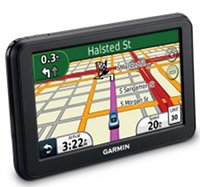
The Garmin nuvi 40 is a 2012 model with a 4.3″ screen that is loaded with features like lane assist, junction view and speed limit display. Currently available for around $90. Alternative recommendation:
- The 2013 Garmin nuvi 42LM has a faster processor and an improved mounting system
Mid-range auto GPS receivers
Our choice:
The Garmin nuvi 2455LT is a 2012 4.3″ model, loaded with features including lifetime traffic; at the time of our last update, this unit was running around $130. Alternative recommendations:
- Get a 5″ screen with the nuvi 2555LMT
- The TomTom VIA 1505TM gives you a lot of bang for the buck — a 5″ screen and lifetime map updates and traffic
High-end auto GPS receivers
 Our choice:
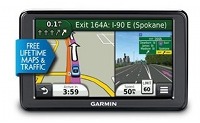
The 2013 Garmin nuvi 2597LMT 5” widescreen model is loaded with great features like custom avoidances and advanced detours. It also sports lifetime map updates, live traffic and voice commands.
- If you have a big vehicle stop looking and get the new 7″ Garmin nuvi 2797LMT
- The 2013 Garmin nuvi 3597LMTHD has more eye candy (3D terrain view and 3D buildings) and comes with a magnetic powered mount and an HD traffic receiver
More resources:
Image courtesy Reedz Malik

Which GPS unit has multi directional system that you would recommend for travelling for the cost? We are driving from Indiana to NC in April 2013.
Do you mean creating routes with multiple-destinations?
He is a lab courier and has multiple addresses to stop each day…so he’d need to load those prior to his departure…We would also use this for route planning to NC
This chart has a column for Garmin nuvis with multi-point routing. Click that column header twice to sort for models with this feature… http://gpstracklog.com/compare/garmin-nuvi-comparison-chart
Rich, first let me say wow what a great website. I’ve learned more in the last 20 mins then in the last 2 yrs. Here is my dilemma, I live in AZ I have a UTV (Polaris RZR) that is used for the sand dunes in CA and a lot of off road trail riding in AZ. I’m looking for a GPS that can do both of these well and then also occasionally be taken out and used as a hand held as I’m also a novice hunter. I need a 5″ screen to nav while driving trails and in the dunes. I am considering the nuvi 3550 or 3590 but after reading your review of the 3590 I’m not to sure. I know I will have limited battery use when not connected to the cradle but when out on foot I would just turn it on and off and not have it track me the entire time. I also understand that most of the units capability would be going to waste because I would never use it for city driving however I feel the Montana ‘s screen size just wouldn’t do the trick…. I’m so confused
Another quick question, is there a way to travel forest roads (w a topo map) and not have all of the elevation rings clouding up the screen? My buddy called Garmin and they told him no. If not which is the best topo map system you have seen for forest roads that would not be on the regular maps? For times that we are out trail riding.
Thanks in advance for your advice,
Greg
I would avoid nuvis like the plague. They aren’t ruggedized or waterproof and don’t support tracks. I think the Montana screen is plenty big.
You *may* be able to get maps without contours from http://gpsfiledepot.com. I would definitely check out their maps for off-roading. Or you could always use Garmin BirdsEye aerial imagery (it can’t be used on nuvis though). Hope this helps.
Here might be another solution to your needs. Delorme is the map maker who sells that oversize green road atlas you see in sporting good stores. They also make a USB attachment that converts a laptop into a GPS unit, and has the ability to store and use their road maps, USGS quad and contour maps, satelite maps, etc. at the same time. But in your case, they make a hand held GPS that is very rugged, can down load various types of maps, and use them together. The hand held is limited to smaller area than the auto GPSs though. You would not be downloading all the quads for the whole USA, for example. The laptop units with road map software are comparable in price to a low end auto gps. However I think the hand helds are a bit pricy. But Delorme does have sales. Give them a look at http://www.delorme.com. If you want to use their maping in a mobil device, they told me a few years ago, it must be Windows compatable. Probably still is. As for myself, I liked their system, however my laptop is a pain to use in my old and modern cars. And of course, I am too cheap to upgrade to these new fangled tablets.
Do all Garmin automotive GPS devices allow a person to enter Longitude and Latitude date for a place you want to go?
I’m 99% sure, but if you let me know a specific model you’re interested in I’ll try to verify it.
I am a geocacher. i have a hand-held garmin for that. i am looking for a less expensive auto gps for trips and possibly to take the car to the geocache so I can get out and find it with my hand-held. Suggestions?
Also would want it to be portable so I can move it from one vehicle to another.
I’d say a simple unit like the Garmin nuvi 40LM or 50LM. They will all allow you to enter coordinates.
Rich, I was wondering if the nuvi 2460lmt has the data option to download map data from Microsoft streets and trips. I drive a different route every day in the tri-cities area with about 35 stops. Each day I have to transfer the addresses from an excel format to streets and trips then optimize it and hand enter it all into my gps unit. I’m trying to find a way to make starting my day easier. I was looking at buying a 5″ refurbished Garmin 2460lmt from walmart.com. I like that you can speak commands to it if necessary. Unless you can suggest something that would work better for me.
You’re better off using Garmin’s free Basecamp program to plan and transfer routes. You can transfer individual stops from MS&T but I don’t believe you can transfer routes.
rich, I down loaded the free garmin Basecamp and it’s pretty cool. but it doesnt help me. I recieve my daily route on an excel spreadsheet and I can transfer the name, adresses to streets and trips to be optimized. I cant find any way to transfer that data from exel to basecamp without doing it manually.
You should be able to save them as a .csv file and then transfer the using Garmin POI Loader… http://www.garmin.com/us/maps/poiloader
Rich- you have the best web site to narrow down choices for a GPS. My first GPS was the excellent Garmin Ique 3600 PDA+GPS and I still have 2 of those. I just wanted to add a comment about why, in spite of the beautiful hardware, I had to eventually sell my nuvi 3790LMT because of the crazy routing and unusable traffic information. It would recommend a different route each time for the same destination often opting for little side roads and sometimes keeping you on a little road parallel to a major road where you could see the traffic flowing well. It became really disconcerting on trips to other big cities where I was not familiar with roads. I live close to NYC and most of the time there would be no traffic ‘bubble’ on nuvi when my TomTom 540LMT would be showing live traffic. Also, when the traffic bubble did turn red, you had to touch it to see the detail. On the other hand, TomTom shows traffic and delays continuously on the right side of the screen. TomTom offers rerouting around a traffic delay but nuvi never did it even once.
Thanks PM. Sounds like you had trafficTrends enabled on the nuvi, which probably isn’t as good as TomTom’s IQ Routes.
The new 2013 nuvis will function more like TomTom models when it comes to announcing traffic issues: http://gpstracklog.com/2013/01/garmin-nuvi-2013-line-brings-7-model-with-magnetic-mount-real-directions-active-lane-guidance-and-voice-activated-traffic.html
PM, I found the same about Garmin with the older models, the reason I got the Tom Tom 540 XXL540TM. To Tom also tells you the traffic delays and time of delays through the audio rather than having to keep touching the screen to find out the information as needed with Garmin.
I just purchased a Garmin nuvi Series 2405 and I hate it. It has a very long delay in letting me know that I am heading in a wrong direction so I am always somewhat nervous in knowing that I am indeed heading in the right direction (just moved to a new city). It is also very slow on the uptake when telling me to make a turn. I am often right at the road and have no way of getting over across traffic if necessary. My friend’s Garmin will almost immediately say, “Rerouting” when headed in a wrong direction and gives ample notice for turns, etc. They have an older model 1450MT. Also, it often sends me on the longest route to anywhere. I travel from Sacramento to Chico and it wants me to travel R. 99 which is SLOW instead of HWY I-5 which is a real freeway. I would love a model that would truly reroute me in a timely manner and give ample notice for turns, etc. I really don’t care about lifetime map updates. It took 5 hours to load when we first tried to register. Help and thank you.
Make sure your settings are for fastest route and not shortest. Also, check to see if trafficTrends is enabled. You may have better luck with it either enabled or disabled.
Also, as far as updates go, it’s best not to do it during primetime.
Thanks for the answer. I will check the settings. But, I would really like to get a Garmin that I know is excellent at early verbal notices for turns, etc and one that will tell me immediately that it is re-routing me if I am going in the wrong direction. I don’t need any bells and whistles. Can you recommend a model?
Thank you.
Suki
You would need to go back several generations to the 1xxx series to get a model that says recalculating…
http://gpstracklog.com/2013/01/want-your-gps-to-say-recalculating.html
Disabling trafficTrends might speed up route recalculation when you miss turns. For turns on your route, you should be getting two verbal cues – one some distance out and another right before the turn.
I need help in which TomTom to buy- TomTom START 55TM or TomTom VIA 1505TM. Both are available ‘used’ for the same price and I cannot really discern any significant differences between them. I will not buy a Garmin simply because the traffic coverage is poor and not useful.
I would probably go with the VIA, which has an improved mount.
If traffic is important to you, then neither of those units will be the best option, since their RDS-TMC coverage will also be limited. Although IQ Routes from TomTom does help to guess the time required to avoid traffic by using alternate routes that are not major roads, even where RDS-TMC is not available, HD Traffic is by far the best option, and available almost everywhere (depending on signal from AT&T, not FM).
Any current LIVE device will have one year of HD Traffic included. After that, it’s $60 per year, and well worth it in my opinion (in Los Angeles area). I will ignore any number of minor TomTom quirks for this reason alone, and it makes TomTom the ONLY navigation device I would ever use each and every day, without exception, even when I already know exactly where I’m going.
TomTom’s LIVE traffic service has only been “HD Traffic” for just over two years in the U.S.A., but it improved dramatically after they switched from TrafficCast. I would say it is now the best traffic avoidance option available at any price today for this market. The GO LIVE 2535M with it’s stellar magnetic mount, excellent speaker, and bright capacitive screen is a much better product than the lesser GO LIVE 1535M, which uses a standard integrated mount, a mediocre (but acceptable, I suppose) speaker, and a simple, but responsive resistive screen (fewer reflections, but not as bright).
The prices are around $300 and $200 respectively for those models. I own and use both.
Rich, I would like to acquire (purchase or donate to freeware) the best software and GPS device that will allow me to track my vehicle movements on Google maps in near real-time. Golenfound’s Google Maps with GPS Tracker, a free application that uploads one’s GPS position regularly via GPRS or 3G and then automatically updates one’s position on a Google Map display is highly rated by CNET (5 stars) but less so by users (3 stars). Colenfound’s GPS tracker requires a compatible GPS unit? What hardware/software would you recommend to make Google maps work with my computer or tablet while driving, or moving by any mode? I would prefer Bluetooth communications between my computer and the GPs.ray
The only device I’ve tested that fits your needs is the Garmin GTU 10: http://gpstracklog.com/2011/06/garmin-gtu-10-gps-tracker-review.html
A salesman at BestBuy today told me that the Garmin Nuvi 52LM has a higher resolution screen and new software, compared to other Garmins. Is this true?
I’m looking for a good 5-inch GPS to replace my current TomTom 1605 (beautiful 6-inch screen, but annoyingly slow interface).
BTW, great info site. thanks.
Not sure about higher resolution, but it does seem to have a snappier response time.
I am looking to purchase my first auto GPS, and found your wonderful site. The higher-end Garmins are appealing, but upon looking at Garmin’s site for maps of Europe, which is where I will be using the device, I discovered a note indicating such maps will not be available until May. I am in need of it sooner, and am rather in disbelief. What are my options? Thank you very much.
Are you in the US? Can you provide a link for the page that said they won’t be available until May?
Here it is: https://buy.garmin.com/shop/shop.do?cID=253&pID=8426#
A co-worker will be joining me in Spain, and bringing the GPS.
It would be great if I am mistaken. Maybe requests for no-US maps are rare?
Apparently there were errors in the Holland map, which has pushed back the release of all new European maps. You might check with a third party site like GPS City.
ok. If you click on that link now, the map is available, as are all City Navigator maps. Perhaps their arrival date was conservative. What is missing, however, is information on whether these are indeed 2013 maps and not an older series. I emailed tech support and asked this question, but if it is not too much trouble, would appreciate you verifying it. Thank you.
Sorry, but I have no way to verify that. I did see that they were now available though.
my garmin nuvi255w is freezing up on me . bought a nuvi 2555lmt , thinking it had eco-route like my old one which tells me total miles driven all day .payed 180.00 for it needless to say i took it back .im looking for one that comes with that for for about the smae price .
You’ll need a pre-2012 model or pay $9.99 for the app.
I just bought a Nuvi2797LMT. It is my 1st gps and I am not understanding the trip planning. We travel a certain route between Florida and Michigan each year and I usually read the map and “direct” my husband. This year we are traveling seperate, therefore the need for the gps. I can”t seem to be able to program it for the route we take. I put in a starting point and an ending point and it gives me different choices but not my choices. I tried calling Garmin but after 30 min. on hold I hung up. Is this how they work?
You can add multiple “via” points to the route, using the Trip Planner, to force it the way you want it to go.
Is there somewhere that tells me how to do this. I’ve spent hours with this and can’t seem to find a way to by-pass their maps.
From the main menu, go to Apps > Trip Planner > New Trip and it will pretty much walk you thru it. Tap the + sign to add a new location. At the end you can name the trip and then tap the (3 horizontal lines) menu icon and Edit Destinations to change the order of destinations and make other modifications. Hope this helps.
Rich,
Currently looking to buy a new, entry-level GPS to replace a few years old nuvi 1350LMT. Traffic is definitely not needed, so trying to decide between the on-sale 50LM ($99) or the newer 42LM ($129). The 4.3″ screen is big enough for us, so basically comes down to is the new 42LM worth the $30 in ‘new’ tech or save the cash and get the bigger screen?
I think I’d go with the bigger screen. The only advantage the 42LM has is a (perhaps) slightly faster processor.
I’m a Jeeper looking for Garmin that will take Garmin topo and back country maps. I like the big screen. I want to also use for daily navigation around town. Best choice???
You can load topo maps to any nuvi (the cheapest solution), but it won’t have backcountry navigation tools like the ability to follow a track.
Are there Nuvi’s with large (5″+ )displays that are sunlight-readable that have long battery life. I need a unit for a top-down convertibile in Arizona. It will also be used as a hand-held periodically. The cost of the Zumo is a bit too steep. With a limited budget I am looking for something less expensive.
Often I see the terms “high-bright display” and “qvga TFT with anti-glare”. What do they mean? My suspicion is I need both features to perform well for my applications. I have talked to Garmin Support but they keep steering me to the high priced Zumo.
I have a Nuvi255W but it is several years-old and does not perform well in sunlight. My other unit is a GPSMap 60 CSX which works okay but the screen is to small.
No nuvis have a very long battery life. I’d be surprised if you’d find one that gives you more than two hours, even brand new, and it will likely get worse than that pretty quickly.
How about a cheap nuvi and a cheap handheld?
Rich
My latest research found Gomadic Corp. has a AA Battery Extender and a Lithium Rechargeable Pack.
Would either of these devices actually extend my usage time when not connected to the auto 12 volt system? The Garmin site seems to be vague about battery extenders.
Would you also please comment on the “high-bright”and “anti-glare” features?
Thanks
An external battery pack should work, assuming it doesn’t send it into mass storage mode.
Which nuvis are you seeing as having a high-bright display?
Rich
Have been looking at Nuvi 2350LMT, Nuvi 500, Nuvi 765T, Nuvi 1450LMT and Nuvi 1490LMT as possible units but cannot find a Garmin specific statement about “high-bright”. I suspect the Zumo line is “high-bright” but not sure. The use of “Transreflective” technology which is an alternative to “high-bright”, is apparently not in use for any of the Nuvi product-line.
I have found an innovative solution to shield from sunlight that may solve the reflection issue. It is at this web address:
http://www.flickr.com/photos/48493040@N07/
It uses disposable plastic food containers, Flat Black Krylon spray paint and velcro to make a GPS surround which might be a solution.
When I see the term “white-backlight” what does it mean? Is this similar to “high-bright”?
Would you please comment also on the Nuvi’s I identified in the first paragraph. If one of them is superior to the other in direct sunlight and has reduced reflection I would be eternally grateful for your help.
Thanks
Gary
I’m still not sure where you are seeing the terms high-bright and white-backlight on Garmin’s site. Can you provide a link?
If you look at the Zumo 660 LM at “buy.garmin.com” under the Specs tab the Display Type is specified as “WQVGA color TFT white backlight”. The same is true of the Zumo 665LM,
Zumo 350LM and the Nuvi 2350. The Zumo 220 Display type is different, it says “QVGA color antiglare TFT white backlight”.
It is very confusing to me. What is the difference between “WQVGA” and “QVGA with the antiglare”?
After further research I see that all Nuvi units say “white backlight”.
WQVGA displays are wider than QVGA. Anti-glare should do just what it says.
Link to the specifications of the nüvi 3597 LMTHD, including “display type: multi-touch, glass, dual-orientation, WVGA color TFT with white backlight”.
https://buy.garmin.com/en-US/US/on-the-road/automotive/new-2013/nuvi-3597lmthd/prod121762.html
As you know Google Maps on their android phones are the best GPS navigation out there , there is noting better the Google Build in GPS navigation.
I would like to ask you if there standalone GPS Device which is build on Google Maps System?
That’s a bit of a sweeping statement. My preference is to use Google maps only in pedestrian mode, in fact.
1) Google maps are the most up to date maps available today, because they can be corrected continually without waiting for a quarterly update of the base map, which is how TomTom and NAVTEQ update their maps.
2) Google maps have the most extensive information for Points of Interest, and voice control can sometimes work very well to help find these,
but …
3) “Google maps on their android phones are” absolutely NOT “the best GPS navigation out there”. At least, not for everyone in every circumstance, especially when driving. The quality of the phone will have a huge impact on usability (quality of sound, quality of screen, quality of GPS signal …), and there are a vast number of incredibly mediocre Android phones on the market that will not perform well at all. Only the most expensive models will offer a usable experience.
4) Google maps on Android phones require a data signal to work. This is not always available, and can be very slow outside of major cities. You can download sections of the map to your device, but that too will require data. Because the map for an entire continent can be stored in memory, dedicated navigation devices require only a satellite lock to function, even in remote, mountainous regions.
5) If you want to use Google maps for vehicle navigation, the mount is going be problematic. For regular use, rather than occasional use, fumbling around with those ubiquitous universal mounts and plugging in USB cables for power, especially at night, is far from an ideal user experience. There are too many Android phones and very few good mounts with the same astonishing ease of use of a magnetic mount such as what was launched by TomTom three years ago, or just recently by Garmin. If you can find a tablet or largish screen phone with a decent mount, then maybe that would improve the usability of Google maps. There are some excellent “drop in” iPhone mounts and Google maps will function on an iPhone as well.
6) As vehicles with on board telematics capability become more common, it will be increasingly possible to choose Google maps on those systems, but there will still be some inherent limitations.
Thanks for your detailed reply
In general no want will calculate a way taking in Traffic view as google do & this is the best feature
Or I am wrong , if someone will do this Please let me know the model number
In my opinion, TomTom’s HD Traffic paired with IQ Routes technology is better than Google maps at avoiding traffic with dynamic rerouting. It’s not infallible, but in my experience over the last two years, arrival times can currently be expected to be accurate to within three minutes during rush hour about 75% of the time, or to within 5 minutes about 90% of the time, or close to it. It works best on routes of up to one hour. For longer routes, it will not be including traffic that is farthest away in it’s initial arrival time estimate, so in some cases, that will lead to inaccurate times which appear to deteriorate significantly.
Depending on your country, to get this service you must choose any device with LIVE Services capability, since only those devices have an integrated SIM card. Frequently the first year subscription will be included with a new device. In North America, it’s $60 per year after that.
TomTom also have a navigation app for either the iPhone or Android phones, and HD Traffic can be purchased within either app as an optional extra. Maps are included for life, and the HD Traffic subscription is cheaper than on their standalone devices.
Traffic services based on RDS-TMC are much more limited, especially in North America (where coverage is limited to major metropolitan areas only, and major roads within those areas). Those account for most devices with “free” lifetime traffic.
So this is my point in order to get good traffic data you need to have the not so go brand like TomTom
We can not have the better brand like Garmin for such an important feature like traffic
On google devices you can have it for all places LIVE
I am in need of a GPS that works in the USA, but also in Europe as I will be using it in Italy. I have been doing some comparisons, but it is confusing. I would like to spend $200 or less and get free lifetime maps. I know this doesn’t apply to the European maps for Garmin or TomTom. However, is there a way to get free lifetime maps for Europe? Or a good deal where you pay a one-time cost for continuous map updates for both USA and Europe? Can you recommend a TomTom and a Garmin model? Which one would be better? Please give your reasoning. I would like a current model, if possible.
I *think* you can update a transatlantic nuvi with this: https://buy.garmin.com/en-US/US/prod33381.html
I’m not familiar enough with the TomTom models to make a recommendation. For Garmin, I would choose the latest 5″ model, the 2577LT.
I found your cool site while searching for a new GPS unit. I’m trying to decide between updating the maps on my beloved, but old, Garmin nuvi 760 (which lied to me three times this last weekend in Tampa because of old maps) or replacing it entirely with a new unit. I copied your table into a spreadsheet so I could sort it various ways to select one with the features I wanted. Is there an easy way for you to add this feature selection to your table (e.g. Screen size=5.0″, Traffic=Lifetime, Bluetooth=N/A, etc.?
Not that I know of. I’m not a coder and would have to outsource that. You can sort each column individually though, by clicking on that column header.
Rich,
Looking to upgrade from my 4-5yr old nuvi 1350LMT. First ones to catch my eye yet still fairly inexpensive are a manufacturer refurb nuvi 2595LMT and the new 55LM. Any lean in your opinion?
Dear Valued Customer,
We are located in Mali West Africa and we are large gold mining group.
I am the end seller and signatory person to every contract and Full
Corporate offers. We have our gold in dust and dory bar form and could
be delivered in any form depending on the buyer’s choice.
The purity of our gold is 93.5% minimum to give you 99.99% after
refining. The price of our raw gold is $27,000 USD per kilogram. We do
not ask for the payment of the gold until after the buyer’s refinery
result but the buyer has to pay all the export costs before shipment
and get it deducted from the total amount of the gold after refining
before final payment. The export costs are 10% of the total amount
while the buyer will affect the payment of 90% after refining. For
your information, one of our representatives will accompany the gold
to
your country/refinery to inspect the final refining and payment.
COMMODITY SPECIFICATIONS:
a) COMMODITY: Aurum Utalium(AU)
b) FORM: Gold Bars.
c) Purity: 92.05 % like minimum value and 93.05% like maximum value.
d) Fineness: 22+ carats plus
f) ORIGIN: Mali – West Africa.
g) AVAILABLE QUANTITY: 150 kg
PRICE: US$ 27,000 per kg
If you are interested in proceeding with the above,then get back to us
for our FULL CORPORATE OFFER.
Thanks,
After lots of research, I recently purchased a NUVI 3590LMT. The model is discontinued, but I found several vendors who said they had new devices. (None of the vendors were name-brand stores like Best Buy or Walmart.) I purchased one that was advertised as new. However, I suspect the device I received is reconditioned. Is there any way to tell whether a device is new or reconditioned? Thanks.
I doubt if there is any way to know for sure, but if you can’t tell the difference, then it has been reconditioned with care and must be showing no signs of normal wear and tear. Poor battery life might be the only detectable measure of an old device where the battery was not changed as part of the refurbishment. The battery is not that important, though, other than to enable faster boot up times. These larger models are not really to be considered as useful for pedestrian navigation in my opinion.
I would think at this point that it boils down to how much you paid and whether or not it was a fair price. MSRP was $350, but they never sell for that after the first six months or so. By end of life, they would sell for about $250 new, and anywhere from $150-200 refurbished would seem fair.
I like the spoken POI warnings on my TomTom XL350. For example, it will announce “Rest Area 1.5 miles, next opportunity 32 miles”
Is that functionality to announce an upcoming POI and then state when the next one will be reached available in the Garmin units, too?
I have a Magellan 1700, which I use constantly while traveling.
I purchased another Magellan 1700, for my wife’s car so we donot have to change the one I have in my car from car to car.
Can I transfer data from my 1700, to the new one electronically without having to type in each address individually?
If so how?
Thank you
Have read a lot on this site – thanks! Though am still not certain on what to do for my situation. Use my GPS (TT 2535 LIVE) predominantly for help avoiding traffic around Chicago on my daily commute (30-60 minutes). Thus, accurate and fast (and timely) traffic information and re-routing are most important to me. From reading around here it sounds like TT is best for traffic (and Garmin for everything else), though my gripes with the 2535 is how slowly traffic information is downloaded and then used to generate directions. It seems TT has made significant patches to speed up the download, but even once the device ‘knows’ the traffic conditions, it seems to take another ~5 minutes to figure out how to change my route. By then, I’m either on the highway (default shortest route, often comes with the worst traffic), or I’ve opted to take another route it’s not recommending, which seems to reset the 5 minute clock. Is there a better device available for this purpose? Alternatively, I’m starting to wonder whether Google Maps (or similar) on my iPhone would fit my needs better since there’s no delay in incorporating traffic data into directions? Thanks in advance!
As a fellow GO LIVE 2535M user, I would agree that TomTom Traffic is better than anyone else, in large part because of the way that they use TomTom connected devices (and phones from partners) as probes. However, as an owner of both Garmin and TomTom, I don’t agree that Garmin is better for “everything else” ;-). In reality, I came to the conclusion that my Garmin was almost useless for traffic avoidance, and simply stopped using it altogether in favor or my TomTom.
Google is really the only other option, in my opinion, but Google (with Waze) also has it’s limitations, so as a Los Angeles driver, I’m not convinced that it’s actually better than TomTom, other than the ease of use for voice search. In fact, in that case, I’d just as soon use an iPhone with the default Apple maps rather than bother with Google maps.
The newest TomTom devices use a smartphone data connection through the free MyDrive app instead of a built-in SIM to retrieve traffic data. It is much faster to connect than the GO LIVE 2535M, and traffic is included “free” for life (there is no annual or monthly subscription to pay). It’s still not perfect, and it does have its quirks at times, but it is frequently accurate to within ten seconds of the start or end of a traffic jam. Generally speaking, I don’t like to second guess it, and it gets me to where I’m going within five minutes of the estimated arrival time about 80% of the time.
Thanks so much, Kris. Based on this, I’m going to buy the TT GO 500 and see how that goes. I may even do a head-to-head competition between Google Maps and the GO 500 to see which ones does better for me. I’ll follow-up in a few weeks.
For the benefit of anyone who comes across this, the TT GO 500 is an infinitely better device at navigating traffic than the older generation of products (my specific comparison is the 2535 LIVE). The new system of connecting to your cell phone to download the traffic information cuts the amount of time before the device knows the traffic and comes up with a route including that information from 5-10 minutes down to about 15 seconds with the GO 500. And even though the device uses the same traffic information, the extra speed of the device itself gives me the impression that the quality of the re-routes is better than it was with my older device. I’m still not convinced it does a good enough job of projecting how the traffic will change (I’m typically commuting either early or late in rush hour, and so traffic is either getting worse or better quickly), but my estimated arrival times are still doing much better at being accurate with this new device. Since it’s going so well, I can’t be bothered to compare to Google Maps right now.
This is a disgrace! My Nuvi 52 LM has failed again. The first time less then a year after original purchase. (5/19/14) After many calls and contacts, Garmin sent a reconditioned unit to replace my new unit. Now after a total of 13 months and two units, the same problem has come up again. The unit says it has lost power. All connections are secure (back of unit cord plug in from the power outlet in car) no looseness in any of the connections, and the cord itself is fine, but the unit continues to says, it has lost power and prepares to turn off. It then sometimes comes on for a few seconds and cuts out again. The problem is an interior build problem. This continues to happen more and more while I’m driving and trying to hit the correct button to keep it on, recheck the power outlet, again all is well for maybe a minute, then it repeats the same symptoms. The product is junk, and it is a danger while driving to keep these actions up. The time to contact and work with support is difficult and time consuming. And now the unit is out of warranty and I am fed up. So now, I’ve written negative reviews to as many consumer review sites as I can, and I’ve written a rant to Garmin. How does a company like this survive? It must be, that like myself, people get fed up and go elsewhere after giving Garmin our hard earned money. I will continue to write more negative reviews, bad mouth Garmin to all I can, in order to prevent other people from throwing their money away. Oh, of course, I or any person I know or family member will never buy another product from your company.
Stan Rubin-I have an older (3-4 years) Tom Tom XL540TM which has been great. It has a 5″ screen, tells me traffic without a problem, if there is a delay I have it on auto-reroute so it tells me the minutes of the delay but that I am still on the quickest route (or reroutes me). I have gone in and (easily) adjusted some of the bad pronunciation for streets on my area, as shown on another website. The new ones do not allow you to do this. The routing is great. It does not take you off the highway to follow the side road, then get right back on the highway because that way is 2 feet shorter than staying on the highway (shortest route) as with the Garmins. Tom Tom has only gotten better, but mine is great so I will keep it, continue updating (free) the maps, and enjoy the traffic updates (with no ads) as long as it lasts before looking for a new one.
I think Costco will allow you 60 days or more to test out a GPS if you want to go there.
Stan – I did hear really good things about the Garmin 52LM and its routing but will not consider it in the future based on your review.
Hello,
I’m a member of a volunteer fire department in central Texas where we often have to get off the mapped roads to chase down brush fires. Very easy to get lost on some of the large ranches, especially at night. Can you recommend a GPS unit that could track our travels and draw our route on the display? Or, is it easier to just drop a waypoint while we’re on the move? Thanx!!
Bob Taylor
hi, The best info that I have seen was on Volt daddy (i did a google) Gotta be the most informative info on batteries and this kinda stuff that have found.
Have you reviewed any of the current year models for 2016. I’m looking for a new unit to upgrade from my nuvi 780.