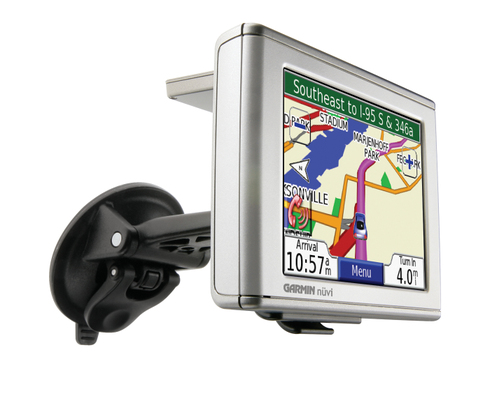
UPDATE: Though still available and supported, Garmin has discontinued the nuvi 360. For newer models, check out my Garmin nuvi comparison chart.
The Garmin nuvi 360 updates the popular nuvi 350, and both have consistently been among Garmin’s top sellers. The 360 adds Bluetooth, allowing for hands-free cell phone use, and the Garmin Lock™ theft prevention system.
This is on top of the features that made the nuvi 350 such a hit, including a 3.5″ touch-screen, an MP3 player, audio book reader, SiRFstar III chipset, and the ability to speak upcoming street names. The 360 comes pre-loaded with maps of the U.S. and Canada.
Additional options include live traffic information, the Garmin Language Guide™ and Garmin Travel Guide™. Stepping up to the nuvi 370 adds maps of Europe and a traffic receiver (optional on the nuvi 360).
UPDATE: There are now so many models in the nuvi line, that it’s easy to get confused about their differences. To help with that, I’ve put together a Garmin nuvi comparison chart.
Compare prices on the Garmin nuvi 360
More Garmin nuvi 360 reviews
- Several nuvi 360 reviews have been posted at GPSNow.
- Hundreds of nuvi 360 reviews
have been posted by satisfied owners at Amazon.
- One of our all-time favorite GPS sites, GPSInformation.net has posted their nuvi 360 review.
- PC Magazine gives it an Editor’s Choice award in their nuvi 360 review.
- Hands-on, user reviews of the Garmin nuvi 360 review are posted at CNet.
- TravelbyGPS has posted an extensive nuvi 360 review.
- Here is a nuvi 360 review from PocketLint.
- PowerPage.org gives a Power Pick ’06 award in their Nuvi 360 review.
- Unstrung has posted their own Garmin nuvi 360 review, comparing it to three other units.
- And here’s a video review of the nuvi 360.
- Here’s a brief review of the Garmin nuvi 360.
- Gadget Lounge has also posted a brief Garmin nuvi 360 review.
- GPSLodge has posted a nuvi 360 review.
- Audioholics reviews the Garmin nuvi 360.
- IrishEyes, in their Garmin nuvi 360 review, gives it a 4 out of 5 star rating.
- Xtreme CPU also reviews the Garmin nuvi 360.
- The Garmin nuvi 360, compared to several other GPS navigators.
- PC World Canada reviews the Garmin nuvi 360.
- Yet another hands-on nuvi 360 review.
- Chris Hardie reviews the nuvi 360.
- A comparison of the nuvi 360 and Magellan Maestro 3210.
I’ll be posting more hands on reviews as they appear, but in the meantime, here are some…
Other Garmin nuvi 360 resources
- A PDF version of the Garmin nuvi 360 owners manual.
- Confused about so many models of GPS receivers? Use my Garmin nuvi comparison chart or the Garmin mobile GPS comparison tool.
- There is a nuvi message forum at GpsPasSion.com.
- Five tips for nuvi newbies
- The official Garmin nuvi 360 web page.
Compare prices on the Garmin nuvi 360 at these merchants:
- Get the low price on a nuvi 360 at GPSNow.com, where shipping is free on orders over $399. Order by 5 p.m. Central Time for same day shipment.
- Check the current Garmin nuvi 360 price at Amazon.com.
- Find the
Garmin nuvi 360 Portable Bluetooth Automotive GPS System NEW LOW PRICE
at TigerGPS, where you get free shipping on orders above $250..
- Get a great deal on the
Garmin nuvi 360 GPS Receiver
at TheNerds.net.
- Buy the
Garmin nuvi 360 Personal Travel Assistant
at REI.com.
- Get the Garmin nuvi 360 for an amazing price on eBay.
 About Rich Owings
Deals On Hotels
Get Our Best Price Guarantee on All Hotels Booked at Expedia.com. Find a place to stay Find great
Can you load topo maps on the Nuvi 360 model?
Yes, you can load Garmin topo maps onto the nuvi 360. You may need to download the latest nuvi 360 firmware and / or MapSource update. This was not possible on the original firmware but was added soon after the first nuvi models were released.
Any way that I canu use my BT-335 bluetooth logger with my Garmin Nuvi 360?
I have the Nuvi 360 and just purchased a BT-335 bluetooth logger. Any way to link the two together?
Deon,
That would be a great trick, but I don’t know of any way to do it.
Thanks. The BT-335 is pretty neat anyway. Thought it would be worth a try.