Sunday, March 18, 2012

Compare Garmin nuvi models

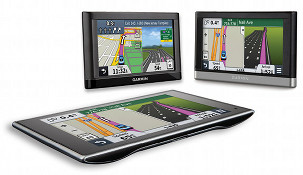
Garmin nuvi reviewYou can compare Garmin nuvi models using the chart below, which is designed to help make sense of their myriad models. For a quick overview of the different series, you can also check out my dissecting the Garmin nuvi series post.

The links in the far left column below go to each Garmin nuvi review on our site. All listed models speak street names and include speed limit and trip log display. Discontinued nuvis are now listed in their own chart. You can also click here for descriptions and more information about various features. NEW: Click on column headers to sort chart. 


Compare Garmin nuvi models

Garmin nuvi review Maps Screen size Traffic Blue- tooth Powered mount Multi- point routing Lifetime maps Lane assist Voice command Amazon link
nuvi 30 48 states & US + Canada versions 3.5″ No No No No No Yes No Amazon
nuvi 40 48 states & US + Canada versions 4.3″ No No No No No Yes No Amazon
nuvi 40LM 48 states & US + Canada versions 4.3″ No No No No Yes Yes No Amazon
nuvi 42 49 states 4.3″ No No No No No Yes No Amazon
nuvi 42LM 49 states 4.3″ No No No No Yes Yes No Amazon
nuvi 44LM U.S. Canada Mexico 4.3″ No No No No Yes Yes No Amazon
nuvi 50 48 states & US + Canada versions 5.0″ No No No No No Yes No Amazon
nuvi 50LM 48 states & US + Canada versions 5.0″ No No No No Yes Yes No Amazon
nuvi 52 49 states 5.0″ No No No No No Yes No Amazon
nuvi 52LM 49 states 5.0″ No No No No Yes Yes No Amazon
nuvi 54LM U.S. Canada Mexico 5.0″ No No No No Yes Yes No Amazon
nuvi 465T U.S. Canada 4.3″ Lifetime Yes No Yes No Yes No Amazon
nuvi 465LMT U.S. Canada 4.3″ Lifetime Yes No Yes Yes Yes No Amazon
nuvi 500 49 states+ topo maps 3.5″ Option No No Yes No No No Amazon
nuvi 550 U.S. Canada 3.5″ Option No No Yes No No No Amazon
nuvi 1450T U.S. Canada 5.0″ Lifetime No No Yes No Yes No Amazon
nuvi 2350 U.S. Canada Mexico 4.3″ Option No Yes Yes No Yes No Amazon
nuvi 2360LT U.S. Canada Mexico 4.3″ Lifetime Yes Yes Yes No Yes Yes Amazon
nuvi 2455LMT U.S. Canada Mexico 4.3″ Lifetime No No Yes Yes Yes No Amazon
nuvi 2455LT U.S. Canada Mexico 4.3″ Lifetime No No Yes No Yes No Amazon
nuvi 2460LT U.S. Canada Mexico 5.0″ Lifetime Yes Yes Yes No Yes Yes Amazon
nuvi 2475LT U.S. Canada Mexico Europe 4.3″ Lifetime Yes No Yes No Yes No Amazon
nuvi 2495LMT U.S. Canada Mexico 4.3″ Lifetime Yes No Yes Yes Yes Yes Amazon
nuvi 2555LMT U.S. Canada Mexico 5.0″ Lifetime No No Yes Yes Yes No Amazon
nuvi 2555LT U.S. Canada Mexico 5.0″ Lifetime No No Yes No Yes No Amazon
nuvi 2595LMT U.S. Canada Mexico 5.0″ Lifetime Yes No Yes Yes Yes Yes Amazon
nuvi 2597LMT U.S. Canada Mexico 5.0″ Lifetime Yes No Yes Yes Active Yes Amazon
nuvi 2797LMT U.S. Canada Mexico 7.0″ Lifetime Yes Yes Yes Yes Active Yes Amazon
nuvi 3450 U.S. Canada Mexico 4.3″ Option No Yes Yes No Yes No Amazon
nuvi 3450LM U.S. Canada Mexico 4.3″ Option No Yes Yes Yes Yes No Amazon
nuvi 3490LMT U.S. Canada Mexico 4.3″ Lifetime HD Yes Yes Yes Yes Yes Yes Amazon
nuvi 3550LM U.S. Canada Mexico 5.0″ No No Yes Yes Yes Yes No Amazon
nuvi 3590LMT U.S. Canada Mexico 5.0″ Lifetime HD Yes Yes Yes Yes Yes Yes Amazon
nuvi 3750 U.S. Canada Mexico 4.3″ Option No Yes Yes No Yes No Amazon
nuvi 3790T U.S. Canada Mexico 4.3″ Lifetime Yes Yes Yes No Yes Yes Amazon

Garmin nuvi feature descriptions

  • Live traffic – It may not be quite ready for prime time, but it is improving, especially for models with HD traffic. Even so, you can expect lots of inaccurate reports as well as incidents that aren’t reported. Most Garmin nuvis with a T following the model number have ad-supported traffic (see reviews for screenshots). HD models are ad-free.
  • Bluetooth for hands-free cell phone use – Generally speaking, the sound quality has gotten much better on recent models, but check the reviews (the first column links to these) as it does vary.
  • Powered mount – The power cord plugs into the mount, rather than the GPS. That’s one less connection to fuss with when you want to use your navigator. I’m a big fan of these, especially when combined with a friction mount.
  • Multi-point (multi-destination) routing – A very nice feature, but not a critical one. If the chart says “no,” you can only enter one destination and one or two via points. This isn’t a big problem since you can easily find locations under Favorites or Recently Found.
  • Lifetime map updates – Garmin has started selling units bundled with lifetime map updates, which you can typically download quarterly. Newer models with these have an LM or LMT (the latter includes lifetime traffic) tacked onto the end of the model number.
  • Lane assist – Shows which lane you need to be in for Interstate exits and some surface streets in larger metros. An improved version, active lane guidance, was introduced on the 2013 Advanced and Prestige series.
  • Voice commands – A killer feature and it actually works pretty well on most models.

Return to Garmin nuvi comparison chart


Comments

  1. I had a Tom Tom XXL 530-S and loved it, but I wanted lifetime maps and the sales person talked me into a Garmon – said they were the best. A friend also has one and we liked the mount on the Garmon and the split screen for traffic so gave my Tom Tom to my daughter and bought the Garmon. On our first major trip we discovered that the Garmon had some essential errors or “undocumented features”.
    We bought a nuvi 50LM
    1) About 10 days out, when planning the day’s driving, I put in a city name and it showed it was “392 miles” so we planned our day to that destination. Once we got on the road however, I tapped the top of the screen to show the map, and saw that we were 478 miles to our destination. Bummer that!
    I started checking every day to figure out what was wrong and about 2 times out of 10, I would get two different answers on miles to a city vs miles to destination when on the road. Even locally, on one 80 mile trip Garmon was 18 miles off between the “miles to city” and “miles to destination” when we started driving.
    2) the traffic split screen is also a nice feature, but not dependable in complex interchanges. Garmon got us lost in Seattle twice, and miss-routed two times before we finally resorted to paper maps. Once we got home, I tested Garmon on roads we know well and found that Garmon would show what my exit looked like, but it failed to show the two exits that exist before the one I needed. So for simple interchanges, it may be ok, but watch out for complex and ‘tight’ interchanges. Silly me, I bought it expecially to help us through complex interchanges.

    I did two updates while on vacation, but those two “Undocumented Features” stayed with us. Come to find out, our
    friends with the Garmon still like to use a map so hadn’t noticed any problems.

    My old Tom Tom got us through a day in St. Louis, some major detours through Memphis and Chicago, three times driving in and through Dallas/Ft.Worth, and several times in, through, and around Tampa, without a hitch. Garmon couldn’t get us around Seattle for two days without 4 major wrong turns on the freeway system.

    The niceties of system mounting (it’s actually illegal here to mount such a device on your windshield), voice commands, blue tooth compatible and playing MP3s are pretty minor for me compared to accuracy. My daughter gets to keep the XXL 530-S, and I’m buying a new Tom Tom.

    • 1 – When you look at a list of cities or POIs, it’s giving you as the crow flies mileage. Otherwise the unit would have to process a route for everything in the list, slowing things dramatically. TomTom does the same thing.

      2 – Not every interchange has junction view, but it should still display an accurate distance to turn. You’ll probably see lane assist more than junction view. I will say that TomTom probably has more junction view/advanced lane guidance imagery than Garmin in my area, although the TomTom images are generic.

  2. Joy Spears says:

    My NUVI200 starts down loading the maps and clecks off ??

    • Is this true even if it’s connected to the charger while your car is running?

    • First time it went blank and left me lost in houston it said the battery was low and was plugged in, I left it for days hoping it would charge.
      Could it be the on position or the battery?

      • It may be that the fuse in the charger is bad. Try connecting the nuvi to your compter using a mini-USB connector. Leave it connected for several hours. It will charge this way but it may be slower than in the car. It should go into mass storage mode, so make sure you safely eject it before removing it. Then turn it on and see if it will fully start up. Here is a PDF version of the manual BTW; the fuse is discussed on page 29… http://www8.garmin.com/manuals/nuvi200_OwnersManual.pdf

        Hope this helps.

  3. @Daune – The 2555LMT adds traffic, a lot of customization options, exit services, the ability to clear the trip log, true multi-destination routing and probably a few other things I’m forgetting…

    http://gpstracklog.com/2011/10/garmin-nuvi-2555lmt-review.html

  4. Larry Hattis says:

    The one thing I have learned from using my GPS is that they will usually take you the quickest way and it’s not always on the main road. Case in point,while driving on a main two lane road I came up on a curve and I was told to keep right and I ended up on a road the size of a large driveway which went straight through and connected to the the one I was originally on. In other words as the old saying goes the shortest distance between two points is a straight line.I was using a Nuvi 205 and I still use it a lot but the maps need to be up dated. One other thing I have noticed is at times it doesn’t know it’s left from it’s right.Another case in point,while making my deliveries it told me to turn right but I ended up having to turn around because the address were getting smaller and go back the other way for several miles to my destination.Also at times it would say arriving at destination on left when it’s on the right. I brought my wife a Nuvi 50LM she like it except that if she misses her turn it doesn’t say recalculating like my 205 does. I am looking for one that has more features like LM,LMT, Bluetooth and maybe voice. I just hope it tells her if it’s recalculating when she misses her turn.( LOL ) One thing I might point out to Lyn and those who find the mileage difference that they look at how many miles from staring point to their first major exit and all following exits there after. For example if I am headed to Mi from AL ( 715 miles ) it will show me the miles from home on I 59 to I 65 then the mileage will be broken down into segments as changes accrue . Also I am not sure about the newer ones but if you pick the shortest route it will not work for anything over 300 miles. You have to learn your GPS as you go for the most part.

  5. Larry Hattis says:

    I would like to point out one thing for people to keep in mind, NEVER PUT IN YOUR ACTUAL HOME ADDRESS. I suggest that you put in the address of the closes police department. I say this because if by chance your unit is stolen then they will be directed to the police instead of your home.

  6. I just purchased a Garmin Nuvi 4550LMT- when I drive the speed limit indicator only comes up on a major highway, not on the city streets. Is this normal, is there a better nuvi that would show more speed limit indicators, or turn red if I go over the speed limit?

    • Oh and also when I miss a turn, it doesn’t tell me “recalculating” it just keeps me driving. I was also coming home & had to turn either right or left onto a major highway…I needed to go left(north) to my home, but it told me to go right (south), which is the complete opposite direction, no way could going south get me to my home

      • I haven’t heard of the 4550LMT. Can you double-check the model number? Speed limit coverage varies by area. The current speed indicator should turn red if you exceed the speed limit. The newest models do not say recalculating but they wil recalculate. Check your avoidances and other settings that could be triggering improper routes. Hope this helps.

        • Sorry, it is a 2455LMT (not 4550LMT)….I love it…but again, in southern Ontario, the speed limit notification only came on when we drove on highway 403. It does not come on in any of the cities or on highway 24…is this a glitch?? or are only a major 400 series highway in the system.

  7. herb Carter says:

    Does the Nuvi 2460LMT have a SD/micro SD card slot?

    Thanks

  8. I’ve had my 1250 for about 3 years. It has always added “categories” that are meaningless numbers to all my favorites. I’ve had to go in and delete the category from each individual favorite twice already. Because there is no way to just remove categories. This is very tedious and time consuming. So, after it happened again for the 4th time I wiped my favorites and started again. Now, and I believe this is unrelated, it reboots without me touching it or unplugging it. And, again it added those nuisance categories to every one of my 3 dozen favorites.

  9. I am shopping for a Garmin and I know I want lifetime maps and traffic, and a 5 inch screen. The rest, I’m not sure. I am purchasing for a man who is not very advanced mechanically. Do I need Bluetooth? How do I decide which unit to buy? I want an advanced unit that is easy to use.

    • Bluetooth is for pairing with a cell phone for hands free calling. If you want that, in the curent model line I would look at the nuvi 2595LMT; otherwise I’d go with the 2555LMT.

  10. What is the last garmin model to say recalulating route ? I need one that says recalculting when I miss a turn,says street names,traffic without pop ups,life time of maps,speed,estimated time to get to destination,when I need to change lanes,safety camera’s,touch screen. I don’t want bluetooth or voice command.

  11. Rich
    As somone said in an earlier post I have learnt more from your website in half an hour than I have trawling through pages of next to useless reviews on other sites. Thanks. Need some help pl. Am doing a rally in South Africa soon on a mixture of tarmac and gravel roads ( but not true off road unless we get lost) . Need a sat nav that will allow me to enter gps waypoints and that I can load a SA map onto ( so i assume it needs an SD card slot) . Dont need anything that gives me traffic updates/ lane assist or that i can shout road directions at!. I have looked at handheld but screen is too small and functionality looks a bit complicated. So think it will have to be and auto model. Any suggestions pl – it needs to be reasonably robust its going in an old MG.
    Stephen

  12. Hello! I’m looking for a gps that can manage multi-destinations (up to 40 or 50). I think either the 3490 or 3590LMT’s are my choices, correct? And, once the addresses are loaded, the system will calculate the best route but what if a little later you need to add another address, will the system re-calculate or allow additional addresses?

  13. NOT A HAPPY CAMPER.
    I just purchased a Garmin nuvi 2555LM, replacing a four year old model, for a 4,000 mile trip. You would think that the first thing you would want to do would be register, update the firmware and the free lifetime maps. What an ordeal. I can’t remember a product whose registration that was any more NOT PLUG AND PLAY. I’ve been at this for a number of hours and now just getting near completion. 1st, there are three sources of documentation, the Quick Start Guide, an additional single card and the full down loaded manual. The registration instructions are inconsistent on all three documents, different site extensions which get you very confused. 2nd; the Garmin registration site seams to fail until you finally get a message to update WINDOWS MEDIA PLAYER and then when that is done, you need to tell the Media Player not to synchronize with the detected device; 3rd and hopefully last, you get to update and your find that you now have to run out and buy a micro SD card as the devise doesn’t have sufficient memory for the map update. $175 and not sufficient memory and no indication on the box that an SD card is needed! Give me a break. This was supposed to be a quick confirmation that the GPS worked, get it registered and current with the maps. It was anything but that and had I known the hassle up front, I would have just used my old unit which may not have the latest maps and some of the bells and whistles but can be taken out of the box and used without even reading a manual. Oh, did I tell you, you better print the full manual because you will never figure out how to use all of the features with out it.

  14. My GPS is 3 or 4 years old and my biggest problem is it does not work in the city, which pretty much renders it useless until I leave Manhattan. It also takes 5 minutes or more to initialize when changing states. Are the new Garmin portables better, or should I stick to my I-Phone’s Google Maos? Thanks so much.

  15. It is a Garmin Nuvi 1300. It does not work at all in any Manhattan location, while Google Maps on iPhone 5 works fine and almost immediately. Hopefully Garmin, or someone other independent GPS is up to speed by now? If so, can you recommend best model for city use? Thanks again.

    • Phones have an advantage in that they can download GPS data from cell networks and speed up their position fix. No GPS without a cellular connection is going to outperform them in this situation. Again though, daily use (or letting it lock satellites in your window awhile before setting off) could improve things dramatically.

      • Phones can locate themselves for maps from just the cell phone network, without using GPS. For accurate position or location, though, then they need the GPS.

  16. usataylors says:

    Rich – your website has been fantastic – thanks. Question – right now, if it was your birthday and your parents offered to buy you a GPS unit and you could choose any make and model – which one would it be and why?

  17. I was going to ask you about when you would be doing a review on the Garmin nuvi 2597lmt and then saw
    that you mentioned the 3597lmt. Are the 2597lmt and the 3597lmthd basically similar?
    Approx when do you expect your review to be out and when will you have something on the 3597lmthd?
    thanks.

  18. Rich, how you don’t list the hardware specs like processor, ram, hd size? I think that would help. Also on the comparison chart it help to have the model year listed. The names are so similar and would make it easier for users to tell the difference by adding a year column.

    • Garmin doesn’t release those hardware specs. And there is limited room on the chart, but I may try to add year introduced.

      • Thanks. Yes space is limited on the page. Adding year is a great idea. I think adding a description of the various model lines at the top can help. Like explaining what Go, Via, or Start models mean/are for TomTom. What does it mean??? From the specs, I can’t tell the difference on what they do. Thanks again. Love the site. When I buy my auto GPS, I will do it through this site.

  19. What are the biggest differences from the garmin1xxxx models to the 2xxx and the 40-50 models. Do the other models have the “redirecting” voice,if not how do they deal with a wrong turn?

  20. Hello Rich.
    Like the others I do want to thank you for a site that makes sense of the choices. I have specific concerns, but I’m still not sure what to choose. We will use it mostly in Europe, and Tom Tom has the rumored better European maps, so I started there. However, compared to the slimmer Garmin, Tom Tom’s curved back doesn’t make for snugly fitting into luggage (we travel with only carry ons). This might be acceptable, though, if the Tom Tom is the better choice. I have a few questions that, with your help, I hope will help me determine which to get. First, I’m embarrassed to say that I’m not completely clear on the maps situation. Feature listings that say “US and Canada maps” mean that it comes preloaded, not that those are the only maps available? Can you buy European maps for any unit? We will also often be using it for walking around cities, but most of what I find on foot is for hiking. I read your review on the 3590 from last year, is that still current? I know the cityXplorer maps, but we are not always in a big city. What we really care about is weight/shape (thought I do want a 5 in.), battery life, spoken street names, pedestrian routes, and availability/cost/accuracy of Europe maps. Any guidance you can give would be much appreciated.

    • You can easily add maps to any Garmin nuvi — they all have a microSD slot. Most newer TomToms do not, so unless you buy a unit with US + European maps, you might have to temporarily remove the US maps to make space. And yes, you can buy European maps for Garmin and TomTom units. The 3590LMT is a 2012 model; there is a new one (3597LMTHD) that just came out. You may have already read this but… http://gpstracklog.com/2012/03/the-best-garmin-nuvis-for-pedestrian-navigation.html Battery life is an issue with any of these devices. They aren’t really optimized to use without a charger. You can dim the screen and set the screen timeout though, which can help.

  21. Gx de Castro says:

    I bought a Garmin 2475 because i’m traveling to Europe and Dominican Republic, before I’ going to use it in USA. /what I should do regard updating
    and the Gps ready for my trip. Avoiding the problems that some people described of filling up the memory and erasing maps.
    Thanks

Speak Your Mind

Tell us what you're thinking...
and oh, if you want a pic to show with your comment, go get a gravatar!

*