Sunday, March 18, 2012

Archives for September 2005

Making custom (not counterfeit) maps for your GPS

There was a story last week about counterfeit GPS maps causing drivers to get lost in Shanghai, which was widely reported in mapping blogs (like GeoCarta and The Map Room) and discussion groups.  But what do they mean by counterfeit maps? Jesse at Very Spatial started to address this, saying "I disagree with their use of the word ‘fake’, inaccurate is more realistic."  You can make custom maps for your GPS that may be sloppy or deceptive, or they may be more accurate than what you can buy commercially.

Let’s take a look at how this is done. What follows is a brief overview of a subject covered in great detail in my book, GPS Mapping – Make Your Own Maps, which includes step-by-step instructions.

Why would you want to do this? Well, you might be traveling to a foreign country for which there are no good GPS maps. Or you might just want better topo maps than what is available commercially. This is a common problem for outdoor recreation enthusiasts, as almost all GPS maps are based on 1:100K scale data, the one exception being Garmin’s US Topo 24K series (Amazon), which only covers national parks. Garmin’s US wide product (Amazon) shows contour lines 130 feet apart. I don’t know about you, but I like to know if I’m about to ride my mountain bike off a 100′ cliff! And while the Magellan (Amazon) and Lowrance products show contour lines much closer together, they actually interpolate the 1:100K data to do so, which is misleading to say the least.

On to how to make custom GPS maps…

read more

GPS reception indoors

In our second "best of the boards" post, we examine why you might be able to receive GPS signals indoors. Last time, we learned how water impacts reception, but what about the roof over your head? This question was posted on Geocaching.com’s foums, aka Groundspeak. Their GPS Units and Software forum   is an excellent resource for anyone interested in GPS and mapping software. Peter, a geocacher, provided the best answer…

They come through my roof (plywood and spanish tiles on top) just fine too, and they also make it through typical fiberglass boat construction. Most materials are not good absorbers of microwaves, but anything with a high water content (incl. people) or metal will block the signals.

As a general rule, anything that will heat up readily in a microwave oven will also absorb the GPS signals although the frequencies are a little different (1.5 GHz for GPS and a little over 2 GHz for ovens).

So as long as the wood and shingles on your roof are dry they’ll pass the signals ok, but of course insulation with a metal foil layer would block them.

The physical reason why things with water absorb the signals is that water molecules are highly polarized with the oxygen end having a negative charge and the end with the two hydrogens having a positive charge. When the GPS signals go through water the oscillating electrical field of the microwaves cause the water molecules to rotate back and forth and this absorbs energy from the signals.

Here is the full thread.


Trip Report: Using GPS biking Mt. Diablo

This post launches a new category at GPS Tracklog — Trip Reports. The point isn’t to provide a trail guide, but rather to exhibit some of the ways to utilize your GPS. This report focuses on a circumnavigation of Mt. Diablo, a 3849′ peak that dominates the eastern side of the San Francisco Bay region.

My wife and I were in the area this past week doing GPS mapping demos, promoting my book, GPS Mapping – Make Your Own Maps. Since our days were open, we decided to get in a mid-week bike ride.  Living on California’s heat-deprived North Coast, we opted for a ride slightly inland. Mt. Diablo was our target, and since I didn’t know the area very well, I turned to a message board on mtbr.com for help. I wasn’t disappointed. Several people, especially EBrider helped out, designing an awesome loop that incorporated technical single track, loose and steep fire roads, and nearly 2,000′ of elevation gain.

EB sent me a track in the form of a .tpo file, which is a National Geographic TOPO! (Amazon link) file format. This, combined with the trail descriptions provided by EB and others at mtbr.com, gave me almost enough info to plan the trip, though I will admit to picking up a hard copy of a trail map so that I had good access to trail names and other features. Too bad the Mount Diablo Interpretive Association doesn’t have this map posted online. Online trail maps (often PDFs), combined with mapping software and aerial photos, are typically adequate for my purposes.

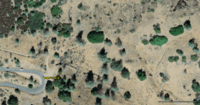
I took the track that EB sent and exported it from TOPO via my GPS (a real pain since TOPO makes you convert tracks to routes in order to export them). I then imported it into TopoFusion, which allowed me to see the track on a color aerial photo. USGS posts color urban aerial imagery for major US metropolitan regions online at TerraServer, with more locations being added on a frequent basis. These images are readily available in programs like TopoFusion and USAPhotoMaps, which add a better user interface and allow you to transfer data to and from your GPS. The color imagery extends into natural areas in many cases, and the detail is amazing, going down to 0.25 meters per pixel. Notice the waypoint (MDNPEAKTR) in the image at the right. Mt_diablo_2 You can see a fire road going off to the north from the waypoint and, while the online image isn’t as sharp as the original, you can actually make out single-track going off to the northeast!  The single-track leaves the image near the top of the right-side.

With TopoFusion, I traced the single-track as accurately as possible, and created waypoints for major trail junctions. I then loaded the waypoints and redrawn track to my GPS, making the track blue so that I could clearly distinguish it from the tracklog being created as I rode.
The only things left were to create a route to guide me from waypoint to waypoint, and generate a printed map. I’ve posted the ride at 4 meters per pixel (black & white) using TopoFusion’s PhotoFusion feature, which apparently doesn’t yet allow access to the color aerial imagery when using their HTML Image Map feature.

EDIT: I asked at the TopoFusion message board and found out that you can capture a color aerial .jpg and replace the one generated by TopoFusion. My Mt. Diablo PhotoFusion page now shows the color aerial at 4 meters/pixel..

If you want to to learn more about how to use GPS and mapping software, check out my book. It has chapters on National Geographic TOPO!, USA PhotoMaps and TopoFusion. And for those of you who want to know more about the ride itself, read on…

read more

Does heavy cloud cover affect GPS reception?

Here, in our first best of the boards post, I’m quoting from alt.satellite.gps. The question that was asked  was, does heavy cloud cover affect GPS reception?

Dave Patton, Canadian Coordinator of the Degree Confluence Project had posted the best answer as of this morning…

The GPS signals will not be affected by clouds, rain, fog,
snow, etc., because of the combination of their passing
through water vapour, and the signal wavelength meaning
they "pass through" rain etc.

On the other hand, water will block/attenuate GPS signals.
For example, you can’t receive GPS signals underwater, although
having a GPS receiver antenna very close to the water surface
may allow some reception.

Most cloth that would be covering a GPS receiver’s antenna
will pass GPS signals(e.g. backpack, jacket, etc.), but cloth
with a metallic component will block/attenuate the signals.

Cloth that covers a GPS receiver’s antenna and gets wet
(e.g. from rain) can also block/attenuate the GPS signals.
In fact, you don’t even need the cloth – water on the case
that covers the GPS receiver antenna can block/attenuate
the GPS signals. That water could be drops, and/or a film
of water. I’ve seen that happen myself, when using my etrex
Venture in the rain – the signals were weak/blocked, but
a quick drying-off of the GPS case over the antenna brought
the reception back, which then degraded again as water
accumulated on the case. Similarly, GPS signal reception
is degraded in wet forest canopy conditions compared to
when the forest canopy is dry.


Interview: DeLorme introduces handheld GPS

Continuing our series of interviews with mapping software companies, we turn today to DeLorme’s Caleb Mason, for the scoop on some exciting new proucts. Pay particular attention to the answer to the first question, for it holds two major announcements — not only is DeLorme introducing a handheld GPS, it will also accept raster imagery!

Caleb, can you tell us about any new products or features that you are working on, and when we might see them available?

DeLorme announced at this year’s Consumer Electronics Show our first-ever handheld GPS receiver, the Earthmate GPS PN-20. This device will sell for around $200 and include a color screen for displaying DeLorme vector maps as well as raster imagery.

For years we have heard from customers that what they really want to do is load our vector color topographic maps on a handheld GPS receiver. This has not been possible as the major GPS suppliers use closed systems designed to sell their own mapping software. Now, customers will have an affordable, high-quality solution for use with our maps and software to make the outdoor experience that much better. More competition and choices within the GPS market will help expand awareness and sales for all providers.

Many of the most popular features of DeLorme software will be carried over to the new GPS. For instance, it will be possible to create automatic trail or road routes on the desktop software and transfer these to the GPS. This automatic route generation feature is very powerful and limits the time it takes to hand-draw routing information. Waypoints and Draw objects will be easily transferred between the desktop software, the GPS, and back to the desktop.

A new version of DeLorme Topo USA is planned for release in conjunction with the Earthmate GPS PN-20, tentatively scheduled for the first half of 2006. The software will work seamlessly with the new GPS and also contain a new 3-D mapping engine that will be far superior to the current one.  Updated trails and BLM data are planned along with much more.

read more