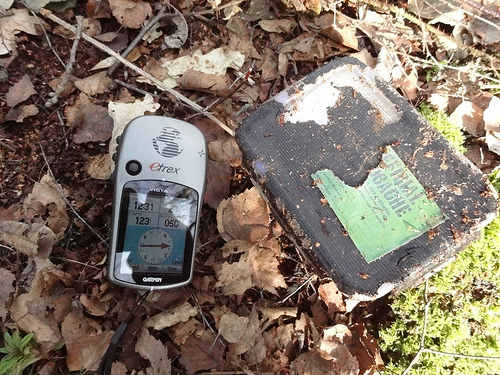
GPS for geocaching!
Geocaching is an extremely popular sport, and I’d venture to say that over 99% of geocachers use a GPS. But how do you choose the right GPS for geocaching? I’ll narrow the field, look at choices in multiple price ranges, and delve into other uses, mapping software, etc.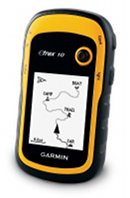 You may also find it helpful to check out my Garmin handheld GPS comparison chart. By the way, all the units below have a high-sensitivity chipset for superior reception under canopy and in natural or urban canyons.
Budget GPS for geocaching
The eTrex 10 is Garmin’s new entry level unit with paperless geocaching capabilities, giving you the full cache description, recent logs and more, right on your handheld. But alas, you can’t load any detailed maps to it. The eTrex 10 currently runs a little over $110.
Mid-range GPS for geocaching
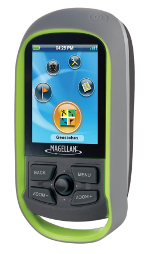
The Magellan eXplorist GC (seen at left) is a recently introduced model that includes extensive highway maps and paperless caching. I often see this model o sale for as low as $135.
Another good option is the recently introduced Garmin eTrex 20, which includes a ton of new features.
The best GPS receivers for geocaching
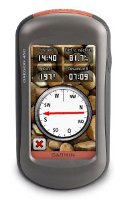
There are several choices here; each offers paperless geocaching. For a big touch-screen, great interface, I recommend the Garmin Oregon 450. Or step up to the Oregon 550t to add a built-in 3.2 MP geotagging camera and pre-loaded topo maps of the entire U.S.
Want to be able to use the same unit for geocaching and for highway directions? The Garmin Montana series is for you. Or perhaps you prefer buttons to touch screens — check out the Garmin GPSMAP 62s, which updates the old gold standard 60CSx with paperless caching and other new features.
Image courtesy Martyn Wright.


I bought the 650t but have soooo many question. With my previous device once I hooked it up to the computer it let me log all my new finds to Geocaching.com (actually downloaded them to Goecaching.com for me). Does the Montana do this? Is there better computer software than basecamp? In basecamp, every cache with all their names shows up and blocks out the street names. I haven’t seen a synchronize button with bascamp and my device. It was easier to take the GPX file and just dump it into the appropirate drive and folder than use base basecamp to do so. Sorry new user and just not familiar with the device.
I’m going to call support on Monday but if anyone can point me to some resources it would be greatly appreciated.
I don’t know if this was your post on Groundspeak, but there was an answer posted there today re: logs…
http://forums.groundspeak.com/GC/index.php?showtopic=286499&view=findpost&p=4910688
I always just drag and drop pocket queries and don’t go thru BaseCamp.
If you’re on Windows, my favorite mapping software is TopoFusion….
http://gpstracklog.com/2008/07/topofusion.html
I need help finding the right GPS unit for me. There are so many, I have been using my phone for Geocaching which works pretty decent, but between battery life, data and risking it breaking from high terrain geocaches its time to invest in something else. I’ve done a lot of research but it seems lower end models often end up costing more sure to downloading maps and Caches. I was looking at the Garmin 650t Oregon and its gotten pretty good reviews but doesn’t withstand water well. Any suggestions?
I’ve been using an Magellan Explorist 600 for hiking for several years. Just started Geocaching and I’m re-exploring the capabilities of the unit.
I’m looking for a unit for a friend’s son – he’s about 12 years old. I’m considering the Garmin Etrex Venture HC or the Garmin Etrex 20. I’m more familiar with Magellan units so I’m not sure how to see if a Garmin has the ability to enter coordinates and have the unit report the distance (and possibly direction) to the coordinates; on Magellan that’s a “GOTO”. What is this called on a Garmin and does either of these units have this? Which Garmin unit would I have to upgrade to to have a built in compass?
Garmins do have that capability. You select Where to > Coordinates. You can set data fields to show distance, bearing, compass pointer, etc..
I’d choose the eTrex 20 over the Venture HC, and here’s why…
http://gpstracklog.com/2011/04/five-reasons-to-upgrade-your-garmin-handheld.html
Both units you mentioned have a compass, but to get the electronic compass in the current eTrex line you would need the eTrex 30.
Great article. But of these features, which are (or are not) on the Etrex 20 and the Venture HC? The article only mentions the GPSMAP62S and the Oregon 450.
All are available for the eTrex 20; none for the Venture HC.
i had a Magellan CG, worked well but i was traveling a lot for work, so i put it in a drawer for many months since i had no time for geocaching. when i took it out of the drawer, and put fresh batteries in it to go caching with my stepson, the unit will not boot up. I had only used it 3 times, still had the protective plastic over it’s screen, but it was two months out of warranty, and Magellan won’t do anything for units that are out of warranty. I threw out all of my Magellan products and bought Garmin.
I just got a Garmin Oregon 450, went to GPSFileDepot, got some maps, and I’m still going through the manual. When I’m on a hike can I somehow access local or the nearest geocaches on my hike, without going to my computer and looking first?
No, you will need to load them first…
http://garminoregon.wikispaces.com/Geocaching
Just purchased and recived a Garmin eTrex 20 which we’ll use mainly for geocaching. We’re retired so this is going to be one of our hobbies. At any rate I understand and can work the eTrex 20 ok. What I don’t understand is what maps I need. We’re in North Central Arizona. I’ve seen the Birdseye maps and the street maps. Would the thing to do be to buy the Lower 48 street map and then buy a Birdseye of my home area?
Hmm, sounds like a good topic for a post.
If you need topo maps only, I would go to http://gpsfiledepot.com and get some free ones.
If you need street maps, you could buy Garmin’s new 24K topo maps which include routable street maps, points of interest and contour lines… http://gpstracklog.com/2011/06/garmin-topo-us-24k-review.html This would be one of my top choices.
Or you could go with Open Street Map… http://garmin.openstreetmap.nl/
There is BirdsEye Satellite Imagery, which could be useful. And if you want something that really looks like a USGS topo maps, get BirdsEye Topo.
I know it’s confusing. Feel free to ask followup questions.
Thanks Rich appreciate your help and you’re right, the map stuff is confusing. So here’s the deal, we’re probably a little older then most rookie geocachers so we’re not going to be doing a lot of back country caching or be going into real hard terrian. Most of our work will be done looking for caches probably within a couple hundred yards of a road.
Of course the only map we have right now is the base map for the eTrex 20. What I don’t understand is do these maps overlay one another? In other words can you or do you use more then one map at a time such as overlaying a street map with a tropo map or do you switch from, say, a road map to get you to the vicinity of a cache and then switch to a tropo map for the rest of the hunt? So what were looking for is a map system that gets us from the house, down the roads, and to a cache within a couple hundred yards of the road.
Appreciate the help.
One other thing; sorry to be asking so many questions! I downloaded the Open Street Map, routable but can figure out how to get it on the eTrex from Basecamp. Appreciate any help.
If it has a .img extension, you should just be able to drag it to the Garmin folder on the unit when connected to your computer.
It depends on if the map is transparent or not, which is determined by the person that made the map. Here’s another answer to a similar question from someone else…
http://forums.groundspeak.com/GC/index.php?showtopic=301820
With the new Garmin 24K maps, you’d have routable roads and topos on one map, so it wouldn’t be an issue regardless.
I am already Geocaching, I have an Magellan Explorist 500 LE. I think my unit is going on the fitz because I did some P.O.I and when I try to find the places on openstreetmap.org I was way off. Teh support at Magellan couldn’t figure it out. They thought I send them a false file, but it was their way to say that my POI may be screwed/system. I believe the mountains may be to high and satellites are not really directly above Peru.
So which Garmin is good for POI when I am a passenger on a car and want to mark small villages on the hwy in Peru?
I will be doing this in Ecuador next year.
Thanks for any help.
They will all work. The eXplorist 500 is an older model that lacks a high-sensitivity chipset, which may cause problems in mountainous terrain.
Hello Rich, well I just bought a Montana 650 and Oregon 450 the smaller for my daughter and
the Montana for me and mom. Do you already have something on your site on how to put the
Cach’s on both of these? Im a premium member and I have installed the communicator plug in.
The quick start manual with the two Garmins have a lot to be desired.
Thanks
Ronmat
Since you are a premium member, the easiest way is to run a pocket query and then drag and drop it to the GPX folder on each device…
http://www.geocaching.com/pocket/default.aspx
More info at
http://www.markwell.us/pq.htm
and
http://support.groundspeak.com//index.php?pg=kb.page&id=118
Let me know if you need more help.
Hey Rich thanks for the info. I went ahead and got some single cachs for now but will
atempt a PQ later. One question tho, when i select a cach and then select the GO button it
seems to mark the route to the cach, but if a touch the screen lets say to bring up the dialog box that show the distance to the cach or maybe even to get the back light on due to it
timing out. ( in setting the longest time is 2 min.) then the little marker which indicates the
cash jumps to where ever I placed my finger and the distance then changes also. So i am
wondering do I need to create a way point to that cach so this want happen? Sorry for
all the questions this is my first GPS and we are new to caching.
Thanks
Ronmat and Family
There is a stays on option for the backlight timeout.
If you tap the map and the position changes, just press the X to go back to the previous screen/position. You do not need to create a waypoint.
Also, since this is your first GPS, I would suggest reading this post and following the link to our handheld GPS 101 series…
http://gpstracklog.com/handheld-gps-faqs
Rich, I am currently using my iPhone 4 with the Geocaching app, which does OK, but would like to know which GPS you would use if you were Geocaching? I am about sick of reading review after review and also noticed that many of the reviews for the Garmin Oregon series off of this site are back in 2009. I just want a good GPS that I can get a good satellite map on and use with Geocaching.com and is accurate. The cheaper the better, but I am willing to spend up to $500.00 on it. Thanks!
I think you would do well with the Oregon 450, the 62s or the eTrex 20 or 30. You’ll need a BirdsEye Satellite Imagery subscription to get a satellite view.
Rich,
I have a Dakota 20 and want to upgrade to a slightly bigger screen eg Oregon 450-550, but I’m worried there might be a new model around the corner , based on the current trend can you predict when they are likely to push out a new model?
I suspect new Oregon models will be available by next summer. The downside of waiting is that they will likely not be discounted for months after release, and that they will have bugs not found in the more mature firmware of the 450/500.
Hi Rich,
I just bought a Topo MicroSD, which came without a CD/DVD. Is there any way I can get the maps on Mapsource instead of using Basecamp (and having to connect my Oregon to the computer)?
Thanks
Jon.
Not that I know of.
Can anyone tell me is there a Tablet (Nexus7) or (Samsung 7.7) etc. that i can send cach info.
to my Garmin 450 and Garmin 650 from Geocaching.com or any combination that will allow
me to do this.
Thanks Folks
Ronmat
See this… http://forums.groundspeak.com/GC/index.php?showtopic=303440
We have an eTrex 20 that we use for geocaching. Was wondering if there is a way to delete all the “show found” caches off the GPS when you’re done with them. Also is there a way to delete ALL the geocaches on the GPS, from the GPS itself, instead of having to connect it to your computer?
You’ll have to do it via a computer. This was written for the Oregon but it applies to the eTrex too…
http://garminoregon.wikispaces.com/Geocaching
Rich,
I’ve been Geocaching for just over a month using my Android phone. Im thinking of buying a dedicated GPS device and after doing some research, a Garmin Dakota 20 seems like it would do a great job. Being new to GPS devices and geocaching, I don’t want to buy a device only to find out that it doesn’t have features I want or need. I see you directing people to the Oregon series. What would be the advantage to going with the Oregon 450 or higher instead? Thanks man!
I’ve heard too many reports of broken screens on Dakotas to recommend them. The Oregon 450 is very popular. Personally, I would probably choose an eTrex 20/30, GPSMAP 62s or one of the new Oregon 600 series over the 450 though.
Thanks for the article but is there any chance of getting an updated article? Would love to see what makes your list 3+ years later with all the new tech out there.
I have a Garmin Dakota 20 I use for geocaching exclusively that is 4-5 years old. 1) why didn’t it work when I was in Costa Rica? 2) It used to orient the direction arrow for me, now it is always 180 degrees from the direction I want to go. Thanks!
I have a Garmin Legend (Translucent Blue) and have a problem with accuracy.
Using flown aerial mapping and cords from the above unit on a predetermined location I’m at best 35-45 feet off in horizontal comparing the two. This is hitting 7 or 8 satellites in an open area. I need a more accurate hand held for rough gas well locations etc. without spending a fortune. Any suggestions will be appreciated..
You will not even get lost in looking for the
proper cool shoes since most of the items displayed in categories.
Shoe heights continue hitting both highs and lows but it’s challenging to say the length of time Roman-inspired, gladiator sandals or heavy
looking sandals will stay in style. They even use a line of golf bags and
hats, because they have finally known for the quality sportswear and sports not only sport shoes that started it all.