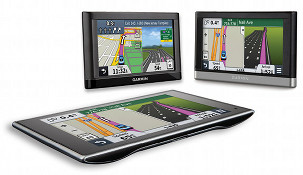
 You can compare Garmin nuvi models using the chart below, which is designed to help make sense of their myriad models. For a quick overview of the different series, you can also check out my dissecting the Garmin nuvi series post.
The links in the far left column below go to each Garmin nuvi review on our site. All listed models speak street names and include speed limit and trip log display. Discontinued nuvis are now listed in their own chart. You can also click here for descriptions and more information about various features. NEW: Click on column headers to sort chart.
Compare Garmin nuvi models

| Garmin nuvi review | Maps | Screen size | Traffic | Blue- tooth | Powered mount | Multi- point routing | Lifetime maps | Lane assist | Voice command | More Info |
|---|---|---|---|---|---|---|---|---|---|---|
| nuvi 30 | 48 states & US + Canada versions | 3.5″ | No | No | No | No | No | Yes | No | More info |
| nuvi 40 | 48 states & US + Canada versions | 4.3″ | No | No | No | No | No | Yes | No | More info |
| nuvi 40LM | 48 states & US + Canada versions | 4.3″ | No | No | No | No | Yes | Yes | No | More info |
| nuvi 42 | 49 states | 4.3″ | No | No | No | No | No | Yes | No | More info |
| nuvi 42LM | 49 states | 4.3″ | No | No | No | No | Yes | Yes | No | More info |
| nuvi 44LM | U.S. Canada Mexico | 4.3″ | No | No | No | No | Yes | Yes | No | More info |
| nuvi 50 | 48 states & US + Canada versions | 5.0″ | No | No | No | No | No | Yes | No | More info |
| nuvi 50LM | 48 states & US + Canada versions | 5.0″ | No | No | No | No | Yes | Yes | No | More info |
| nuvi 52 | 49 states | 5.0″ | No | No | No | No | No | Yes | No | More info |
| nuvi 52LM | 49 states | 5.0″ | No | No | No | No | Yes | Yes | No | More info |
| nuvi 54LM | U.S. Canada Mexico | 5.0″ | No | No | No | No | Yes | Yes | No | More info |
| nuvi 465LMT | U.S. Canada | 4.3″ | Lifetime | Yes | No | Yes | Yes | Yes | No | More info |
| nuvi 1450T | U.S. Canada | 5.0″ | Lifetime | No | No | Yes | No | Yes | No | More info |
| nuvi 2350 | U.S. Canada Mexico | 4.3″ | Option | No | Yes | Yes | No | Yes | No | More info |
| nuvi 2360LT | U.S. Canada Mexico | 4.3″ | Lifetime | Yes | Yes | Yes | No | Yes | Yes | More info |
| nuvi 2455LMT | U.S. Canada Mexico | 4.3″ | Lifetime | No | No | Yes | Yes | Yes | No | More info |
| nuvi 2455LT | U.S. Canada Mexico | 4.3″ | Lifetime | No | No | Yes | No | Yes | No | More info |
| nuvi 2460LT | U.S. Canada Mexico | 5.0″ | Lifetime | Yes | Yes | Yes | No | Yes | Yes | More info |
| nuvi 2475LT | U.S. Canada Mexico Europe | 4.3″ | Lifetime | Yes | No | Yes | No | Yes | No | More info |
| nuvi 2495LMT | U.S. Canada Mexico | 4.3″ | Lifetime | Yes | No | Yes | Yes | Yes | Yes | More info |
| nuvi 2497LMT | U.S. Canada Mexico | 4.3″ | Lifetime | Yes | No | Yes | Yes | Active | Yes | More info |
| nuvi 2555LMT | U.S. Canada Mexico | 5.0″ | Lifetime | No | No | Yes | Yes | Yes | No | More info |
| nuvi 2555LT | U.S. Canada Mexico | 5.0″ | Lifetime | No | No | Yes | No | Yes | No | More info |
| nuvi 2557LMT | U.S. Canada Mexico | 5.0″ | Lifetime | No | No | Yes | Yes | Active | No | More info |
| nuvi 2595LMT | U.S. Canada Mexico | 5.0″ | Lifetime | Yes | No | Yes | Yes | Yes | Yes | More info |
| nuvi 2597LMT | U.S. Canada Mexico | 5.0″ | Lifetime | Yes | No | Yes | Yes | Active | Yes | More info |
| nuvi 2757LM | U.S. Canada Mexico | 7.0″ | No | No | Yes | Yes | Yes | Active | No | More info |
| nuvi 2797LMT | U.S. Canada Mexico | 7.0″ | Lifetime | Yes | Yes | Yes | Yes | Active | Yes | More info |
| nuvi 3450 | U.S. Canada Mexico | 4.3″ | Option | No | Yes | Yes | No | Yes | No | More info |
| nuvi 3450LM | U.S. Canada Mexico | 4.3″ | Option | No | Yes | Yes | Yes | Yes | No | More info |
| nuvi 3490LMT | U.S. Canada Mexico | 4.3″ | Lifetime HD | Yes | Yes | Yes | Yes | Yes | Yes | More info |
| nuvi 3550LM | U.S. Canada Mexico | 5.0″ | No | No | Yes | Yes | Yes | Yes | No | More info |
| nuvi 3590LMT | U.S. Canada Mexico | 5.0″ | Lifetime HD | Yes | Yes | Yes | Yes | Yes | Yes | More info |
| nuvi 3597LMTHD | U.S. Canada Mexico | 5.0″ | Lifetime HD | Yes | Yes | Yes | Yes | Active | Yes | More info |
| nuvi 3750 | U.S. Canada Mexico | 4.3″ | Option | No | Yes | Yes | No | Yes | No | More info |
| nuvi 3790T | U.S. Canada Mexico | 4.3″ | Lifetime | Yes | Yes | Yes | No | Yes | Yes | More info |
Garmin nuvi feature descriptions
- Live traffic – It may not be quite ready for prime time, but it is improving, especially for models with HD traffic. Even so, you can expect lots of inaccurate reports as well as incidents that aren’t reported. Most pre-2013 Garmin nuvis with a T following the model number have ad-supported traffic (see reviews for screenshots). HD models and 2013 T models are ad-free.
- Bluetooth for hands-free cell phone use – Generally speaking, the sound quality has gotten much better on recent models, but check the reviews (the first column links to these) as it does vary.
- Powered mount – The power cord plugs into the mount, rather than the GPS. That’s one less connection to fuss with when you want to use your navigator. I’m a big fan of these, especially when combined with a friction mount.
- Multi-point (multi-destination) routing – A very nice feature, but not a critical one. If the chart says “no,” you can only enter one destination and one or two via points. This isn’t a big problem since you can easily find locations under Favorites or Recently Found.
- Lifetime map updates – Garmin has started selling units bundled with lifetime map updates, which you can typically download quarterly. Newer models with these have an LM or LMT (the latter includes lifetime traffic) tacked onto the end of the model number.
- Lane assist – Shows which lane you need to be in for Interstate exits and some surface streets in larger metros. An improved version, active lane guidance, was introduced on the 2013 Advanced and Prestige series.
- Voice commands – A killer feature and it actually works pretty well on most models.
Return to Garmin nuvi comparison chart
I’m thinking of buying a Garmin to replace a TomTom XL and a feature on the TT is the ability to be warned before I reach a POI I choose, such as a rest area or restaurant, and then be told how far to the next one. Will the nuvi 42LM or any other Garmin do this?
John, I’m no expert on all things Garmin, even tho I’ve owned a few (currently 2797LMT), but here’s what I’ve found. If I have several POI’s on my trip, the DISTANCE displayed (if that is what you selected for the main map display) is to the next POI. After you arrive at that POI, it changes to the next POI. It doesn’t calculate the arrival to the next one until you leave the one you are at. Is that grammatically correct?? Anyway, it can’t anticipate how long you will remain (linger) at a POI. Some of the models have different lists/sets of the data available (Distance, Direction, Elevation, Arrival time, etc). You might try calling Garmin Customer Service, 1 (800) 800-1020, they have always been very helpful, easy going, Kansas City people when I have called.
Thanks for the quick reply. I meant distance because nothing could calculate time as you pointed out. You may have answered my question but let me put it slightly differently. The TT has a feature called ‘Warn when near a POI’. You can select the POI and enter the number of yards(?) and you’ll get a verbal warning before the POI. For example, if I choose ‘rest areas’ and enter 4405 yards i’ll get an announcement saying ‘Rest area 2.4 miles. Next opportunity 26 miles.” That’s what I’m looking for. It’s difficult to find this type of little features for any gps brand. Thanks for the customer service number.
Oh!! Not familiar with THAT feature, but it sure sounds nice. Not saying that Garmin doesn’t have it, I just never found it. I’m still finding things that are not listed in the manual, or anywhere else. Then I have a hard time finding it again when I want it. Call Garmin!!
Hello there, I am wondering what do you mean by active? What is the difference between yes and active? I’m eyeing at 2797LMT and 3590LMT? I’m not sure which is one is better? I’m mainly looking for reroute traffic, 3D, lifetime update, lifetime traffic, and lane assist. Thank you in advance!
So I am trying to compare the Nuvi52LM with the Nuvi 2598LMT HD. They both have life time maps and the 2nd one has life time traffic plus is HD. The 2598LMT HD seems only to be sold at and very few sights have any information about the 2598LMT HD. I would think it is the same as the 2595LMT HD, but I do not know for sure. I do not want to miss out if the 2598 is truly superior, but I also do not want to spend the extra money. I have purchased both and need to return one shortly. The 52LM was a black friday special for $70 and the other on sale at Costco for $140. I cannot seem to find anything that would tell me one is superior to the other, unless I believe in the HD and traffic features.
Spencer …….. I’d suggest you visit garmin.com & check out the features of both devices. That should help you decide which one to keep.
Spencer, as an owner & user of several of the Garmins, from the Nuvi 200 to the 2797LMT, I can tell you that you will appreciate the powered mount, the Traffic, AND the HD screen. The screen is soooo much better than the older screens, not just the images, but the touch commands are like your smartphone screen. The older screens used the same technology the Egyptians used to carve the stone blocks for the Giza pyramid, a mallet and chisel. Maybe the 52 screen is better than the older screens, but you would still be pleased with the 2598 six months and two years from now. You won’t with the 52. Just my opinion. Let us know which way you go!! Either way, put it on the floor every time you park it and you will still have it in two years, PLUS the $350 for a new window.
I ended up keeping the more expensive 2598LMT. Not sure it is any better, but I did make the decision. Thanks for your comments. It is so frustrating that Garmin has so many different model numbers so you cannot compare one retailer to the next.
Spencer, I agree with your decision and your conclusion on the number of mods to choose from. VERY confusing. That’s why this web site is so popular and helpful, but Garmin ignores it. I’d think part of it is a marketing thing, like sodas, the more different flavors you have, the more shelf space you get and therefore more sales you get. Some are older, obsolescent mods that they still have inventory to be sold. But, the sheer variety is very confusing and intimidating; makes it seem like this is a very complex and highly specialized item and therefore decision process. There is a learning curve for GPS in general and for Garmin in particular and the only way to get started is to jump in. Reading about it won’t do it. YOU don’t have a familiarity with other, older units to compare your new unit to, so you may not appreciate your choice yet, but you will, and you will know what to look for in the next mod you get. I think a good way to get familiar for less $ is to get a used unit (pawn shop, craigslist, friend, etc) for a few weeks AND USE IT. Then you’ll know what you like/need/want in a GPS.
Last march I purchased a nuvi 2597LMT. I probably use it a couple of days a month. The voice directions are getting hard to understand, sounds like someone talking with a mouth full of marbles. Is this problem common on all Garmin’s, this model, or is it just mine? How can it be repaired?
JME- have you called Garmin Support?? Sounds like their kind of issue. Every time I’ve called, they have been very helpful. You might do an update to see if that helps.
Bad advice, put it on the floor. Read “My Lincoln ate my Garmin.”
JME – yes, I read that a while back. The only way I can envision that happening is to put the bare GPS unit between the seat and console and have auto-adjusting seats. I ran over a potted plant with my seat one day, but it was in the back seat floor wedged in with some others and I was just not thinkin. Not much harm done, just a cracked flower pot, but I learned a lesson.
I ALWAYS (even in my garage at home) put the entire unit, the portable fold-flat, sticky dash mount and GPS still plugged in, on the floor in front of the drivers seat. IF the seat gets moved forward, it will just push it out of the way. Been doing this for a long time, from my first Nuvi 200 maybe 10 years ago til now. I store an older back-up unit under the passenger seat, with the mount and cable. I’ve not had any problems with GPS’s getting crushed OR stolen, still have all my GPS’s and windows. You might try a “trial run” to see what would happen with your unit on the floor and run the seat up and back. I’d bet nothing happens.
If you don’t want to put it on the floor, put it on the seat or console. I’ve heard lots of stories of busted windows and missing GPS’s. And the window costs more than the GPS. Leaving it on the dash is “bad advice”.
Hi I have a Garmin nüvi 2350LMT 4.3-Inch. The Micro SD 8GB Card which I had put in recently, broke from the protruding edge, leaving part of the card in the SD Card in the slot. I am unable to remove it. I have 2 questions:
1. Can I open the 4 screws and remove the broken piece of Micro SD Card. I see there are 4 small screws on the back on the GPS.
2. What is an appropriate size Micro SD card which should be used.
Thanks
Mujahid
Mujahid – yes, you can remove the screws and back cover from the unit (assuming it is like all the ones I’ve been into). In addition to the screws, there are a series of catches in the mating edges that must be gently released. Not sure it will help you remove the MSD very much.
BUT, before you do that, try two different methods of removing the MSD:
1. with a small, hard, pointed blade or even the end of a gem clip, PUSH the piece IN. They usually have a “click in” and “click out” port for MSD cards, like a ball point pen.
2. slide a narrow piece of packing tape or “scotch tape” in beside the MSD card, sticky side toward the card. You may have to use a tiny screwdriver blade to wedge in the slot to make it wide enough. When the tape is in as far as you can get it, use a thin knife blade in the slot to press it on to the side if the MSD as well as you can, then pull on the tape to remove the MSD.
Please let us know how it’s going!!
Forgot to mention the MSD size, I’ve used up to 64g, but there is no need to go that high unless you are keeping a lot of pics or something. Seems like Garmin says 32g max, but I could be wrong on that.
I work for a school transportation dept. I would like to load 60 bus routes with many stops on each route on to a Garmin. Which Garmin would be my best choice to do this?
I am trying to buy a Garmin Nuvi 255w with4gb memory card.
Is it worth that price as it feels the unit might be manufactured in 2012
and the batteries do not stay charged. Thanks
I am using a nuvi 255W on my motorcycle. I would like to ask you experts of all the Garmin models what model would provide the following:
Brighter screen than 255W (primary reason for considering change)
5″ screen would be nice vs the current 4.5″
Ability to turn off ‘auto zoom’ (255W does not have this feature)
No loss of map details when zoomed out (keep same as 255W)
Pressure touch screen (like 255W)
Power cord (like 255W) vs powered base
I have no fears of purchasing discontinued models and don’t care about map updates as roads are generally static.
I bought a nuvi 1450LMT but it auto zooms and drops surrounding map detail as I speed up or zoom out a bit. I will be selling it soon!!
Thanks in advance!!
John Nielsen
I recently purchased 2/15 my Garmin Nuvi 2599 LMTHD and love it so far. I love voice command and trip planner.
Does anyone else have the 2599 LMTHD? How do you like yours?
Tim,
Check the Amazon site: http://www.amazon.com/review/B00N41V0YM/?tag=gkhhgps-20.
Several good comments by other users there.
HA! I made the right choice buying the 2599lmthd for sure. I love the trip planner. If I understand it right I can have over 30 routes planed and saved with 30 stops each. That is I can save up to 1000 addresses. I can make a trip with max 30 stops in it. So if I have more than 30 stops I can just make more than one route…
If I buy a 2595 or 2597 and am traveling down the freeway and there is an accident up ahead do I need a smart phone to tell me of the traffic update on the gps or will the gps alone tell me? I don’t have a cell phone but I want to be able to drive around accident.
Great chart, and the sorting is handy, but I have a couple of technical suggestions. First, when someone clicks a feature’s header they’re likely to be looking for units that have that feature. But, since the sorting is alphabetical, and “Yes” is after “No”, they instead see all the units WITHOUT that feature, and have to scroll to the bottom to see what they want. Going reverse alphabetical would help a lot; doing a custom sort based on the actual values would be even better.
Second, when you sort a column, the units which all have the same value in that column are sorted alphabetically by their names. If instead you changed the previous order as little as possible, then users could click a set of columns one by one and end up seeing the units that had all those values at the top. For instance, if you clicked “Lifetime Maps”, “Lane assist” and then “Voice command”, then you’d see the units with all three features sorted at the top of the chart.
My $0.02,
Dan
Hi,
Nuvi 2350 – US Map
I still have my nuvi 2350 with pre-loaded map of AU and NZ. I bought a US
map in Feb 2012 and have used it during the 2012 trip, do I have to buy a
new map if I want to travel this year again.
best regards,
jun
I
Hi Jun,
By any chance, did you get a response on this inquiry of yours? Let me know how it went please
Thanks and regards,
Jen
I am looking for the best gps that will route garage sales in the order of closest ones leading out to the furthers ones in the most convenient order, not the order I enter them in but the order of convenient driving.
Thank You for your site’s existing, it has a wealthy of info. about Garmin GPS… Anyhow, I’m always TomTom’s fan, and thinking about trying out with Garmin GPS. I’m in the market for 5″ screen, SAT-NAV model, any recommendation? Thanks
I have used TomTom for 8 years – now need an upgrade.
Travel continually in Australia, Europe, UK, USA & Canada.
What is the best GPS equipment??
thanks
John
My Garmin 265W no longer responds to any requests, so I am looking to upgrade. I saw a new Garmin nuvi 2599 at Costco today for $229.99, but that model is not on this website. Does anyone know about the 2599? Is it better, worse, or the same as the 2597 and/or the 2598? Thanks for any assistance and advice.
How can I delete information from My Garmin nuvi 205W before donating it to charity, as I no longer have need of it. It obviously will need to be upgraded, but has been my trusty GPS for many years. A great product.
Hi, I killed my nuvi 1350 with a power seat and need a replacement. I am having a difficult time finding a similar model. There are so many features that I like in the 1350 i.e. traffic alerts, street names spoken, clearing trip log, etc. Do you know which model is best to replace it? My husband is looking at a 52lmt, but the reviews are more cons than pros.
Garmin is The Best.
Great information. It would be even more useful and potentially easier to maintain, if it was placed in an embedded Google Sheet. This would give viewers the option of sorting models by one or more desired features.
Can someone tell me if any of the Garmin models include mapping of Puerto Rico? The comparison list doesn’t show any.
Gene, I know it sounds preposterous, but call Garmin Customer Service (800-800-1020). They have been very good every time I’ve called and would know more and have the latest info on all models, and can answer follow-up esoteric questions. Sounds crazy I know.