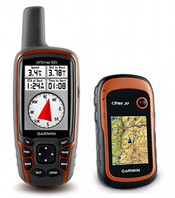
 The Garmin handheld GPS comparison chart below shows all current Garmin backcountry and marine handhelds (in alphabetical order) that include a high-sensitivity chipset. I do not recommend any units without such chipsets for backcountry use.
Links go to my Garmin handheld GPS review/resource pages for each model except where I’ve yet to post those; in that case the links go to the Garmin product page. Features in the headers are explained below the chart, while recently discontinued models are shown on a separate page. You might also find my handheld GPS buyers guide and specialty GPS buyers guides helpful. NEW: Click on column headers to sort chart.
Garmin handheld GPS comparison chart
| Model | Display type |
Display size | Rated battery life (hrs) | Weight with batt- eries | Pre-loaded detailed maps | Ability to add maps/ storage | Accepts custom maps | Elec- tronic compass | Paper- less geo- caching |
Turn by turn | Waypoints /Routes Trackpts. /Tracks | Miscell-aneous | Compare prices |
|---|---|---|---|---|---|---|---|---|---|---|---|---|---|
| Dakota 10 | Color, touch, hi-res |
1.43″ x 2.15″ | 20 | 5.25 oz | No | 850 MB | Yes | No | Yes | Yes | 1000/50 10K/200 |
Compare prices  |
|
| Dakota 20 | Color, touch, hi-res |
1.43″ x 2.15″ | 20 | 5.25 oz | No | microSD | Yes | 3-axis | Yes | Yes | 1000/50 10K/200 |
Wireless data | Compare prices  |
| eTrex 10 | Mono- chrome |
1.4″ x 1.7″ | 25 | 5 oz | No | No | No | No | Yes | No | 1000/50 10K/100 |
Compare prices  |
|
| eTrex 20 | Color, hi-res |
1.4″ x 1.7″ | 25 | 5.25 oz | No | microSD | Yes | No | Yes | Yes | 2000/200 10K/200 |
Compare prices  |
|
| eTrex 30 | Color, hi-res |
1.4″ x 1.7″ | 25 | 5.25 oz | No | microSD | Yes | 3-axis | Yes | Yes | 2000/200 10K/200 |
Wireless data | Compare prices  |
| fenix | Mono- chrome |
1.2″ x 0.2″ | 50 | 2.9 oz | No | No | No | 3-axis | Yes | No | 1000/50 10K/100 |
Compare prices  |
|
| Foretrex 301 | Mono- chrome |
1.4″ x 0.9″ | 18 | 3.1 oz | No | No | No | No | No | No | 500/20 10K/10 |
Compare prices  |
|
| Foretrex 401 | Mono- chrome |
1.4″ x 0.9″ | 17 | 3.1 oz | No | No | No | 2-axis | No | No | 500/20 10K/10 |
Wireless data | Compare prices  |
| GPS 72H | Mono- chrome |
1.6″ x 2.2″ | 18 | 7.7 oz | No | No | No | No | No | No | 500/50 2K/10 |
Floats | Compare prices  |
| GPSMAP 62 | Color | 1.6″ x 2.2″ | 20 | 9.2 oz | No | 1.7 GB | Yes | No | Yes | Yes | 2000/200 10K/200 |
Compare prices  |
|
| GPSMAP 62s | Color | 1.6″ x 2.2″ | 20 | 9.2 oz | No | microSD | Yes | 3-axis | Yes | Yes | 2000/200 10K/200 |
Compare prices  |
|
| GPSMAP 62st | Color | 1.6″ x 2.2″ | 20 | 9.2 oz | Yes | microSD | Yes | 3-axis | Yes | Yes | 2000/200 10K/200 |
Compare prices  |
|
| GPSMAP 62sc | Color | 1.6″ x 2.2″ | 16 | 9.3 oz | No | microSD | Yes | 3-axis | Yes | Yes | 2000/200 10K/200 |
Camera | Compare prices  |
| GPSMAP 62stc | Color | 1.6″ x 2.2″ | 16 | 9.3 oz | Yes | microSD | Yes | 3-axis | Yes | Yes | 2000/200 10K/200 |
Camera | Compare prices  |
| GPSMAP 64s | Color | 1.43″ x 2.15″ | 16 | 9.2 oz | No | microSD | Yes | 3-axis | Yes | Yes | 5000/200 10K/200 |
GLONASS | Compare at Amazon
|
| GPSMAP 78 | Color | 1.6″ x 2.2″ | 20 | 7.7 oz | No | microSD | Yes | No | Yes | Yes | 2000/200 10K/200 |
Floats | Compare prices  |
| GPSMAP 78s | Color | 1.6″ x 2.2″ | 20 | 7.7 oz | No | microSD | Yes | 3-axis | Yes | Yes | 2000/200 10K/200 |
Floats | Compare prices  |
| Montana 600 | Color, touch, hi-res |
2″ x 3.5″ | 16/22 | 10.2 oz/11.7 oz | No | microSD | Yes | 3-axis | Yes | Yes | 4000/200 10K/200 |
Wireless data, Screen rotates, nuvi mode |
Compare prices  |
| Montana 650 | Color, touch, hi-res |
2″ x 3.5″ | 16/22 | 10.2 oz/11.7 oz | No | microSD | Yes | 3-axis | Yes | Yes | 4000/200 10K/200 |
Wireless data, Screen rotates, nuvi mode, camera |
Compare prices  |
| Montana 650t | Color, touch, hi-res |
2″ x 3.5″ | 16/22 | 11.7 oz/13.2 oz | Yes | microSD | Yes | 3-axis | Yes | Yes | 4000/200 10K/200 |
Wireless data, Screen rotates, nuvi mode, camera |
Compare prices  |
Monterra | Color, touch, hi-res |
2″ x 3.5″ | 16/22 | 10.2 oz/11.7 oz | Varies | microSD | Yes | 3-axis | Yes | Yes | 4000/200 10K/200 |
Android-based, wireless data, screen rotates, nuvi mode, camera |
Compare at Amazon
|
| Oregon 450 | Color, touch, hi-res |
1.53″ x 2.55″ | 16 | 6.8 oz | No | microSD | Yes | 3-axis | Yes | Yes | 2000/200 10K/200 |
Wireless data | Compare prices  |
| Oregon 450t | Color, touch, hi-res |
1.53″ x 2.55″ | 16 | 6.8 oz | Topo | microSD | Yes | 3-axis | Yes | Yes | 2000/200 10K/200 |
Wireless data | Compare prices  |
| Oregon 550 | Color, touch, hi-res |
1.53″ x 2.55″ | 16 | 6.8 oz | No | microSD | Yes | 3-axis | Yes | Yes | 2000/200 10K/200 |
Camera, Wireless data | Compare prices  |
| Oregon 550t | Color, touch, hi-res |
1.53″ x 2.55″ | 16 | 6.8 oz | Topo | microSD | Yes | 3-axis | Yes | Yes | 2000/200 10K/200 |
Camera, Wireless data | Compare prices  |
| Oregon 600 | Capacitive, color, touch, hi-res |
1.5″ x 2.5″ | 16 | 7.4 oz | No | microSD | Yes | 3-axis, auto | Yes | Yes | 4000/200 10K/200 |
Camera, Wireless data | Compare at Amazon |
| Oregon 650 | Color, touch, hi-res |
1.5″ x 2.5″ | 16 | 7.4 oz | No | microSD | Yes | 3-axis, auto | Yes | Yes | 4000/200 10K/200 |
Camera, Wireless data | Compare at Amazon |
| Oregon 650t | Color, touch, hi-res |
1.5″ x 2.5″ | 16 | 7.4 oz | Topo | microSD | Yes | 3-axis, auto | Yes | Yes | 4000/200 10K/200 |
Camera, Wireless data | Compare at Amazon |
| Rino 650 | Color, touch |
1.43″ x 2.15″ | 14 | 11.3 oz | No | microSD | Yes | 3-axis | ? | Yes | 2000/200 10K/200 |
Two-way radio | Compare prices  |
| Rino 655t | Color, touch |
1.43″ x 2.15″ | 14 | 11.3 oz | Yes | microSD | Yes | 3-axis | ? | Yes | 2000/200 10K/200 |
Two-way radio | Compare prices  |
Feature explanations
- Display type – Monochrome and older high resolution (hi-res) units tend to be more difficult to read in daylight conditions. Even so, the newer hi-res units are suitable for handheld use, where you will intuitively tilt the screen for the best view. They can also be customized to enhance viewing in bright conditions. The only “hi-res” units I recommend for fixed mount, non-external power use (e.g., bike handlebars) are the Dakota and Oregon 6xx series.
- Ability to add maps/storage – If a unit accepts maps, the storage medium or available internal memory is listed. Units with pre-loaded detailed maps also offer some internal storage, in addition to SD/microSD. Please note that there are lots of free maps available for these units.
- Accepts custom maps – These units can accept custom raster maps and Garmin BirdsEye imagery.
- Electronic compass – These units also have a barometric altimeter. You can read more about electronic compasses here. A two-axis compass must be held level; a three-axis (AKA tri-axial) compass does not need to be held level, but is more of a pain to calibrate. Units listed as auto generally do not need calibration.
- Paperless geocaching – These units will display the full geocache description, cache size, difficulty and terrain ratings, and recent logs.
- Turn by turn – These units can give turn-by-turn highway directions when the proper maps (usually City Navigator) are added, making them effective dual-use units.
- Waypoints/Routes and Trackpoints/Tracks – The numbers listed are the number of waypoints and routes that can be saved, followed by the tracklog capacity and number of tracks that can be saved.
- Miscellaneous – Wireless data refers to these unit’s ability to transfer data wirelessly with other compatible Garmin units. You can transfer waypoints, tracks, routes and geocache summaries (paperless caching details cannot be transferred).
Looking for a new (and improved) GPS primarily for Geocaching but I do camp, hike, hunt, Jeep as well. I have been using an old original yellow Garmin eTrex for geocacing has always worked well but tired of limited data entry and printing all teh paper work prior to a camping trip paperless sounds like the way to go. I also have Garmin Nuvi 205 & 780 units but not sure how wel they’d work for geocaching (haven’t tried them) and have used teh explorist 400 for hunting. From what I’ve read it seems like the Dakota 20 or Oregon 450 would be ideal for geocaching but man am I getting a collection of GPS units 🙂 (not even including the factory ones in my SUV and JEEP).
Thanks for your thought/insights.
Steve
Follow-up — I’m also likely going to be upgraing by cell phone to either an Android or iPhone4 in the near future which will of course also have GPS capabilities any geocaching integration?
Steve
Yes, there are geocaching apps for both.
We are looking for a hand held gps to plot our paddocks troughs and pipelines. Birds eye view would also be helpful. Any ideas
I use an iPhone and Ipad along with a Garmin Dakota 20….
The Iphone/iPad app is awesome!! I can search from any location and find a cach and then immediately update my logs so when I get home everything is there. The only thing is that it isn’t quite as accurate as the garmin…. Unfortunately you have to download all of the locations before you head out on the Garmin- Not good for spontaneity!! The iPhone/iPad has much better maps features etc…. I say if you own one already, buy the app, much cheaper and way way way more functionality. It will still get you to the location but sometimes you have to walk around a little until the device becomes accurate (within 20-30 feet). The garmin will take you right there but like I said, definitely has it’s minuses (but is water and kid proof!!)……
Wouldn’t it be great if Garmin embraced Bluetooth and made it easy to transfer paperless info from your smartphone to your GPS?
Welcome to the club (GPS collectors)! You can use a nuvi in conjunction with the eTrex for paperless caching (http://geocaching.totaltechworld.com/). But a new unit would be ideal. The Oregon 450 is an excellent unit. I’ve heard of a few broken Dakotas and have the feeling that the Oregon is a little sturdier.
Is Garmin 78s a differential GPS?
No.
I want a unit like the Garmin etrac Vista that can be used with a MAC.
All of Garmin’s devices can be used with the Mac. Just download their free Basecamp program here: http://www8.garmin.com/macosx/index.jsp
At that same link you will also find Webupdater (used to update the firmware on your GPS) and Communicator which is used for other things such as registering a new GPS.
Garmin also has a tech support forum for Mac users here: https://forums.garmin.com/forumdisplay.php?f=167
Great deal at REI on Garmin Oregon 450. $250! With the $50 rebate, that brings the total price down to $200.
jrs
Yep…
http://gpstracklog.com/2011/08/garmin-oregon-450-for-199-99.html
Wow-great site, even for me who has zero experience with hand held GPS! I am looking for a unit for my husband’s birthday. He has no experience with hand held, either and gets easily frustrated with electronic devices, so it will need to be instinctive. He is not a person to go searching around the internet to do alot of downloads, upgrades etc. (he will ask me to do it and I would rather eat nails)
He’s 55 and hunts in Maine north woods and hopefully we will also be traveling to the Grand Canyon, Ireland and Yosemite in the next 18 months.
Thanks so much for any ideas-simple would be good, but as many free pre-loads as possible!
Melissa,
I don’t know how well it will work for him. Handheld GPS are complex beasts and usually fairly far from intuitive because of that. Your best bet would be a Garmin with preloaded 1:100,000 scale maps of the US. I’d suggest the Garmin Oregon 450t or their GPSMAP 62st.
This may help if you decide to go forward with it..
http://gpstracklog.com/category/handheld-sport-gps/handheld-gps-101
If you do get one, we’re always here to help!
I am looking for a simple gps for trail riding (we just want to be able to find our way back to camp).Bass Pro has a Venture HC on sale and I have a friend that works for Garmin that can get me the eTrex at a great price. Would either of those work for me?
Either will do, but you’ll be able to have maps with the Venture HC, like the free ones at http://gpsfiledepot.com, which can make navigation a lot easier. If you ever want to see where you went on your computer, avoid the basic eTrex H, which uses a serial cable. If you can afford/justify a little more, I’d go for the eTrex 20, which is on sale right now…
http://bestgpsdeals.net/garmin-etrex-20-and-montana-650t-at-ems/1366/
Here’s why…
http://gpstracklog.com/2011/04/five-reasons-to-upgrade-your-garmin-handheld.html
Sorry, I noticed that I did not specify which eTrex my friend could get me – it’s the eTrex 30, which I can get for just a little more than the Venture. I am thinking of going with the eTrex 30. Surely I will be aable to figure it out. Thanks for your help.
I am looking for a simple gps for trail riding (we just want to be able to find our way back to camp).Bass Pro has a Venture HC on sale and I have a friend that works for Garmin that can get me the eTrex 30 at a great price. Would either of those work for me?
Already answered above. The eTrex 30 would work too.
I am looking for a gps that would be good for hunting. My husband has been looking into hunting new timber and i think he needs it to find his way out easier 🙂 I was wondering if the venture would be a good one to get him and I was wondering if it’s possible to get topo maps on it. I have zero experience with these things, but he’s mentioned wanting one.
Yes, the Venture HC will work and you can add maps to it. If you can swing it, the new eTrex 20 is nicer and a bit more user friendly.
Thank you, I started looking at the etrex 20 after i posted this and I think that would be better!
I’ve had a GPS 12 forever and have really enjoyed it. It does all I need it to and still works great (I use it for hunting), but I understand Garmin no longer supports it (no surprise in view of its age). What to replace it with?
An Etrex Legend H was recently recommended (much less expensive than the hundreds I paid for the original unit). I tried it and am very disappointed: poor graphics, too many steps to accomplish the very simple task of marking waypoints, finding them, and navigating to them. Maybe I’ve just not learned enough about it to simplify the effort, but, even if I did, I don’t think that would improve the graphics. This device just has too many features that I don’t need, and I am paying for them with an overly complex device.
Suggestions?
Just sign me: Simple
If you find the Legend H too complex, I’m not sure what to recommend. The new eTrex 10 and 20 offer an improved interface, and the eTrex 20 should have better graphics, but it has even more features than the Legend H.
On the Legend H, you press and hold the front rocker key to mark a waypoint. Then you can press and hold the Menu button to choose a waypoint to navigate to.
Hi,
Great information…I am looking into an eTrex 20 mainly for use for fishing and hiking, but also want to have turn by turn in the cities. Does this come standard or do you have to purchase the update for sixty dollars in order to have it?
Thank You.
You would need to add City Navigator maps…
https://buy.garmin.com/shop/shop.do?cID=253&pID=28765
Any way to add a column, footnote, or something to show which models count geocaches and a separate kind of data, and how many each of those models will hold?
What are you looking for besides how many caches they will hold? And does Garmin always make that public with each model?
Ay, there’s the rub. Garmin publishes a number of “waypoints” that each model will hold. But on the newer models (Dakota, Oregon, Montana, eTrex x0, etc) “geocaches’ go into their own storage and have a different and separate limit that doesn’t count against the waypoint limit.
It;s mentioned in some of Garmin’s FAQs and a few other places online, but I’m looking for a chart like your that lists all of them side by side instead of running around to multiple sources trying to find for each model.
I posed the question in an email to Garmin tech support, specifically about the eTrex 10/20/30 models, and here was the reply:
“The eTrex 20 and 30 can hold up to 5,000 geocaches. The eTrex 10 can hold up to 2,000 geocaches. The thing to remember is all three devices have a limitation of the number of gpx files. When you load a geocaches one at a time, then this will create a gpx file. However, when you load a pocket query to the device, you will be able to put in a large number of geocaches that only use one gpx file. The gpx limitation for the 20/30 is 2,000 while the eTrex 10 is 500.”
Using the eTrex 10 as my example, I think that means I can have up to 500 caches in a single GPX file, but I can have multiple GPX files that will load at startup to reach the maximum of 2000 geocaches.
I’m going to test this later — but does my interpretation make sense?
Or it means you can have up to 500 .gpx files.
Yeah. you’re right. I just thought it was written oddly and my previous testing of the eTrex 10 had it running out of memory when I tried to load a GPX with over 500 waypoints or so.
I think the real problem (specific to the eTrex 10) is the limited size of the mass storage area. Stripped of everything but system files, it has about 6MB of free space. In use I’ve had the thing complain about being low on memory when I’ve only used about 1/2 of that disk space — so either the GPS wants to reserve some of it for it’s own use, or there are other limits on internal memory besides than the mass-storage device.
It’d be awfully hard 2000 caches (whether in one or 500 individual files) to fit in that space unless they all had short descriptions and no logs.
Great reviews and very useful information. I would like to see screen resolution listed in the comparison chart as well – possible?
Regards, Niklas
I don’t know – there’s only so much width available. I’ll take it under consideration for the next time I make a column change though.
Может кто -нибудь подскажет как очистить экран от маршрутных точек(не удаляя из памяти)?ETREX 10
The only way is to delete them.
Большое спасибо за ответ.Прекрасный сайт.Ни в Украине ни в России никто не удосужился ответить.
The Oregon 550t may be great but you can’t download from a Mac. Factory doesn’t know when or if the bug will be fixed.
What are you trying to download?
Есть еще вопрос – когда идет навигация по треку(заранее написанному) стрелка компаса стоит вертикально при правильном прохождении.Но если я ухожу с трека далеко в сторону – куда указывает стрелка?Я думал к ближайшей точке трека,но это не так.eTrex10.
After a couple months of searching for the perfect geocaching GPS, I’m still unsure. I thought I had narrowed it down to the Oregon 450 (descent price, touch screen, 3 axis, 3D maps, etc), but then my green-conscious mind saw that it can’t be recharged, and so I’d have to constantly use batteries. How long will rechargeable batteries last? Or is there another similar model that can be charged via cable?
Just pick up some Sanyo Eneloops and a charger (or another NiMH brand). I’ve got some that are almost five years old and still going strong.
Hello lots of information much appreciated.
I have been using an etrex venture hc for the last few years and the most important thing I am looking for is accuracy on position. I am sort of doing surveys of small farms and was wondering if there was some beter device for the job without getting into the thousands of dollar units.
Thank you for any ideas on this question.
Generally speaking no. The one that might be better is the new eTrex 20 or 30, which uses GLONASS + GPS. But it’s a new unit and the firmware isn’t mature. Six months or a year down the road, it could be a bit more accurate than the Venture HC though.
And having said that, it does add the ability to use aerial imagery, which could be helpful (although such imagery can also have position errors).
hello all thanks for the excellent intel, i am a total outdoors offroad kind of person i guess you can say, i hike i bike i buggy, ride motorcycles, snowboard, snowshoe, jet ski and boat in various places and am fairly tech savy but not like programmer status i have been looking at the etrex 30 and beleive it is the best choice for me am i correct? and can i load trail maps for biking, hiking, and riding onto an sd card or internal memory?
The eTrex 30 is a nice unit and would suit you fine. For handlebar mounts I prefer the 62s since it’s a little easier to toggle between screens without looking at the device. But it’s more expensive too.
You can add topo maps to either. There are plenty of free ones at http://gpsfiledepot.com
You may find these two series helpful as well:
http://gpstracklog.com/category/handheld-sport-gps/handheld-gps-101
http://gpstracklog.com/category/handheld-sport-gps/handheld-gps-201
Hello all,
I am looking to purchase my first GPS unit for hiking and some backpacking. I have been considering the Garmin Foretrex 301, but after discovering this website and its information on the eTrex Venture, I am considering both. While the Venture has a color screen, what are the other primary differences that should be considered when comparing these two units, and would you recommend one over the other or are they fairly comparable?
Thanks!
You can’t load maps to the Foretrex, so that should probably be a consideration. The Venture is an older model which has been replaced by the Venture HC, which should serve your purposes well. Still, if you can swing it, I’d go for the eTrex 20, which adds the new features listed here…
http://gpstracklog.com/2011/04/five-reasons-to-upgrade-your-garmin-handheld.html
Regardless of what you get, handheld GPS are complex and have quite the learning curve, so you may want to read this series…
http://gpstracklog.com/category/handheld-sport-gps/handheld-gps-101
Thank you for your timely response and the valuable information you provided! I did mean to indicate it was the newer, Venture HC I was considering, though I was unaware that you could not load maps onto the Foretrex. That may be a dealbreaker. I hadn’t researched the eTrex 20 yet and will spend some time this weekend reading up on it. It seems that your consensus is the eTrex 20 would be the unit of choice amongst all those we have discussed. I think this may be the lucky product on which I will use my REI 20% off coupon.
The 20% off coupon is supposed to exclude Garmin items, but apparently some people have had luck using it in store.
I’m going to be hunting public wildlife management land. Some range from 2,000 and 10,000 acre tracts and Francis marion National Forest is close to 250,000 acres. I’m not completly tech-phobic but prefer simplicity. Would an Etrex 20 or 30 give me with the ability to view/add maps, sat images and save hundreds of points of interest… stuff like stand locations, rubs, etc… Does the slighly larger screen of an Oregon series matter? Not sure I would have a use of all the maps in the Oregon t series vs the non-t. Assume non-t units are more custum-izable? (Google maps images etc…)The light weight of the Etrex attracts me. The multiple screen touch screen nature of the Oregon isn’t a deal killer, but the lightweight and cost of the etrex is attractive. Any guidence or opinions appreciated.
Yes, the eTrex 20 and 30 will do all those things.
A disadvantage of the eTrex, other than the small screen, is that entering waypoint names is slower than on the Oregon. With the eTrex, you’ll use a click-stick to do it. But the Oregon has a less visible screen in certain conditions.
No need to get a t unit with preloaded 100K scale maps when there are plenty of free 24K scale maps available from http://gpsfiledepot.com.
Putting Google Maps images on any would be a pain. You’re better off paying $30 for BirdsEye satellite imagery or topo maps.
Went with the Etrex 20. Couldn’t resist the price with a discount gotten thru Amazon. It felt good in hand, and I feel the computer/software will be beneficial and do most of the work I need. Looking forward to this weekend.
Great unit! If this is your first handheld GPS, you might want to check out these series/posts:
http://gpstracklog.com/category/handheld-sport-gps/handheld-gps-101
http://gpstracklog.com/handheld-gps-faqs
Hello all
Just over 2 years ago I purchased a Garmin 60CSx from the Bangkok distributor, as did several of my associates. The problem that is occurring to our units is that they become difficult to turn off and require the batteries to be removed to do so. My unit then became difficult to turn on, now it will not turn on at all.
I returning my unit to the Garmin agent where it was purchased (30,000baht almost $,1000) they advised that this was a common problem with this model and it would be cheaper to buy a new model considering freight cost from Thailand to Taiwan and the repair costs themselves and a possible turn around time of 6 months.
Has any other person experienced this problem and is there an economical way around this problem, like buying new components and fitting them myself???
If all is lost what recommendations are there for a unit to use in Thailand that is portable easy to read and good for on and off road.
Paul (bitter and twisted)
Garmin does flat rate repairs (I think they run about $100 USD), but I don’t know if any such service is available where you are.
is there any way to rotate the screen in the 76cx? With my old Garmin III and V we could rotate the screen, so we could mount the gps on motorcycle handlebars horizontally instead of vertical, up and down. Want to do same for 76cx.
Thanks, Steve
Afraid not.
hi again, okay the 76cx you can’t rotate the screen. Can it be done with the eTrex 20 or 30? Looking to upgrade from my old Garmin V. Do off road m.c. ventures, group rides where the organizers have a route that can be downloaded onto our gps. Can that be done with the 76cx and the various eTrex? I’m not doing geo caching at all. Also use a 205 on my mtn bike and road bike. Looks like the eTrex might be good for the bicycles, yes? Smaller screen than 76, but smaller size in general might be good for not hooking branches. Thanks, Steve
AFAIK, the only current Garmin handheld with a rotatable screen is the high-end Montana series.
The new eTrex x0 series is good for bikes, but I prefer the 62s, which seems to be a bit more user friendly due to button placement.
I am looking for a handheld gps to verify mining claim locations and want it to be fairly accurate…. and property lines for small parcels to remark and update
I am looking at the Montana series with the high resolution/color screen …. what would you recommend?
Would get the model without the maps downloaded already… but has lots of waypoints and tracking pts, routes, etc.
Is there a better one for surveying ??
Thanks,
Russ
First of all, be aware that consumer GPS will only give you accuracy of 10-30′ (possibly worse in steep terrain/canyons). The Montana would be nice for its touchscreen and ease of entering waypoints. The new eTrex 20/30 offer GLONASS + GPS support which could theoretically improve accuracy, but they aren’t touchscreen devices.
Does anyone know who makes the best gps for making maps? i want to make an accurate map of 300 acres (boundary) and trails within. The land is all forested, so i need to know which is the most sensitive with tree cover. In the end, I want to be able to get this map to a web site and make high quality prints of it. thanks in advance for your advise.
Douglas
Consumer GPS are accurate to anywhere from 10-30′ usually. The satellite constellation isn’t geosynchronous, so there are good days and bad days. You can use an online GPS constellation prediction tool to find better days.
While any receiver with a high-sensitivity chipset should work fine, you might want to look at the new eTrex 20 or 30, which include GPS + GLONASS, which could improve things a bit and get you closer to 10′ accuracy.
What are your top three for just geocaching?
Low, medium, and high priced.
If you could buy one to go geocaching without looking at price what one would you pick??
Here’s a page on that subject… http://gpstracklog.com/buyers-guides/gps-for-geocachers
But I’d probably go for the eTrex 20 or 30 or Oregon 450. Hope this helps.
What I’d like to know is which Garmin model can be used to transfer point shapefiles from Arc Map 10.1 to the GPS unit, and vica-versa. What I’m looking for is a unit around $200, where I can transfer tracks and points back and forth between Arc Map and the GPS receiver, via DNR GPS (formerly DNR Garmin: http://www.dnr.state.mn.us/mis/gis/tools/arcview/extensions/DNRGarmin/DNRGarmin.html). I’ve used Basecamp, but I can’t remember if Basecamp’s file saving format is compatible with Arc Map shapefiles.
I think it would work fine with DNRGPS. BaseCamp can export to .gpx v1.1 or .gdb files. For under $200, I would look at the eTrex 20.
I’ve been using an eTrex Legend for a number of years for backcountry hiking and find it’s great when I’m not a forest.. However, as soon as I get into the trees, even when they’re not thick, the Legend has trouble (status reads:”Weak Signal, need clear view of sky”). Unfortunately there aren’t a lot of trails in Ontario, Canada that don’t go through some sort of forest. 🙁
Has technology advanced enough to overcome this? Is the GPS sensitivity and/or accuracy better on the new eTrex models (10/20/30) compared to the older eTrex Legend? Is it worth upgrading?
Thanks in advance,
Jonathan
Yes, newer models with high-sensitivity chipsets rarely do this. It is definitely worth upgrading.
I work Search and Rescue and am debating between the Montana 650 and the Rino 650. Seeing the map while snowmobiling in tough conditions is important (I wear reading glasses) as well as good lighting after dark. Weight isn’t the biggest issue, but detailed topo maps are a must. Any suggestions, I don’t see a huge difference, but then again I’m used to my Rino 120, so wanted to ask.
A lot of folks with vision issues seem to like the Montana.
I am using a gps 72H for sailing. I go around routes that I have programmed in and want the gps to show the next waypoint when I have got to APPROXIMATLY the current waypoint. My question, what is the radius within which one must get before the gps registers that you have arrived, and is this adjustable? I would like it to go to the next waypoint when I am within about 100m of the current waypoint.
I can’t find an option for that. There is a way to change proximity alerts, but I don’t think that’s what you’re after.
What is the main difference between the Garmin etrex 20 and etrex30. I’m looking to purchase one for my husband for hunting purposes only (and for limited time as well). Thanks
The 30 adds a barometric altimeter and electronic compass…
http://gpstracklog.com/2012/12/all-about-barometric-altimeters.html
http://gpstracklog.com/2012/12/do-you-need-a-gps-with-an-electronic-compass.html
Thanks! I read up on it a little, but I have to admit I don’t understand it like I should. Which would you recommend for the occasional hunter, the etrex 20 or 30? I appreciate your input.
The 20 will be fine as long as he realizes it will not show the proper direction until he has taken a few steps.
I am on a boat and am overwhelmed with all the choices. I have used a garmin 76csx (I think) in the past. Wanting to get a handheld that has an anchor alarm, also charts as a back up for the back up…..preferably that are already on it? Any such animal?
We want to buy a gps for Australia maps but with UK maps for hiking. We hike usual trails. What gps unit do you recommend? Thanks
Hi I do a lot of wilderness hiking, fishing, hunting and prospecting so I’m looking for a hand held that’s very accurate in heavy tree coverage, has a good screen that works in all temperatures. can you help?
Hi Rich,
I got some advice form you on a Oregon 450 some years ago and it has proved itself a great unit (thanks). I used it for hiking and motorbike riding. I live in Samoa. But it has just been stolen so I am in the market for a new one. I have been out of the loop for some time now so was hoping for some help getting back up to speed.
Is Garmin still the way to go?
I like the Oregon 600 and 650 but how have these proved themselves? Are these a good upgrade from the 450? Should there be a newer version coming out soon?
What direction would you go? Are there better options that I have missed?
Thanks
Joel
I have a garmin gps12 i bought at great expense so long ago i can’t remember. I use it to mark my fishing spots and some times to upload a route using pcsoftware. Also for offroad work with my laptop and oziexplorer. It has been great, but the screen is failing so it needs to be replaced. The only complaint i have with it is the update time seems quite long and by the time it has updated i’ve passed over the fishing mark. I can’t find any info on update times for any of the gps around now, but a fast (say 1/2 sec) would be good. Can you offer any advice or recommend a gps – waterproof would of course be good.
thanks,
mike
Looking for a gps for both hunting and snowmobiling (maybe also boating) looking at the Montana 600, Oregon 600 and 62sc – which would meet my needs the best?