Sunday, March 18, 2012

Archives for June 2007

TomTom researches use of real-time video for navigation

Tomtomlogo
GPS Business News is reporting this morning that TomTom has filed a European patent for the use of real-time video for navigation (registration required).

There’s been a lot of buzz for the past year or so about next generation navigation systems using 3-D imagery to create artificial cityscapes, and map data providers are on the verge of offering such imagery for major cities. And while it wouldn’t have surprised me to see map data providers begin to use captured video imagery, ala Google Maps Street View, this goes way beyond that, integrating real-time video on the GPS receiver’s screen.
read more

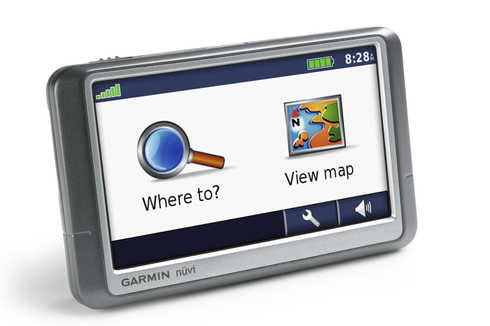
Finding your elevation on a nuvi

Ever been crossing a mountain pass when you wondered just how high you were? This review of the Garmin nuvi 650 reminded me that it’s not the most intuitive thing to find on a nuvi.

read more

Garmin nuvi 250W review

Garmin_nuvi_250w

UPDATE: This model has been discontinued. For current recommendations, please refer to our auto GPS buyers guide.

The Garmin nuvi 250W is a 4.3″ wide-screen version of the Garmin nuvi 250. Depending upon which side of the pond you live on, the nuvi 250W comes with pre-loaded maps of North America or Europe. This is a basic navigation device – no MP3 player, no Bluetooth, no text-to-speech. The one frill is the extra  wide touch-screen. Yet even without the bells and whistles, it’s Garmin nuvi quality through and through. Like all nuvis, it comes with nearly six million points of interest (POIs).

UPDATE: A new model, the nuvi 255W, offers these features and more.

read more

How many Points of Interest (POIs) do you need?

Pois
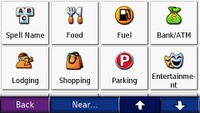
Points of interest (POIs) are, just as the name implies, a geographic point that may be of interest to you. They are typically divided into categories like dining, shopping, lodging, recreation, etc. If you are navigating to a business, you are likely to use a POI; if you are navigating to a residence, you’ll probably enter an address instead. 

These days, most auto GPS receivers come with anywhere from 750,000 to 6 million or more POIs. I find units with 2 million or less POIs to be extremely frustrating to use, since often, the business I am searching for is not in the database.

read more

GPS theft prevention with GadgetTrak

Gadgettrak
GadgetTrak, an Oregon company, has expanded the range of GPS devices they can protect from theft. Or more accurately, help recover if they are stolen.  Their system works when the thief, or someone he sells the stolen unit to, connects the device to a PC. The IP address, general location, computer name, user name, ISP and host name are relayed to you in an email. Of course, this doesn’t guarantee recovery. Here’s what GadgetTrak has to say about that:

read more

Magellan Maestro 4050 review

Magellan_maestro_4050
UPDATE: This model has been discontinued. For current recommendations, please refer to our auto GPS buyers guide or check out our other Magellan auto GPS reviews.

The Magellan Maestro 4050 is one of the first GPS navigators to feature voice recognition, allowing you to speak commands. The available commands aren’t limitless though, and this is new technology, so there are bound to be a few bugs due to ambient noise, etc. Nevertheless, it certainly is very cool to be able to issue commands just by speaking to your GPS.
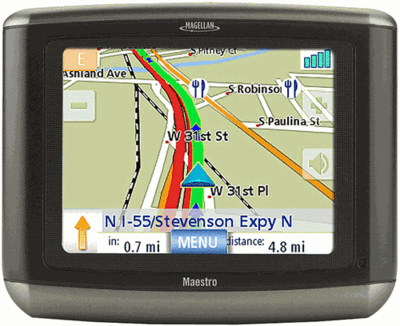
Before we go any further, let’s take a look at the rest of the feature set. Like its sibling, the Maestro 4040, the Maestro 4050 has a 4.3″ wide-screen, the SiRFstar III chipset, Bluetooth for hands-free cell phone use and preloaded maps of the U.S., Canada and Puerto Rico. Both units also have 4.5 million points of interest (POIs) and they both call out street names for upcoming turns.

What separates it from the 4040 is the that the Magellan Maestro 4050 has live-traffic included (an option on the 4040) and the previously mentioned voice-recognition feature.

To see how the 4050 stacks up against other units, check out my Magellan auto GPS comparison chart.

read more

Magellan Maestro 3140 review

Magellan_maestro_3140

UPDATE: This model has been discontinued. For current recommendations, please refer to our auto GPS buyers guide or check out our other Magellan auto GPS reviews.

The Magellan Maestro 3140 is part of Magellan’s new line up of GPS navigators. Like the Magellan Maestro 3100, It comes with a 3.5″ touch screen and the SiRFstar III chipset. Unlike the 3100, the Maestro 3140 has Bluetooth for hands-free cell phone use, live traffic as an add-on option, and it calls out street names for upcoming turns, so you’ll get “turn right on Main Street” instead of just “turn right.”

The 3140 has pre-loaded maps of the entire U.S., Canada and Puerto Rico, while the 3100 just has the lower 48 states.  A big difference, in my mind, is that the 3140 has 4.5 million points of interest (POIs), versus an anemic 750,000 POIs for the entry-level 3100.

Moving up to the Magellan Maestro 4000 series gets you a 4.3″ wide-screen interface.

UPDATE: A newer lineup, the Maestro 3200 and 4200 series, is a little thinner and lighter than the original Maestros.

To see how the 3140 stacks up against other units, check out my Magellan auto GPS comparison chart.

read more

TomTom GO 720 and MapShare

Tomtom_go_720UPDATE: Read our TomTom GO 720 review.

TomTom announced the TomTom GO 720 today, a wide-screen, (4.3") flat form factor GPS navigator. There are lots of juicy details, which we’ll get to momentarily, but the big news is MapShare.

MapShare

From the press release….

This unique new map improvement technology allows TomTom users to easily improve their maps as soon as they spot changes in the roads with a few touches on the screen of their device. Via TomTom HOME, TomTom Map Share™ users also receive all map improvements made by others, making their maps as dynamic as the world they live in.

TomTom Map Share™ is a proprietary map improvement technology unique to TomTom, which enables users to easily and instantly improve maps. TomTom users can respond in real time to changes in the road network and correct the maps on their TomTom devices accordingly. Thanks to the smart user interface, it is easy to make improvements, such as to mark blocked or unblocked streets, reverse one way traffic or insert new street names, which will instantly take effect.


EDIT:
Initially, six types of corrections will be allowed, though more are expected to be added later:

  • (un)Block a street
  • Reverse driving direction
  • Change a street name
  • Add a missing Point Of Interest (POI)
  • Remove or rename a POI
  • Add or change a POI phone number

read more