Sunday, March 18, 2012

TomTom comes to Android; battles free navigation

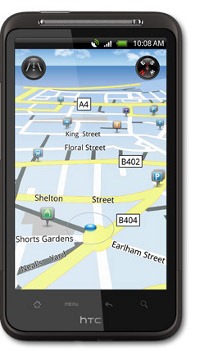
HTC-Desire-HD TomTom is attempting to crack the free navigation roadblock thrown up by Google, sealing a deal to provide maps to HTC, one of the most popular manufacturers of Android phones. Initially available on the HTC Desire HD (shown at left) and Desire Z in Europe and Asia, HTC promises to extend the partnership to “a wide variety of future smartphones and geographies.”

The TomTom / Tele Atlas brand distinction has become more muddled lately, and it is unclear whether HTC owners will be getting just Tele Atlas maps or the option to add TomTom navigation. The maps will be included in HTC’s Locations interface, “while turn-by-turn navigation can be purchased and downloaded through HTC Locations or HTC Sync.” The image at left could be dated, and not indicative of what users will see, though it is currently on the official HTC Desire HD web page.
read more

Peak.AR review

Peak-AR-screen

Augmented reality for the backcountry

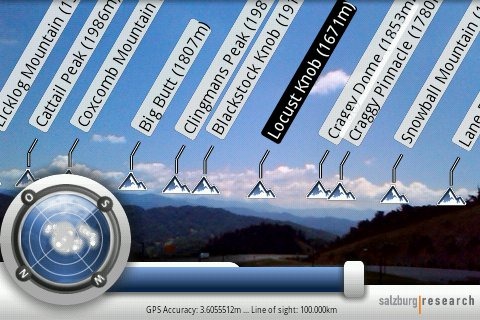
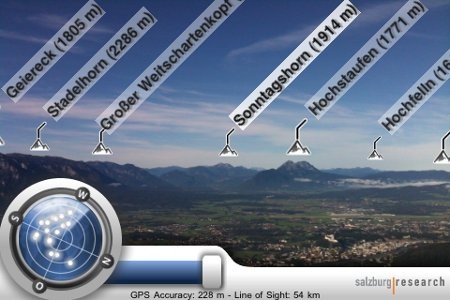
Peak.AR is a free augmented reality app for the Android and iPhone platforms, that allows you to identify distant peaks by simply pointing your phone’s camera at them. Pretty cool huh?

read more

T-Mobile Garminfone review

T-Mobile-Garminfone

Hands on with the T-Mobile Garminfone

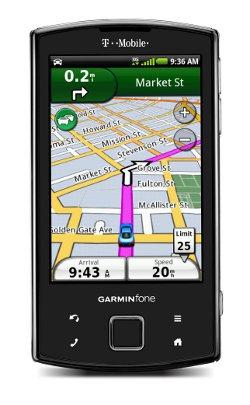
The T-Moble Garminfone is Garmin’s first Android smartphone released in North America. Produced by the Garmin-Asus partnership, it includes many of the goodies you would find on a nuvi, including North American maps, junction view, lane assist, Where am I?, tracklogs and multi-destination routing.

read more

My Tracks for Android

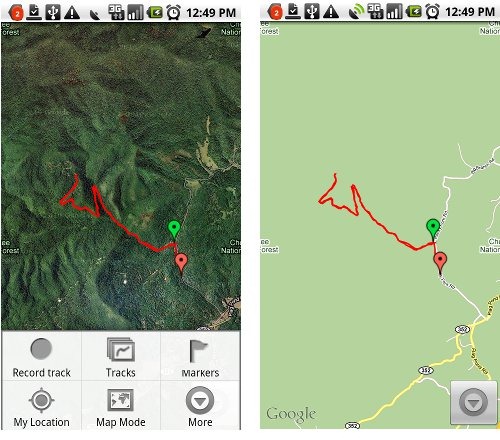
My-Tracks My Tracks is a free Android app that allows you to record and share GPS tracks. Incredibly easy to use, it layers your track onto Google Maps or satellite view (as shown above). Getting the track off your phone is as simple as saving the track, selecting the drop down More button and then Share with Friends, which gives you the options shown below at right. The GPX and KML options attach the file to an email; I love how easy it is to send a track to my computer this way. You can also create waypoints (“markers”) with the app. My Tracks is not a navigation app, but it is a great way to share locations and check the GPS accuracy of your Android phone. I’ve included the QR code below, so you can use a bar code scanner to download the app.

read more

GPS beats market research at own game

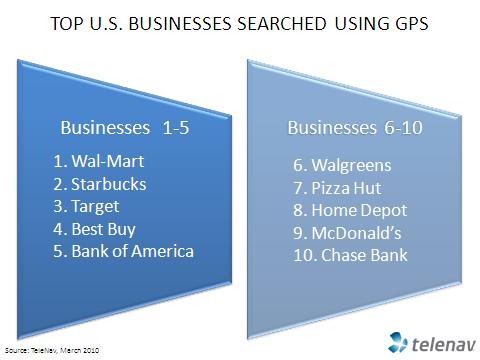
TeleNav top US businesses TeleNav is releasing some data this morning that isn’t too startling in its own right, but it speaks to a revolution in market share analysis. Companies like Nielsen and Arbitron estimate media market share, but GPS-enabled phones can do them one two better, delivering location market share data, and not just estimates either. This strikes me as something of a game changer for marketing professionals, and the data may provide another badly-needed revenue stream for navigation providers. On to the specifics being released today…
read more

Apple iPad, A-GPS, and ambiguity

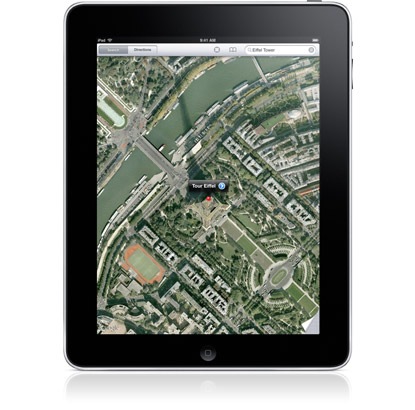
iPad aerial imagery

UPDATE: The WiFi model can determine your approximate location via Skyhook WiFi positioning, but does not have a GPS chip. The WiFi + 3G model has true GPS.

The Apple iPad was announced today, and Apple’s specs led to some confusion over whether or not this thing has GPS. For the record, here are the “location” specs for the iPad:

  • Wi-Fi
  • Digital compass
  • Assisted GPS (Wi-Fi + 3G model)
  • Cellular (Wi-Fi + 3G model)

It’s that assisted-GPS (A-GPS) thing that was confusing. A-GPS can mean a couple of things:

  • A software-based system designed to speed satellite lock, by providing alternative positioning data, projecting satellite locations, etc.
  • A system that relies solely on cell tower triangulation

The fact is, we don’t know yet which the iPad has. If it does have a GPS chipset, it seems clear that it’s limited to the 3G models. And the more I look into it, the more I’m inclined to think it does.

If the iPad does have GPS

But even if it does have GPS, what would you do with this 9.7” touchscreen beast? If you think your smartphone is fragile for geocaching, the iPad seems even less appropriate for field use. If you drive an RV or an 18-wheeler, perhaps you could justify the screen real-estate; it will be interesting to see if any of the nav app providers come up with a dedicated iPad version of their software. The iPad is bound to be used as a portable device though, even if its just for the coffee shop set, and as such I can see location-based services (including social media apps) being quite useful. What would you use an iPad with GPS for?

Google Maps Navigation review

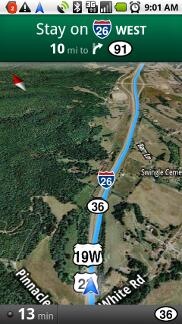
satelliteNot the nav app you’re looking for

Google Maps Navigation (referred to hereafter as GMN) is a free navigation app for Android version 1.6+ phones in the U.S. I bought the Motorola Droid recently (which I absolutely love BTW), so I thought I’d share my experiences with this much discussed free navigation app.
One important thing to be aware of — this is a beta application. Google has been known to keep their products in beta for a long time, but this one is pretty new and the beta label definitely applies.

The first part of my review is basically a tutorial, walking you through the interface, and offering useful tips. For my overall take, head on down to the conclusion.

read more

Two free apps help name that peak

Peak-AR Hey What’s That goes mobile

It’s been quite a while since I wrote about Hey What’s That?, a website that helps you identify mountains on the horizon. Well, today comes news that they have a mobile app for Android and iPhone (here is their mobile FAQ). So I tweeted about it and @CompeGPS turned me onto…

Peak.AR

Peak.AR icon(iTunes link) is a free augmented reality app that looks much better. There’s a screenshot at the top of this post (note that both English and German languages are supported). It’s limited to the iPhone now, but an Android app is expected by the end of February.

read more

We have our winners!

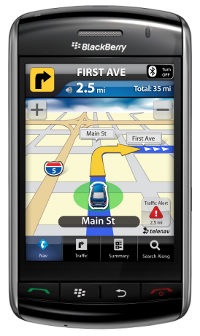
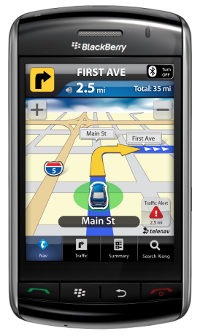
TN_BB_nav screen_landscapeOur contest has now wrapped up and the three winners should be getting set up with their TeleNav GPS Navigator apps, even as I write this. Congratulations go out to @MyBellaMia, @mazzmn and @madamerkf. And a great big thank you to the folks at @TeleNav and to all of our new followers too.

Here are the gritty details on the selection process for anyone interested. Our 72 entrants were assigned a number in sequential order, starting with 1 for the first entrant and 72 for the last entry received before midnight last night. Winners were selected using a random number generator (results and screenshot below). The first three numbers (15, 31 and 9) were our winners, who were notified by DM earlier today that they had won and needed to respond with a valid email address, which all three did, wrapping up the selection process.

read more

Win a copy of TeleNav GPS Navigator

TN_BB_nav screen_landscape

UPDATE: Contest now closed. Thanks for your entries; we’ll be contacting and announcing the winners shortly.

Thanks to the folks at TeleNav, we’re giving away three one-year subscriptions to GPS Navigatorvia a Twitter contest. To win, simply do both of the following steps:

  1. Follow @gpstracklog on Twitter (if you’re already following me, proceed to step two!)
  2. Tweet “Just entered to win TeleNav GPS Navigator. Just follow @gpstracklog and retweet. http://bit.ly/2hy43n”

The fine print:

  • Check to see if your carrier and device are supported
  • Contest runs through 11:59 p.m.on November 16, 2009
  • Entry is limited to residents of the U.S. and Canada
  • Winners will be selected at random
  • Only one entry is allowed per follower
  • Winners will be notified by direct message and will have 24 hours to respond with an email address; if you don’t get back to us within a day, we’ll pick a new winner