Sunday, March 18, 2012

Archives for June 2006

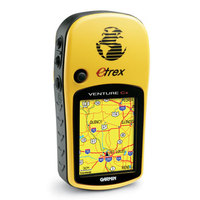
Garmin eTrex Venture Cx review

Venture_cx_1

UPDATE: This model has been discontinued. For more current recommendations, please refer to our handheld GPS buyers guide or our Garmin handheld GPS comparison chart.

The Garmin eTrex Venture Cx is more than an update of the antiquated eTrex Venture. It’s really an entry-level unit in the eTrex x-series line, and is better compared to them.

Like other x-series units, the Venture Cx sports turn-by-turn routing, a color screen, and expandable memory. What’s different about the Venture Cx is that it doesn’t come with a micro-SD card (which might make it a good deal if you’re just going to toss the 32 MB card that comes with the Legend Cx and buy a 1 GB micro-SD card anyway). A more important difference is that the Venture Cx doesn’t come with a USB cable — you may want one, but will have to buy it separately. Stepping on up the x-series line to the Vista Cx adds a barometric altimeter and electronic compass. As with all these units, detailed maps cost extra. And remember, the x-series eTrex doesn’t have the SiRFstar III chipset.
Compare prices on the Garmin eTrex Venture Cx

read more

Garmin tech support

A couple of months ago, I took my wife and Garmin 60CS snowboarding. My wife fared better than the GPS. Upon return, when I attempted to download the tracks, I was not able to establish communication with my computer. I tried it on multiple computers, reloaded the USB driver, did a hard reset, etc.

I believe that I had damaged the seals (I could see visual evidence of this), probably due to my misuse of a RAM mount on my bike. BTW, this post is by no means a criticism of my GPSMAP 60CS or the RAM mount. I test GPS receivers and report on them here, and I am brutal with those I own. I just eat the cost of repair every year or so.

I should have just replaced it, but couldn’t convince myself to pony up the money for a 60CSx, even though I’ll probably get one before long. Guess my wife will inherit the 60CS.

So onto the tale of my journey into the world of Garmin customer service. Is their tech support really as good as people say?

read more

Why have a barometric altimeter?

Altimeter

NOTE: A much more current version of this post can be found here.

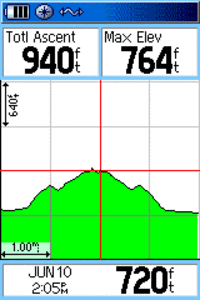
Quite simply, the primary reason you would want a barometric altimeter in a handheld GPS is for more accurate elevation readings. This is especially useful for bikers, hikers and atheletes in training. You can use the resulting data to track your progress and maintain an accurate record of your trips. A barometric altimeter can also help you accurately place your location on a topo map.

Furthermore, you can use the altimeter to forecast weather trends. A falling barometer can indicate worsening weather. See the barometer section of this review for some really cool things you can do with your GPS!

GPS-based altitude error is generally worse than latitude/longitude error. A good explanation of why barometric altimeters are better than GPS-based elevation data comes from GPSInformation.net. Here is another good resource — an electronic compass and barometric altimeter FAQ from Garmin.

Finally, a barometric altimeter is often paired with an electronic compass in higher end handheld GPS receivers.

read more

Lowrance iWay 350C review

Iway350c
UPDATE: This model has been discontinued. For current recommendations, please refer to our auto GPS buyers guide.

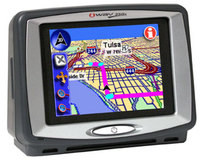
The Lowrance iWay 350C is a touch-screen GPS with pre-loaded maps of the U.S. and Canada. It includes an MP3 player and photo viewer, along with an FM modulator to stream music and voice-prompted directions to your stereo.

The smaller sibling of the iWay 500C, iWay 350C has a smaller screen (3.5″ vs. 5″) and hard drive (4 GB vs. 20 GB).

Compare prices on the Lowrance iWay 350C

Here’s what others are saying about the iWay 350C:

read more

EarthTools – Contours in Google Maps

Earthtools

I’ve posted a multiple times about various ways to  view contour lines in Google Maps and Google Earth. Now comes EarthTools, a new Google Maps mashup that adds a contour overlay (see image at left). Various parts of the world can be seen at different zoom levels, with more detail and coverage being added over time. Unlike some other mashups attempting this, the contour data in EarthTools loads fast. Right now it only works in FireFox and the IE7 beta. Via Google Maps Mania.