Sunday, March 18, 2012

Archives for December 2008

GPS predictions for 2009

Crystal ball

Disclaimer: These are predictions and nothing more, so keep your sense of humor and please don’t sue me.

Auto GPS predictions

  • A nuvi 8×5 series will bring lane assist and voice recognition together in one unit
  • Garmin discontinues the nuvi 200 series; all Garmin nuvi models will now have text-to-speech
  • Crowdsourced HD traffic comes to the US with the stateside introduction of the TomTom GO LIVE series
  • TomTom releases a GPS receiver that utilizes alternative positioning information for improved accuracy in urban canyons
  • More manufacturers display multiple route options visually, ala Dash and Insignia
  • Navigon folds, caught between Nextar on the low end and MiTAC’s aggressive promotion of the Magellan line
  • Red light camera alerts will move closer to the mainstream
  • More downward feature creep — expect to see Lane Assist on some mid-range Garmins, more units with lifetime traffic, larger screens, etc.
  • Garmin announces a desktop application (possibly a
    revamped MapSource) that allows planning routes with POIs and
    transferring them to Garmin units with current City Navigator maps; it
    will be set up to allow users to opt into sharing anonymized tracklogs
    ala TomTom HOME
  • Said application will support wireless transfer of data via ANT or Bluetooth
read more

You got a handheld GPS — Now what?

Garmin gift

Congratulations on the shiny new toy. Here are a baker’s dozen things to try out that will help you get more from it:

  1. Use it around town – This is something I highly recommend before trying it in the backcountry. For Garmin units, there are a couple of easy ways to transfer locations to them with the computer cable that comes with most models. You can search for a destination on Google Maps and send it to your GPS, as I discussed yesterday. An even better way to get to know your new toy — um — tool, is to go geocaching. Head over to geocaching.com and set up a free account and then enter your zip code. You’ll be amazed how many geocaches are nearby.

read more

Nine things to do with that new auto GPS

Gift small
Cool! You got a new GPS for your car. Now what? Here are some handy tips to help you get more from it.

  1. Register it – Do this right away and you might receive a free map update. This is especially important if you did not get the latest model, increasing the chances that it came with an out of date map set. Garmin gives you 60 days after first use, TomTom and Magellan 30. After that you have to pay for any map updates.

read more

Update and analysis on the sale of Magellan

A little more news is starting to creep out on the sale of Magellan to MiTAC, giving us some insight into what this may mean for the GPS market. According to DigiTimes,

"Mitac will operate business for each of its three own brands, Mio, Navman (acquired in March 2007) and Magellan, independently, the company pointed out."

MiTAC also said that the deal includes Magellan's "brand, trademark, software, intellectual properties, operating staff, client base and marketing network."

read more

NAVIGON 2200T review

Navigon 2200T review

NOTE: Navigon has pulled out of the U.S. market and we are no longer recommending their receivers. Check out our auto GPS buyers guide for our current recommendations.

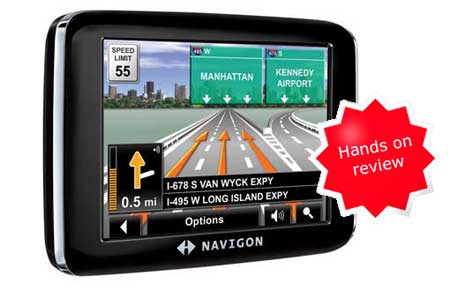
The Navigon 2200T is Navigon’s current entry-level model with lifetime traffic. This 3.5″ touch screen unit features text-to-speech, so you’ll hear “in one mile, turn right onto Maple Street” instead of just “in one mile, turn right.” Other features include Reality ViewTM Pro, Lane Assist Pro, speed limit display, multi-destination trip planning and DirectHelpSM. It includes maps of the 48 contiguous United States. PC Magazine has reported a fairly small number of POIs – 2 million, though I have not been able to verify that; Navigon documentation simply states that the device has “millions of POIs.”
read more

Bluetooth that works!

Nuvi 7x5T A2DP Bluetooth

A couple of months ago, I wrote a post asking does Bluetooth suck? That's pretty much been my experience, at least when I'm the person on the receiving end of the call from a GPS. But my opinion of Bluetooth has changed some since I wrote that.

read more

Garmin nuvi 775T review

Hands on with the Garmin nuvi 775T

UPDATE: The Garmin nuvi 1370T is a newer model transatlantic navigator

UPDATE 2: This model has been discontinued. For current recommendations, please refer to our auto GPS buyers guide.

UPDATE 3: The latest trans-Atlantic navigators to be introduced are the Garmin nuvi 2475LT and nuvi 2370LT.

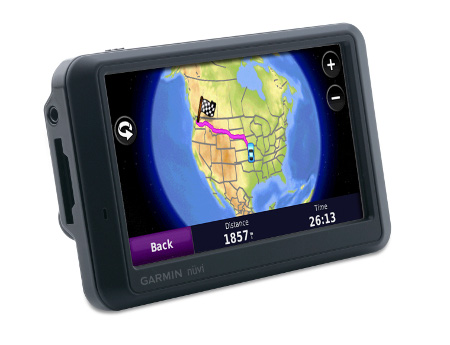
The Garmin nüvi 775Tis one of Garmin’s newest trans-Atlantic navigator, and their top of the line one as well. Pre-loaded with maps of the U.S., Canada and Europe, the 775T also offers lane assist, lifetime traffic and 3-D buildings.


read more

TomTom hacks – aerial photos and more

I came across some great TomTom hacks this weekend, including one for aerial photos (or any kind of raster imagery). I haven’t tried any of these out, so you’re kind of on your own here. As always, I’d do a full backup of the unit before trying them. Regardless, these look like some great resources for the TomTom enthusiast:

read more

6 GPS features worth paying extra for

UPDATE: Since several years have passed, I decided it was high time for an updated version of this post!

Yesterday I looked at five GPS features you don't need. Today we'll check out the flip-side; what are the best and most useful upgrades when choosing a navigator? I'll start with ones available on relatively low end units and then move on to features found on more expensive models.

read more

5 GPS features you don’t need

Throwing money away sm

UPDATE: Since several years have passed, I decided it was time for an updated version of this post!

GPS receivers are becoming more feature-rich every year. But what works and what doesn't? Here are five features that you just don't need.

  1. Traffic – I recently saw that 50% of people with live traffic on their GPS don't use it. Great idea, but it ain't ready for primetime yet. You'll get plenty of erroneous reports, and you'll also come across lots of bottlenecks that go unreported.
  2. FM transmitter – Useless in urban areas where the FM band is crowded, but of possible interest to the 0.1% of the population living in rural, mountainous areas.
  3. MP3 player – As much as I like seeing the track and artist name on my GPS screen, the tinny speakers aren't made for listening to music. If your GPS has an audio out jack, and your receiver an audio in, you could connect them, but then you'd have cables strung everywhere. TomTom has an iPod control cable for their GO units, but there's that cable thing again. A car stereo with Bluetooth and a nuvi 7x5T unit might give you a better option, but lacking the former I haven't tried it.
  4. Bluetooth – When it does work, it generally sounds horrible for the person on the other end of the call. Exceptions — my experience with the TomTom GO 730 was better than most, but what I'm really impressed by is the nuvi 7x5T I've been testing. It won't do everything I wanted it to, but the sound quality in early use has been great. Stay tuned for a full report. UPDATE: Bluetooth that works.
  5. 3D buildings – Useless eye candy.

read more