UPDATE: This model has been discontinued. For more current recommendations, please refer to our handheld GPS buyers guide or our Garmin handheld GPS comparison chart.
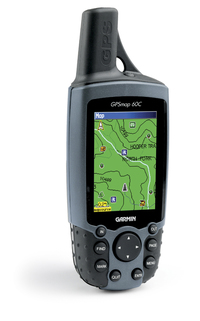
The Garmin GPSMap 60C
25 readers at Amazon rated the Garmin 60C
GPS reviews, news, tips, tricks and deals
UPDATE: This model has been discontinued. For more current recommendations, please refer to our handheld GPS buyers guide or our Garmin handheld GPS comparison chart.
The Garmin GPSMap 60C
25 readers at Amazon rated the Garmin 60C
Many GPS Tracklog readers know that you can make your own maps for your GPS, but we’re just beginning to see entrepreneurs marketing such products. I recently came across Snow Ranger Ski Resort Maps
The price is right, at $4.95 per resort, or $29.95 per set, and they can be downloaded online. I was a little surprised though when, browsing the product guide, I discovered that using these maps will overwrite other maps on the unit. This means that you probably need to take your laptop along if you’re using your GPS to navigate to the resort via City Select
UPDATE: Though still available and supported, Garmin has discontinued the nuvi 350. For newer models, check out my Garmin nuvi comparison chart.
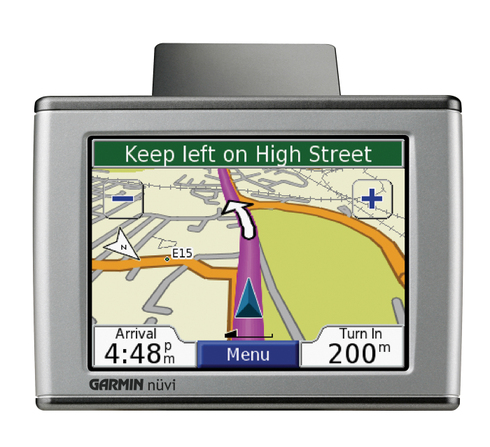
The Garmin nuvi 350
I received a PM from the Adirondack Forum today that said:
"…I just bought the Garmin 60CS. I have a question about the maps. Do I need the Garmin Mapsource United States Topo or… the one from National Geographics Topo that I think is better for hiking? If I don’t buy the Garmin Mapsource Topo, can I download maps in my GPS?…"
This question comes up so often that I felt obligated to post an answer here. The answer is no, you cannot load National Geographic TOPO! maps
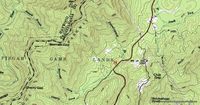
The National Geographic TOPO! maps look just like a paper map from USGS (example above, at right). That’s because they are scanned images, also known as raster imagery. Since they are scans, they have a pretty big file size. That’s why it takes 10 CDs to cover the state of California. And that’s one of the main reasons that GPS manufacturers have taken a different approach.
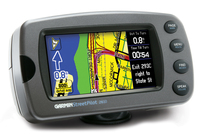 UPDATE: Most of the several generations old StreetPilot series, including this model, has been discontinued. For a more current recommendation, check out our Auto GPS buyers guide or go straight to our Garmin nuvi comparison chart. The Garmin StreetPilot 2610
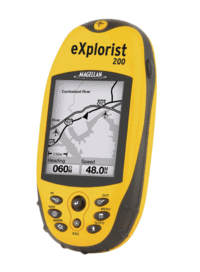 UPDATE: The Magellan eXplorist line has been officially discontinued. For an overview of our current recommendations, check out our handheld GPS buyers guide.
The Magellan eXplorist 200
A number of readers have posted Magellan eXplorist 200 reviews
Compare prices on the Magellan eXplorist 200
Here’s what others have to say about the eXplorist 200:
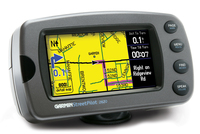
UPDATE: Most of the several generations old StreetPilot series, including this model, has been discontinued. For a more current recommendation, check out our Auto GPS buyers guide or go straight to our Garmin nuvi comparison chart.
The Garmin StreetPilot 2620
58 reviewers at Amazon gave the StreetPilot 2620
Here’s what other reviewers are saying:
I occassionally get questions directed to my email, so today we inaugurate a new category…from the mailbag. The questions today come to us from Bill Macfarlane, a new geocacher who recently purchased a Magellan eXplorist 500
"So far I have good luck with it, finding a few caches, but I really think I could be doing more. With this in mind I started to look at Magellan’s other offerings, Mapsend Directroute and Topo 3D, and trying to decide if they were worth the extra. I also have gone through many of the posts on Groundspeak regarding mapping which has added to my confusion…
…While Directroute seems simple enough to understand it usage, the whole sense of 3D mapping and Topo maps in conjunction with the GPSr still seems a mystery to me. Are these programs (Magellan Topo 3D, National Geographic TOPO, OziExplorer…etc) used to help your excursion into the great outdoors? Will they help me find trails that I might not know about in my area or perhaps rank them from a day trip with my Cub Scout group to the extreme hiker? Just where do these programs fit in?"
Read on for my answers…
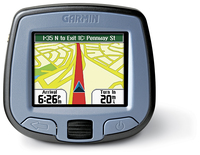
UPDATE: Most of the several generations old StreetPilot series, including this model, has been discontinued. For a more current recommendation, check out our Auto GPS buyers guide or go straight to our Garmin nuvi comparison chart.
The Garmin StreetPilot i3
The StreetPilot i3
Here’s what others are saying about the i3:
 My recent post about OziExplorer accepting .gpx and .kml file types got me thinking about one of the great benefits of Ozi — it’s ability to utilize free maps. While Ozi isn’t free (though there is a shareware/demo and a trial version that allow you to try out almost all its features), there are lots of sources of free maps to use in it. I’m speaking here of digital raster graphics (DRGs). These are scanned versions of USGS topo maps. They typically come in a .tif format, which can be opened in a basic photo or graphics program. But you need a program like OziExplorer or Fugawi to georeference them. Once you do that, your computer knows the coordinates of every pixel on the screen, and you can transfer GPS data (waypoints, tracks and routes) back and forth between your GPS receiver and PC, layering them on the DRG map.
Here are my favorite sources of free USGS maps:
There is a chapter in my book, GPS Mapping: Make Your Own Maps on this subject called Maps 201: Downloading Free Maps. It delves into other types of free maps (and aerial photos) and various technical issues that you might run into. There are also full chapters on both OziExplorer and Fugawi.