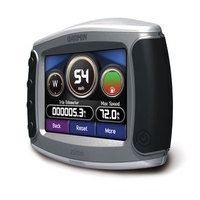
The Garmin zumo 450 GPS for motorcycles follows the successful introduction of the zumo 550 last year. The 450 has all of its features except Bluetooth, the ability to speak street names and XM Satellite compatibility.
Archives for March 2007
Garmin zumo 450 review
March 31, 2007 By 6 Comments
Garmin c510/c530 voice hack
March 27, 2007 By 9 Comments
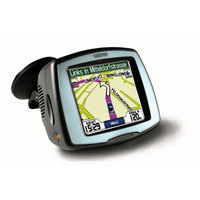
Here’s a hack to give your Garmin StreetPilot c510 or c530 text-to-speech capabilities, enabling it to call out street names. That way you’ll get "Turn left on Highway 128 in 500 feet" instead of just "Turn left in 500 feet."
Now when I say hack, I mean H-A-C-K! This isn’t a make your own maps kind of hack, this is one that can lead to the death of your unit. Phil Hornby, the hacker who came up with this, suffered the following while working it out:
- Several lock-ups – remove the front Fascia and press RESET to recover.
- Crash/reboot and loss of ALL user settings – Favourites, Navigation settings, Garmin Lock!!! , you name it. Nothing for it, but to reset everything manually. It even needed to relearn the initial satellite position (As in "Make sure you have a clear view of the sky")
- A very scary TOTAL lock-up that necessitated removing the four screws that hold the C510 together and then unplugging and re-plugging the battery. I suppose I could have waited for the battery to go flat!. Actually, I’ve heard of this fault affecting real C550’s …
- It didn’t happen to me during this experiment, but a related issue is the loss of the licence key file for the City Navigator NT maps.
Yikes! I’m not recommending this one to anybody.
Via GPSReview.net.
Garmin nuvi 250 review
March 26, 2007 By Leave a Comment
UPDATE: This model has been discontinued. For current recommendations, please refer to our auto GPS buyers guide.
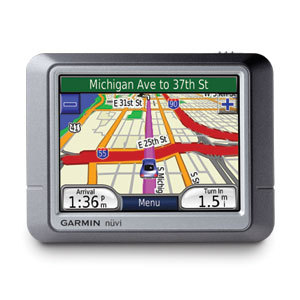
The slim Garmin nuvi 250, one of the entry level nuvi models, has preloaded maps of the United States, Canada and Puerto Rico. It sports a 3.5 inch color touch-screen display and, as with other nuvis, includes voice-prompted directions, picture viewer, calculator, currency converter, unit converter, world clock and 6 million points of interest. The Garmin Lock security feature is provided as well.
UPDATE: A newer model, the nuvi 255, offers these features and more.
Garmin nuvi 200 review
March 22, 2007 By 1 Comment
UPDATE: This model has been discontinued. For current recommendations, please refer to our auto GPS buyers guide.
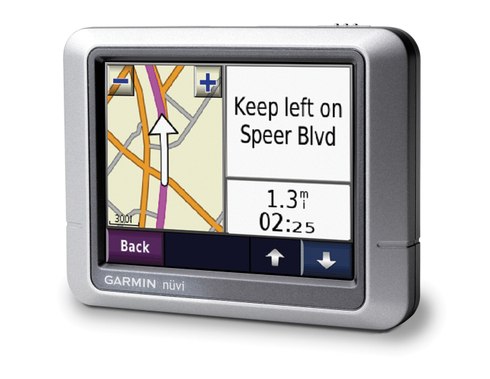
The Garmin nuvi 200 is Garmin’s entry level device in their incredibly popular nuvi series of GPS navigators. The slim nuvi 200 has preloaded maps of the 48 contiguous United States, Hawaii, and Puerto Rico. It sports a 3.5 inch touch-screen display and, as with other nuvis, the 200 series includes voice-prompted directions, picture viewer, calculator, currency converter, unit converter and world clock. The Garmin Lock security feature is provided as well.
UPDATE: A new model, the nuvi 205, offers these features and more, and has occasionally been selling for a little less than the nuvi 200.
Garmin nuvi 370 review
March 17, 2007 By Leave a Comment
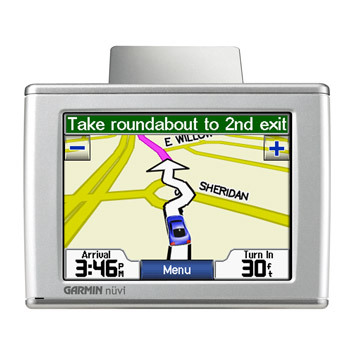
UPDATE: Though still available and supported, Garmin has discontinued the nuvi 370. For newer models, check out my Garmin nuvi comparison chart.
UPDATE 2: The latest trans-Atlantic navigators to be introduced are the Garmin nuvi 2475LT and nuvi 2370LT.
The Garmin nuvi 370
Garmin nuvi comparison chart
March 15, 2007 By
IMPORTANT: See our improved Garmin nuvi comparison chart. Due to space constraints on GPS Tracklog, I’ve taken the nuvi comparison chart elsewhere. Comments are now closed on this post, but you can comment and ask questions at the new Garmin nuvi comparison chart.
There are a plethora of nuvis entering the GPS marketplace, and I can see that there is going to be a lot of confusion among would be buyers. In light of that, and despite my admittedly limited technical skills, I’ve put together a Garmin nuvi comparison chart. It may not be the prettiest HTML table in the world, but it should serve the needs of confused consumers. The chart only covers models designed for North American consumers, though it does include units with both North American and European maps — the x70 models.
Before we get into all the details, here’s a brief look at the various series in the U.S. nuvi lineup:
200 series – This budget, entry level lineup includes the nuvi 200, 250, 260 and 270. All have a 3.5″ screen. A relatively new series, these units have an internal antenna, giving them a less obtrusive profile.200W series – The 200W, 250W and 260W are also entry level units with limited features, albeit with a 4.3″ screen.300 series – With more features than the 200 series, this set includes the first two nuvis ever released, the 350 and 360, along with the newer 370.600 series – More feature laden still, this line includes the nuvi 650, 660, 670 and 680.700 series – The newest additions to the nuvi family, these units incorporate the high-end features of the 600 series, with the internal antenna found on the 200 series.x70 models – The tranatlantic 270, 370, 670 and 770 models have maps of the U.S., Canada and Europe.
Garmin nuvi 200
March 13, 2007 By 1 Comment
 UPDATE: Read our Garmin nuvi 200 review
DigiTimes is reporting that Garmin will unveil the nuvi 200 at CeBit, replacing the StreetPilot c-series:
"Garmin is expected to unveil its new nuvi 200 PND, the company’s first PND reportedly to be built with GPS chips from Taiwan-based MediTek, at the show, the sources indicated. The nuvi 200, which will target the entry-level segment, will gradually replace the company’s C-series PNDs, the sources said.
However, the sources quoted a report released recently by US-based securities house Jefferries & Company as saying that Garmin’s new entry-level PNDs may continue to use Texas Instruments’ Navigo-series chips, or the same chips Garmin used for its StreetPilot C 300 lineup."
For now, it’s anyone’s guess about the nuvi 200’s other features. Perhaps we’ll see a a stripped down nuvi 350, sans MP3 player, the ability to speak street names, and without an option to upgrade to live traffic. I expect that the nuvi 200 will be a European product, and that a nuvi 250 will rear its head in the U.S.
Hoax: GPS-microchip implanting sniper rifle
March 6, 2007 By Leave a Comment

An item on Digg caught my eye – a GPS-microchip implanting sniper rifle. The only thing is, I don’t believe it.
Supposedly, it is produced by a Danish firm, Empire North. Their website claims:
"It is used to implant a GPS-microchip in the body of a human being, using a high powered sniper rifle as the long distance injector. The microchip will enter the body and stay there, causing no internal damage, and only a very small amount of physical pain to the target. It will feel like a mosquito-bite lasting a fraction of a second…
As the urban battlefield grows more complex and intense, new ways of managing and controlling crowds are needed. The attention of the media changes the rules of the game. Sometimes it is difficult to engage the enemy in the streets without causing damage to the all important image of the state. Instead EMPIRE NORTH suggests to mark and identify a suspicious subject on a safe distance, enabeling (sic) the national law enforcement agency to keep track on the target through a satellite in the weeks to come."
The only problems are (a) they would have to incorporate a transmitter in order to do tracking and (b) the human body is comprised mostly of water. And GPS signals don’t penetrate water very well.
Till proven wrong, count me as a skeptic.
What mountains are those on the horizon (and how can I get waypoints of them)?
March 6, 2007 By 4 Comments
Though I live by the sea, I’m a mountain lover at heart. There’s nothing more exhilarating for me than peak-bagging, and once I’m there, there’s nothing as fun as looking off to the horizon, and figuring out what peaks I’m seeing. Well that just got easier, thanks to a new Google Maps mashup titled Hey, what’s that?
Plugging in your favorite peak is easy. Simply go to the New Panorama tab and navigate via the map interface to the peak of your choice. A planned future addition is to have peak names show up on the map interface to help you navigate once you get close. For now, you can use the map, satellite imagery and the Contours button. Once you get close, there is a button that allows you to fine tune your location, automatically choosing the nearest high point. After that, all you really have to do is name your map, which you can make public. That’s what I did with Cahto Peak, California.
