With auto systems dominating the GPS market, handheld users often feel neglected by the major manufacturers. We rarely see hardware improvements, and topo maps are updated even less frequently. The GPS maps that we do have usually show 40 meter (131 foot) contour intervals. Personally, I like to know if I’m approaching a cliff of say 100′; with these maps, it wouldn’t show! Nor do most outdoor maps allow for auto-routing on trails, the way that GPS highway maps do.
Archives for 2007
Magellan Maestro 3100 review
May 19, 2007 By 11 Comments
UPDATE: This model has been discontinued. For current recommendations, please refer to our auto GPS buyers guide or check out our other Magellan auto GPS reviews.
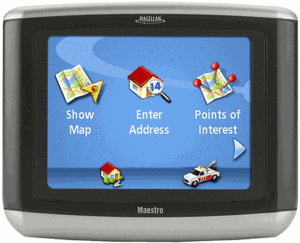
The Magellan Maestro 3100
I have not been very impressed with receivers with such a low number of POIs. Even units with 1.5 million POIs have frequently failed to turn up the store, restaurant, etc. that I was looking for, meaning that I would need to enter the address for navigation (if I even had it). Other reviewers, linked to below, didn’t seem to have many problems with the Maestro 3100 though. Perhaps they are in areas without as many new stores, etc.
Magellan Maestro 4000 review
May 16, 2007 By 3 Comments
UPDATE: This model has been discontinued. For current recommendations, please refer to our auto GPS buyers guide or check out our other Magellan auto GPS reviews.
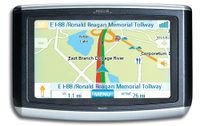
The Magellan Maestro 4000
Tech tips for GPS map makers
May 14, 2007 By
This weekend, my publisher forwarded me a nice email from Jim Bosch, a reader of my book, GPS Mapping – Make Your Own Maps (Amazon
TomTom ONE XL review
May 5, 2007 By 1 Comment
UPDATE: This model has been discontinued. For a list of current TomTom models and their features, please see our TomTom comparison chart.
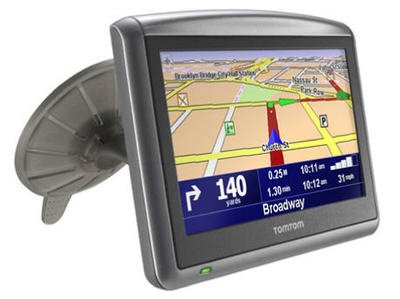
The TomTom ONE XL
Garmin nuvi 650 review
April 30, 2007 By 29 Comments
UPDATE: Though still available and supported, Garmin has discontinued the nuvi 650. For newer models, check out my Garmin nuvi comparison chart.
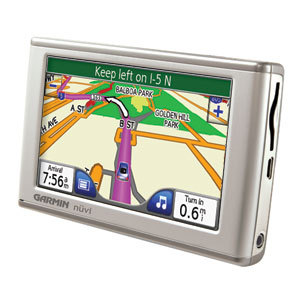
The Garmin nuvi 650
Step up to the nuvi 660 to get an integrated traffic receiver, Bluetooth for hands-free cell phone use, along with an FM transmitter to stream music, directions and phone calls through your car stereo speakers. The nuvi 670 adds European maps to the 660’s feature set, while the nuvi 680 adds MSN Direct services to the 660’s features.
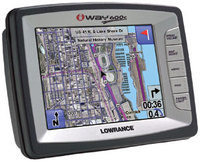
Lowrance iWAY 600C review
April 23, 2007 By 1 Comment
UPDATE: This model has been discontinued. For current recommendations, please refer to our auto GPS buyers guide.
The Lowrance iWAY 600C
The iWAY 600C has a large 5″ touch-screen, pre-loaded maps of the continental U.S. and Canada, plus electronic charts with depth contours for U.S. inland lakes, the Great lakes and coastal waters. It also has an MP3 player, built-in FM transmitter and 5.5 million points of interest (POIs).
25 GB of its 30GB hard drive is dedicated to maps and aerial photos. The remaining 5 GB is available to store MP3s.
Transfer waypoints to your nuvi with MapSource
April 21, 2007 By 1 Comment
As noted in my last post, I just returned from a trip to the southwest. My wife and I visited many towns and cities in New Mexico including Santa Fe, Albuquerque, Las Cruces and Silver City, and we even made it as far north as Colorado Springs. My trusty Garmin nuvi 660 led the way.
We were gone 12 days and had many places we wanted to see. We’re considering relocating so we were checking out neighborhoods, open houses, restaurants, etc. When you’re doing a trip that complicated, in cities you aren’t familiar with, simply plugging destinations into your GPS isn’t always the best way to do things. There’s nothing like being able to visualize the whole city on your computer screen. So I used Garmin’s MapSource to find POIs and create waypoints, and then transfer them to my nuvi.
If you don’t have the latest version of MapSource, download it to enable this capability. In version 6.11.1 Garmin added support for transfer with Garmin mass storage devices, such as the nuvi. I found it to be very helpful.
Trip Report – Southern New Mexico and Mexican Gray Wolves
April 21, 2007 By Leave a Comment
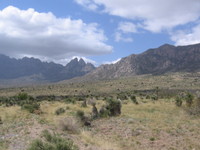
My posting frequency has been down a bit lately, as I just returned from a “working vacation” – how’s that for an oxymoron? Nevertheless, my wife and I had fun exploring New Mexico and a bit of Colorado, but our outdoor adventures were mostly in Southern New Mexico. I like describing and posting tracks of our hikes and bike rides (and how I prepped our GPS receivers for them), so if it’s your cup of tea, read on. If not, regular programming will return following this post!
My wife (who is also my partner in outdoor adventure) is five months pregnant, so this won’t be a report of crazy adventures, filled with mountain bike crashes and off-trail adventures in canyons. This trip was comprised of relatively sedate hikes. In addition to those listed below, we also did shorter jaunts in Petroglyph National Monument (Albuquerque, NM) and Garden of the Gods (Colorado Springs, CO), but the tracks there aren’t long enough to be of much use to anyone. So without further delay…
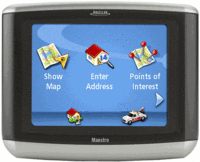
Magellan Maestro 3100 and 3140
April 17, 2007 By Leave a Comment
 UPDATE: Read our Magellan Maestro 3100 review and Magellan Maestro 3140 review.
Magellan has announced two more members of their Maestro series, the Magellan Maestro 3100 and 3140. Both are based on the thin Magellan Maestro 4000 series models, which have a 4" screen. The 3000 series will have a smaller form factor, with a 3.5" screen. Both the 3100 and 3140 will sport the SiRFstar III chipset. According to Magellan,
“Without compromising the quality and richness of experience that Magellan stands for, we have been able to pack into an even smaller form factor premium features found in the Maestro 4000 series. These include text-to-speech, full map coverage, AAA travel information, and more. In addition, they are the first auto navigation solutions on the market that use the new Samsung 2443 processor for rapid routing."
