Sunday, March 18, 2012

Archives for 2006

New version of National Geographic TOPO! – GPX support added

Ng_topo_new
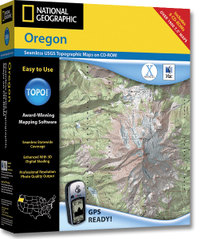
National Geographic is selling a new version of its TOPO! state series mapping software. Instead of separate Windows and Mac versions, the new edition integrates support for both in one box. This release also incorporates the features found in the TOPO! Streets & 3-D Views expansion pack:

  • 3-D views and fly-throughs
  • Updated street layer information
  • Live map update feature allows you to download new USGS quads
  • Support for more GPS models including those using a USB interface

If you have one of the older versions (3.X), you’ll need to buy Streets & 3-D Views to upgrade. If you already have Streets & 3-D Views, you can download the latest upgrade to version 4.1.5. A Mac version of the upgrade is expected to be posted any day now.

The latest version also adds GPX file support, although at this time it only allows import of GPX files. I have been told that the next upgrade, due to be posted in April, will allow GPX file export. No word yet on whether this will allow the export of tracks, the current lack of which is the only major fault I can find with TOPO!

Finally, although the image on the TOPO! state series website shows the new version, it does not appear to have been otherwise updated. The current GPS compatibility list doesn’t even show the Garmin USB units made compatible by Streets & 3-D Views.

UPDATE: A conversation at Groundspeak tipped me off that, even though the update says v. 4.1.5, it is in reality now v. 4.2.2. This update includes support for Garmin x-series receivers and Magellan eXplorist. Still no .gpx file export though.

Related posts:

Technorati tags: GPS
Topo maps on Google Maps

Two websites integrating topo maps with Google Maps recently came to my attention. The first is Topographs.com, which I discovered via Groundspeak. The other is BackcountryMaps.com, found via Google Maps Mania. I haven’t had a lot of time to explore these, but these are my initial impressions:

Topographs allows you to add GPS tracks, though not directly. But it is SLOW. At least it is on my computer. BackcountryMaps is faster, but there appears to be no GPS interface.

Related posts:

Technorati tags: GPS, Google Maps, topo

Points of Interest (POIs) resources

Last updated February 19, 2008

This thread originally dealt solely with custom points of interest
(POIs), but I’ve updated and reorganized it to include online sources
of POIs, conversion tools and more.

Custom points of interest (POI) resources

read more

Convert Google Maps data to GPS waypoints

Josh at Communications from Elsewhere has updated his GMapToGPX bookmarklet, that allows you to convert Google Maps search results to GPX waypoints for your GPS. More information can be found in my previous post on this. As Josh opines, it’s difficult to keep up with changes to the Google Maps API, so it may break again. Crank out those waypoint files while you can.

Garmin Forerunner 205 Review

Forerunner_205_1

UPDATE: This model has been discontinued. For information on current models, check out our GPS for runners page.

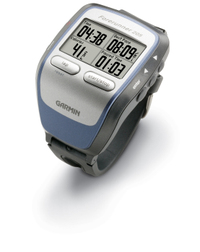
The Garmin Forerunner 205 is a stylish update of the Forerunner 201. But don’t judge it just by looks. The 205 has the new SiRFSTAR III chipset that has been garnering rave reviews for its amazing performance under canopy, in urban canyons, and even indoors!

The primary difference between this unit and the Forerunner 305, is that the 305 has a heart-rate monitor; the 205 does not.

Compare prices on the Forerunner 205

Here’s what others are saying about the Forerunner 205:

read more

How are Garmin and Magellan topo maps different?

Over at Groundspeak, Geocaching.com‘s message forum, Peter gave a great explanation of the differences between Garmin and Magellan topo maps:

"As Sputnik indicated, the approaches taken by Magellan and Garmin are different. Garmin uses Digital Raster Graphics (DRG) to basically create an image of the USGS 1:100,000 series maps. Therefore their maps have all the detail and accuracy provided by those maps, and nothing else – which means they lack most road names and anything built since the maps were last updated (20 years or so ago in many areas). But they do show the features included by the USGS: springs, fire roads, quite a few trails, etc. Also note that the 1:100,000 maps are metric so the contour spacings are based on rounded numbers of meters. When your GPS is set to feet the spacings look a bit strange (e.g. contours at 164′, 328′, 492′, etc.)

Magellan’s topo maps are instead based on the Digital Elevation Model (DEM) technology where elevations are sampled in a grid pattern and the contour lines are then recreated by interpolation between grid points. That provides the contour line detail but by itself wouldn’t give you anything else. So Magellan combines this topology data with the same road data they use for their street maps (based on TIGER for the original Streets and Topo programs, based on NavTeq for DirectRoute and 3DTopo).

If you want to get by on just a single set of maps then Magellan’s approach is clearly superior. But anyone who wants auto-routing and elevation data (both good things to have) will need to get both sets of maps anyway. In that case each approach has its good and bad sides. Magellan lets you see all the data at one time on your screen since their street data is identical on both and therefore doesn’t cause a problem, but they lack many of the older dirt roads and trails that are included on the old USGS maps used by Garmin. And, as Sputnik said, you can load both sets of maps in your Garmin and toggle between them. I frequently use CitySelect to get to a trailhead and then switch to Topo to see the terrain and trails for a hike."


Garmin eTrex Legend Cx Review

UPDATE: This model has been discontinued. For more current recommendations, please refer to our handheld GPS buyers guide or our Garmin handheld GPS comparison chart.

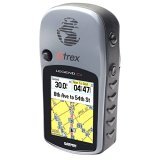
The Garmin eTrex Legend Cx updates the popular Legend C model by adding a micro-SD card slot for expandable memory (hence the “x”). This is a great upgrade, since the Legend C’s 24 MB of internal memory was almost too small to effectively utilize City Select software for highway use.

read more

nuvi 310, nuvi 360 introduced by Garmin

Nuvi_310UPDATE: Check out our Garmin nuvi
360 review
.

Earlier today, Garmin unveiled the nüvi 310™ and nüvi 360™, two new additions to this popular product line. The nüvi™ is described by Garmin as an all-in-one Personal Travel Assistant™.

Both units feature Bluetooth "wireless technology with a microphone and speaker that lets you make hands-free mobile phone calls. Simply dial numbers with the nüvi’s touch screen keypad to make a call on a compatible Bluetooth phone. To answer calls, just tap nüvi’s screen and speak directly into its built in microphone." Both units also feature anti-theft technology; "Garmin Lock™ disables the nüvi from performing any functions until the user types in a specific 4-digit PIN or takes the unit to a predetermined secure location code. If the user does not know the PIN or secure location, the nüvi will be inoperative." Finally, the new nüvi’s have an SD slot that can accommodate options like Language Guides, a Travel Guide for Europe (U.S. coming soon) or a Savers Guide. Both units are expected to be available in June 2006.

Garmin nüvi™ 310

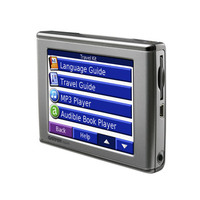
The Garmin nüvi™ 310 (pictured at left above), is the successor to the nüvi™ 300 and is available only in Europe. It comes pre-loaded with City Navigator® NT Europe data for one of the nine regions. Of course, like the 300, the 310 comes with MP3 player, audio book player, JPEG picture viewer, travel alarm, and currency converters. An optional FM traffic receiver provides Nuvi_360real-time traffic information.

Garmin nüvi™ 360

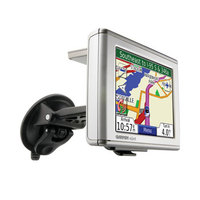
The Garmin nüvi™ 360, pictured at right, updates the incredibly popular nüvi™ 350. Pre-loaded with City Navigator® NT North America or Europe (full coverage), the other main difference between this and the 310 is that the 360 features turn-by-turn voice-prompted directions that speak street names.

Technorati tags: GPS

Garmin Edge 205 Review

Edge205UPDATE: This model has been discontinued. For a current alternative, check out the Garmin Edge 500.

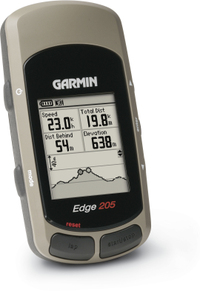
The Garmin Edge 205, designed for cyclists, is similar to the more powerful Edge 305, with three notable exceptions. The 205 does not have the capacity to act as a heart rate monitor or cadence sensor, and it relies on GPS for elevation data, whereas the 305 has a barometric altimeter. The 205 does however, have the same new SiRFSTARIII chipset, which has been getting rave reviews for acquisition time and awesome coverage under canopy, in urban canyons and even indoors!

One caveat about the Edge series. These are very nice cyclometers, but if you are looking for a navigation device, you would be better off purchasing a Garmin handheld, and getting a bike mount for it.

More Garmin Edge 205 reviews

read more

Theme park maps for your Garmin GPS

Stonemaps offers GPS maps for theme parks including Disney World and Disneyland. They also have some maps for Utah ski resorts, and for other theme parks in California and Florida. Sorry, no Magellan maps yet. Found via Groundspeak.

Related posts:

Technorati tags: GPS, Disney World, Disneyland