Sunday, March 18, 2012

GPS Maps for Mexico

Cabo_san_lucas

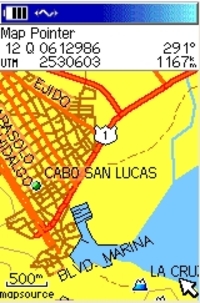
The holidays are over, winter is here, and many of us are dreaming of vacations in warmer climes. I’ve been asked a few times about maps for Mexico, and I was reminded recently of a website that offers a great deal of resources for the GPS enthusiast headed south of the border. So it seemed an appropriate time to call your attention to BiciMapas.

Although the stated focus is maps for mountain biking, there’s a lot more to the site than that. They have highway maps and digital raster graphics (DRG’s) that can be used in programs like OziExplorer. It seems like the most common format for their GPS maps is Garmin, but some maps are also available for Magellan receivers. And if Alberto Najera, the man behind BiciMapas, has his way, I’ll bet that you’ll see Lowrance maps from him before long.

Other than BiciMapas, your choices are limited. You could get the Garmin World Map or the Magellan Worldwide Basemap. But even Garmin says that such a low-level of detail product "is generally recommended only if no other coverage is available for the area."
read more

Garmin City Select vs. City Navigator

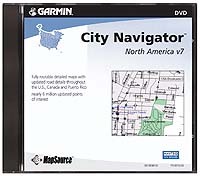
City_navigatorThis is a common question — which should I buy for my Garmin GPS, City Select (CS) or City Navigator (CN)? First of all, go to Garmin’s website and check to be sure that your unit is compatible and capable of auto-routing. Otherwise you’ll be paying for features that you can’t utilize.
Here’s the lowdown on the differences. CN was designed specifically for certain StreetPilot units; those units can take advantage of some sophisticated voice-prompted routing information in CN. Though CN can be ran on many handhelds, the map segments are much larger, with several exceeding the 24 MB limit of a number of units.  This is not just a problem in those areas; it makes it difficult to construct a trip along a linear route (can you say road trip?). To further complicate matters, Garmin is discontinuing CS, which has smaller map segments, replacing it with CN. This has caused quite a stir, and Garmin handheld owners aren’t happy
about it
. Apparently the company is listening though, and they seem
determined to shrink the map segments in future versions of CN.

CS is getting harder to find as a result of this phase-out. If you can
only find CS Version 6, don’t worry. As long as it is purchased (and
unlocked) after June 1, 2005, you are entitled to a free upgrade.
And there is some good news in all this; Garmin has cut upgrade pricing
for CN from $150 to $75 and on CS from $75 to $50. My advice? If you’ve
got a handheld, buy CS.


read more

Top posts of 2005

Thanks to everyone for the great reception you’ve given GPS Tracklog since its debut earlier this year.  Before we move on to another year of exciting GPS news, reviews, tips and tricks, let’s take a look at this past year’s most popular posts (in no particular order):

  1. New Garmin receivers with expandable memory and SiRF chipsets. This post continues to bring in 20% of referral traffic. Of course, getting linked to by Engadget, the number one blog on the web, didn’t hurt! Stay tuned, because I hope to have more info on these units in another week or so. Word has it that Garmin is going to announce them at CES.
  2. Converting Google Maps search results to GPS waypoints. What an incredibly awesome tool for road trips. I use it every time I’m preparing for a vacation.
  3. Geocoding photos with TopoFusion. Some of you may be getting tired of me harping on this one, but I just can’t help myself—it is way cool.
  4. Does heavy cloud cover affect GPS reception? A favorite FAQ. The related post on GPS reception indoors was another hit with readers.
  5. My favorite GPS mapping software. As soon as my book came out, this became a constant question.
  6. What kind of maps can I put on my GPS (and what do you mean by raster and vector)? The most common FAQ of all. From what I can see on the message boards, the store sales clerks must not be doing a very good job of explaining this one.
  7. Online sources of GPS waypoints and tracks. Some great trip preparation resources here.
  8. Garmin Nuvi 350 review. I had no idea that reviews of new units would be so popular. Close behind it in traffic are recent reviews of the Magellan eXplorist 210 and RoadMate 360 models. My GPS buyers guide was another popular post.
  9. Free USGS topo maps. Not surprisingly, “free” continues to be one of the most popular words in the English language.
  10. Rechargeable batteries for your GPS receiver. From the looks of things, there are a lot fewer batteries going into landfills these days. And that’s good news.
  11. Creating custom maps for Lowrance receivers. Lowrance users are finally getting the custom map making tools we’ve had for some time now for Garmin and Magellan receivers.
  12. Flying with GPS on commercial airliners. A topic that focuses solely on the joys of having fun with your GPS.


12 tips for getting more from your GPS

Here are some tips for all you outdoor enthuisiasts, designed to help you get more from your GPS on the trail:

  • Most GPS units come with a cable, allowing you to connect it to your computer. If yours didn’t, buy one.
  • Get a software program that allows you to print customized maps, showing your waypoints, previous trails you have taken, etc. CD-based map sets like National Geographic TOPO! are great for this.
  • Use your mapping software to mark waypoints of hidden trail junctions, so you don’t miss them.
  • Download a program for viewing aerial photos. USAPhotoMaps is free, while the more versatile TopoFusion is only $40. Aerial photos are usually more current than topo maps and are a great way to find new 4WD roads and trails.
  • While in the field, use your GPS to mark unexplored roads and trails, so that you can return and check them out in the future.
  • To keep an eye on your progress at a glance, set your data screen for the most important fields,  such as elevation, distance to next waypoint, etc.
  • Create waypoints of major peaks and other significant features, to help you identify them when checking out those awesome views.
  • Download your track (and any waypoints you marked while out) upon return. This gives you a record of all your trips and helps you prepare for future adventures in the same area.
  • If you have a track you’ve downloaded (or drawn from an aerial photo), you can load it to your GPS to see if you’re going where you thought you were!
  • Use your mapping software as a training aid. Download your track to create a record and compare distance, elevation gain, etc., with other outings.
  • Set your maps to print with a UTM grid, allowing you to easily pinpoint your location in the field.
  • Synchronize the clock on your digital camera to the time on your GPS. When you return home, download your track to TopoFusion and, using the PhotoFusion feature, clickable camera icons will automatically show where each photo was taken. Just click to see the picture!

Related posts:


Ski Resort Maps for your Garmin GPS

Many GPS Tracklog readers know that you can make your own maps for your GPS, but we’re just beginning to see entrepreneurs marketing such products. I recently came across Snow Ranger Ski Resort Maps for Garmin receivers, which are available for Colorado, New Mexico and California. The Snow Ranger website provides additional details, including a list of available resorts.

The price is right, at $4.95 per resort, or $29.95 per set, and they can be downloaded online. I was a little surprised though when, browsing the product guide, I discovered that using these maps will overwrite other maps on the unit. This means that you probably need to take your laptop along if you’re using your GPS to navigate to the resort via City Select. This limitation on home-made maps can actually be overcome using techniques described in my book, GPS Mapping. It implements a simple modification of Garmin MapSource, and that may have been a little further than the developers were willing to go!


What kind of maps can I put on my GPS (and what do you mean by raster and vector)?

I received a PM from the Adirondack Forum today that said:

"…I just bought the Garmin 60CS. I have a question about the maps. Do I need the Garmin Mapsource United States Topo or… the one from National Geographics Topo that I think is better for hiking? If I don’t buy the Garmin Mapsource Topo, can I download maps in my GPS?…"Raster_image

This question comes up so often that I felt obligated to post an answer here. The answer is no, you cannot load National Geographic TOPO! maps onto any GPS. You can however, create waypoints and routes with TOPO!, and transfer these to your GPS, but not the maps. Let’s look at why not, and what kind of maps you can load onto your GPS.

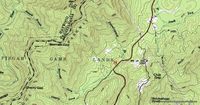
The National Geographic TOPO! maps look just like a paper map from USGS (example above, at right). That’s because they are scanned images, also known as raster imagery. Since they are scans, they have a pretty big file size. That’s why it takes 10 CDs to cover the state of California. And that’s one of the main reasons that GPS manufacturers have taken a different approach.

read more

Free USGS Topo Maps

UsgsMy recent post about OziExplorer accepting .gpx and .kml file types got me thinking about one of the great benefits of Ozi — it’s ability to utilize free maps. While Ozi isn’t free (though there is a shareware/demo and a trial version that allow you to try out almost all its features), there are lots of sources of free maps to use in it. I’m speaking here of digital raster graphics (DRGs). These are scanned versions of USGS topo maps. They typically come in a .tif format, which can be opened in a basic photo or graphics program. But you need a program like OziExplorer or Fugawi to georeference them. Once you do that, your computer knows the coordinates of every pixel on the screen, and you can transfer GPS data (waypoints, tracks and routes) back and forth between your GPS receiver and PC, layering them on the DRG map.

Here are my favorite sources of free USGS maps:

  • This listing of USGS DRGs has lots of information about various sources of maps, state by state.  Compiled by a frequent contributor to the OziExplorer discussion board, this site has great notes about datums and file formats, designed to assist in importing them into Ozi in an already georeferenced format.
  • From their website, "The purpose of the Libre Map Project is to aggregate and make digital maps and related GIS data available for free."
  • The Mostly Free DRG Reference Page has this to say about it’s name…"Between the various state and other references on this page you should be able to download a DRG for just about anywhere in the country without having to spend a dime (although I have included a few low cost DRG sites)."
  • Of course, you can always go straight to USGS.

There is a chapter in my book, GPS Mapping: Make Your Own Maps on this subject called Maps 201: Downloading Free Maps. It delves into other types of free maps (and aerial photos) and various technical issues that you might run into. There are also full chapters on both OziExplorer and Fugawi.

OziExplorer Embraces GPX and KML

OziexplorerYesterday morning there was an announcement on the OziExplorer discussion board that a new version had been released which included support for .gpx and .kml files. The upgrade was a little buggy at first, or I would have reported it yesterday, but an updated version has been posted with a fix, and it works great.

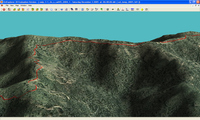
OziExplorer has long been one of my favorite mapping software programs. Even if you don’t use it everyday, there may be times when there is no substitute, unless you have access to a high-end GIS program. Ozi accepts shapefiles (.shp and .e00 formats) and allows you to import MrSID (.sid) imagery. The screenshot here shows a .gpx track, superimposed on a recent color aerial photo of my county (.sid format), re-generated in Ozi’s 3-D module.

OziExplorer allows you to download free USGS topo maps (DRGs) and aerial photos (DOQQs), providing a low cost way to get access to maps of much of the U.S. for free. There is a full chapter on Ozi in my book, GPS Mapping.  No program is perfect, but this one comes close. If they could only implement a better method for seamless map printing…

My Favorite GPS Mapping Software

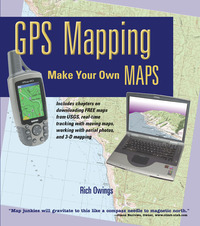
Frontcvr_webBecause I compared so many different software packages in my book, GPS Mapping – Make Your Own Maps (cover at right), I’m often asked what programs I like. In the book, I shied away from recommendations, focusing instead upon the pros and cons of each program, because no software is perfect. People who really get into this will often use multiple packages (a number of them are free or have extensive demo modes). Today, I’m going to take a different approach and share my favorites in each of several major categories.

CD-based maps

Here we’re talking about programs that package all the USGS topo quads for an entire state or region onto a DVD or set of CD’s, products like DeLorme 3-D TopoQuads and Maptech Terrain Navigator. These packages are ideal for producing printed maps. No other category can beat them for this. My current favorite though, is National Geographic TOPO! It’s not perfect, but in my mind, it has fewer drawbacks than the other two. One caveat though–these programs are constantly being upgraded. For example, I haven’t had a chance to check out the recently released Terrain Navigator 7.0, but I’m expecting a copy soon and will report back here with a full review.

Internet-based maps

read more

Online Sources of GPS Waypoints and Tracks

Some weeks ago I posted about downloading GPS tracks from MotionBased.com for trip planning. For a long time now, I’ve been wanting to post other online sources of GPS data. Lets say you’re planning a trip somewhere. Hiking, biking, fishing–it doesn’t matter. Wouldn’t it be nice to get waypoints and tracks from other GPS enthusiasts?

Some mapping software companies allow users to exchange data. Three notable examples are:

The first two are proprietary formats, which can limit their usefulness unless you have that product. The National Geographic TOPO format turns up a lot on websites devoted to outdoor adventure.

MotionBased uses the open standard .gpx format, which is being embraced by more and more software manufacturers over time. An extensive list of online sources of .gpx data is available from TopoGrafix, the developer of EasyGPS and ExpertGPS. This list encompasses everything from dive spots to UK hiking trails. Travel by GPS, one of the sources on the list has a page posted on data I contributed–my Mt. Diablo circumnavigation. I haven’t tried every source on the list, but GPXchange and TrailRegistry look particularly interesting.

There are plenty of other sources out there too. There is even a Yahoo GPS Tracks & Waypoints group devoted to data exchange. It’s always a good idea to search on Google for (insert park name, etc.) and waypoints or GPX. And there are a blue million hiking, biking, kayaking, hunting, fishing, etc., discussion groups out there. Many message boards have regional sections. There are typically some tech-type gear heads there who can help you out with online sources or even their own data.

Winter is a great time for planning next year’s adventures, and I hope these tools help!

Added 04.22.06 – GPS-Tour.info