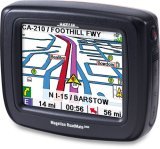

UPDATE: This model has been discontinued. For current recommendations, please refer to our auto GPS buyers guide or check out our other Magellan auto GPS reviews.
I’ve been playing with a Magellan RoadMate 2000
GPS reviews, news, tips, tricks and deals
UPDATE: This model has been discontinued. For current recommendations, please refer to our auto GPS buyers guide or check out our other Magellan auto GPS reviews.
I’ve been playing with a Magellan RoadMate 2000

With the last post on GPS file converters done, I’ve concluded my series on "Choosing the best mapping software," which looked at some of the best programs in multiple categories. I’ve shared my favorites with you, and I hope you’ve found the series helpful. Working with track files, aerial photos and topo maps can be a lot of fun, especially if you’ve got the right tools.
And remember, each of the programs I’ve covered in this series is explored in detail in my book, GPS Mapping: Make Your Own Maps.
Posts in this series:

What to do? You’ve got a .tpo track file from TOPO! that you want to put on your GPS. or you’re dying to see how a .gpx file looks in Google Earth. Well, you’re not alone. Thousands of others GPS aficianados struggle with the same alphabet soup, and concommitant translation problems. Fortunately, solutions are at hand. Let’s look at some file converters.
GPSBabel
Developed by Robert Lipe, GPSBabel is my new favorite in this category, thanks to its newfound ability to convert .tpo files used in National Geographic TOPO! Heck, just take a look at this file compatibility list to get an idea of its utility. Most people will feel quite comfortable using their GUI interface.
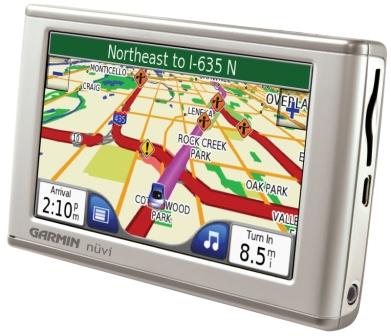
UPDATE: Though still available and supported, Garmin has discontinued the nuvi 660. For newer models, check out my Garmin nuvi comparison chart.
I finally broke down and purchased a Garmin nuvi 660
and it has quickly become the favorite workhorse in my stable of GPS receivers.
The nuvi 660 is a joy to use.
Before we get into the details of my review, lets look at other models in the nuvi 600 series. The nuvi 670 is identical to the 660, except that it adds European maps as well. The nuvi 680 uses MSN Direct services, giving you access to weather, fuel prices and movie times, in addition to the 660’s live traffic.
I saw a press release today for UNS Infotainment, a new GPS receiver from a Dubai company. A couple of things caught my eye. For one, according to the press release, "UNS Infotainment(TM) will be rolled out to other GCC countries in the
coming months. Plans are also underway for expansion to UK, Europe and
North America market by early 2007." But it was the feature list that really got me:
Last month my wife and I took a mountain biking vacation in the Lake Tahoe area and, of course, we took our GPS receivers along for the ride! While I posted a trip report, complete with GPS tracklogs, I haven’t quite fessed up to one thing.
You see, I took my laptop along for managing waypoints, tracks and maps, but forgot to take my Garmin U.S. TOPO
Putting Garmin TOPO maps on your hard drive is incredibly simple, and it has to do with the installation. Create a folder on your hard drive and copy the contents of the CD’s to it, including the setup disc. Then navigate to that folder and run setup from your hard drive, and not the CD. That’s it!
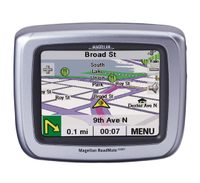
UPDATE: This model has been discontinued. For current recommendations, please refer to our auto GPS buyers guide or check out our other Magellan auto GPS reviews.
The Magellan RoadMate 2200T
Below this model, the RoadMate 2000 leaves off the SD slot, MP3 player, photo viewer and traffic capabilities. One step above the 2200T, the CrossoverGPS (formerly known as the 2500T) adds pre-loaded topo maps to the 2200T’s feature set.
 Though it’s not really a mapping program per se, EasyGPS is a great piece of software, especially suited for those just beginning to learn the capabilities of their GPS. You may not be ready to spend money on a sophisticated mapping program yet, but you’re piling up waypoints faster than your GPS receiver’s memory can handle them (many have a limit of 500 waypoints).
Well, EasyGPS is the answer, and it’s free. In addition to handling waypoints, you can also create routes with it. Plus, it’s geocaching friendly, because it handles both .loc and .gpx format files.
Shameless plug — There is a chapter on EasyGPS (and over a dozen other GPS programs) in my book — GPS Mapping: Make Your Own Maps.
Other posts in this series:
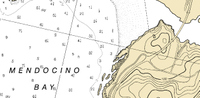
NOAA has a site where you can download free nautical charts for the entire U.S. The charts are in BSB/KAP format, and can be used in OziExplorer. I found this via a post on the OziExplorer message forum.
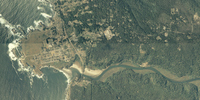
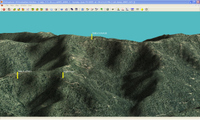
The Map Room recently covered the National Agricultural Imagery Program (NAIP). Now don’t be confused by the Agriculture part of the name, because the NAIP is of value to a much broader audience. NAIP offers very recent, natural-color aerial imagery of almost the entire U.S., at a relatively high resolution. Full county mosaics are $50. For my county, there is a 2006 image with a resolution of 2 meters/pixel, and a 2005 image at 1 meter/pixel. The image at left, of the Big River estuary and Mendocino, CA, is supposed to be 2 meter resolution. The resolution doesn’t look quite that sharp to me, but nevertheless, I can make out recent changes in logging roads in the area I frequent for mountain bike rides. The image to the right below, shows a 3-D view with waypoints, that I created using OziExplorer.
The color county mosaics are in MrSID format. You can use OziExplorer to work with these files, and the NAIP website lists several viewers. Quarter quadrangles are available in GeoTIFF format. Here’s the latest (2005) aerial photo coverage map for color county mosaics.
Unfortunately, we’re dealing with the feds here, so ordering is a pain and delivery is slow.
